Efficient, simple,
transparent
Overview

Custom forms
Create forms of any complexity for applications, reporting and other needs. Validation settings to minimise errors.

Verification of receivables and arrears
—

Electronic signing
Sign documents electronically and save time and paper.

Evaluation process
Set up your own evaluation system and ensure transparency.

Financial reports
—

Document generation
Automatically generate contracts and other documents using data from the system.

Imports and exports
Simple data import and export for efficient management.

Chatbot
—

AI reports for managers
—

API point and Integrations (registers, other platforms)
—

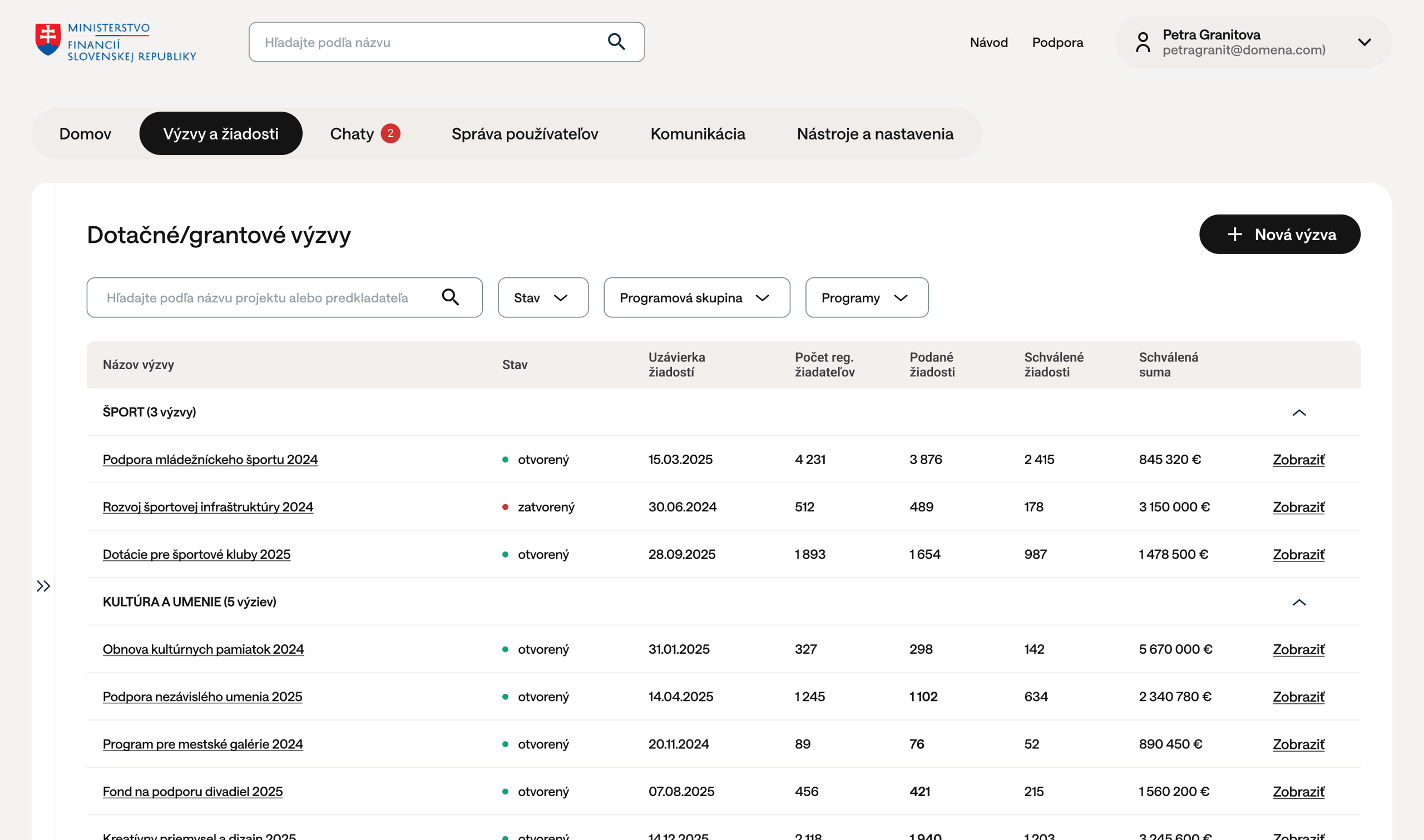
Grant drawdown tracking
Monitor project progress and keep track of implementation.

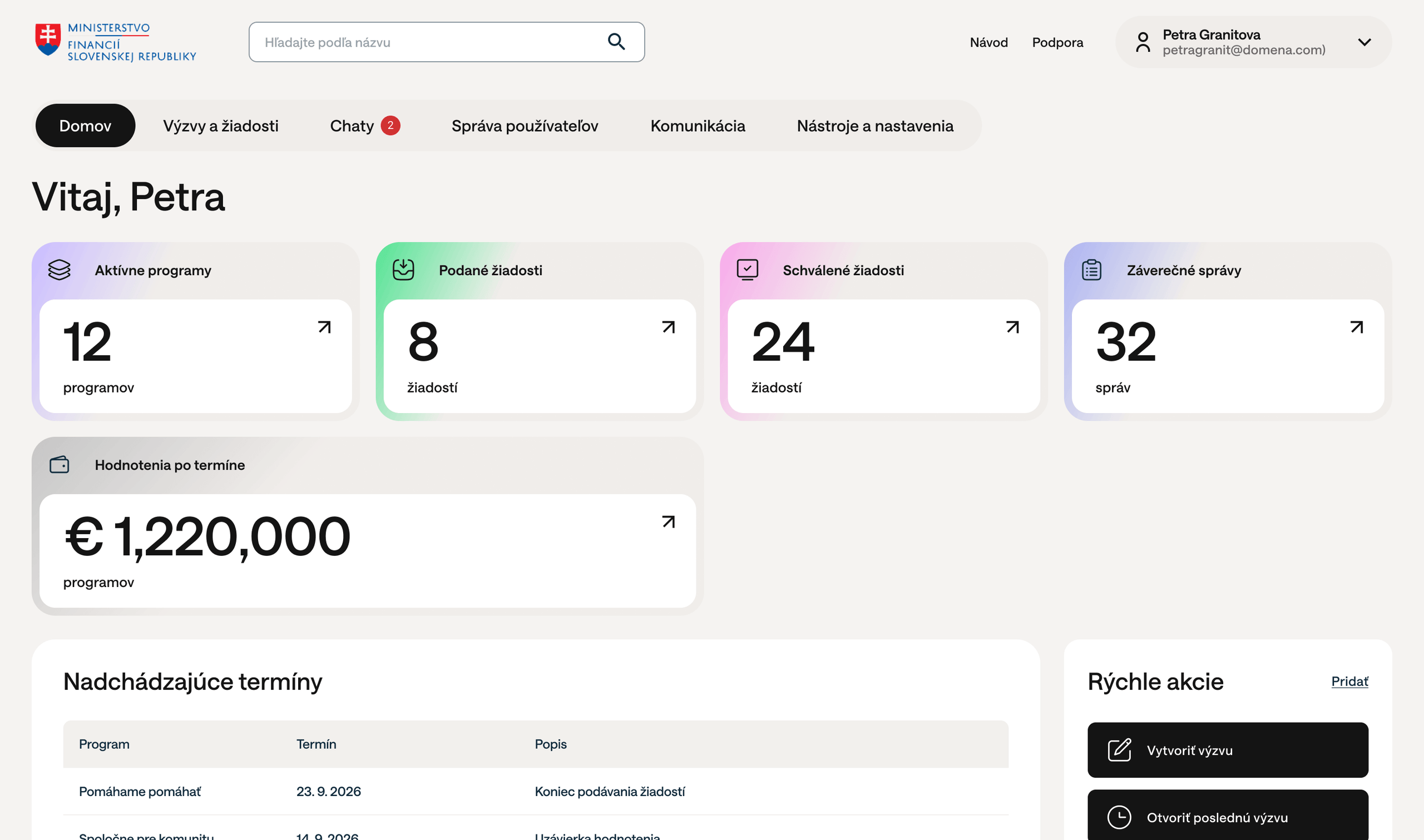
Dashboards
—
Integrations
We connect eGrant with registers in six countries and with public administration systems, so that you do not have to enter data manually and can work with current data.
State registers
Slovakia
Slovensko.Digital ecosystem
Slovensko.sk
Czechia
ARES central register
Estonia
ARIREGISTER
Slovenia
podatki.gov.si
Croatia
Connection to multiple public databases
eGovernment and economy
Electronic mailboxes and submissions
Records and document management
Central Economic System
Summary of features
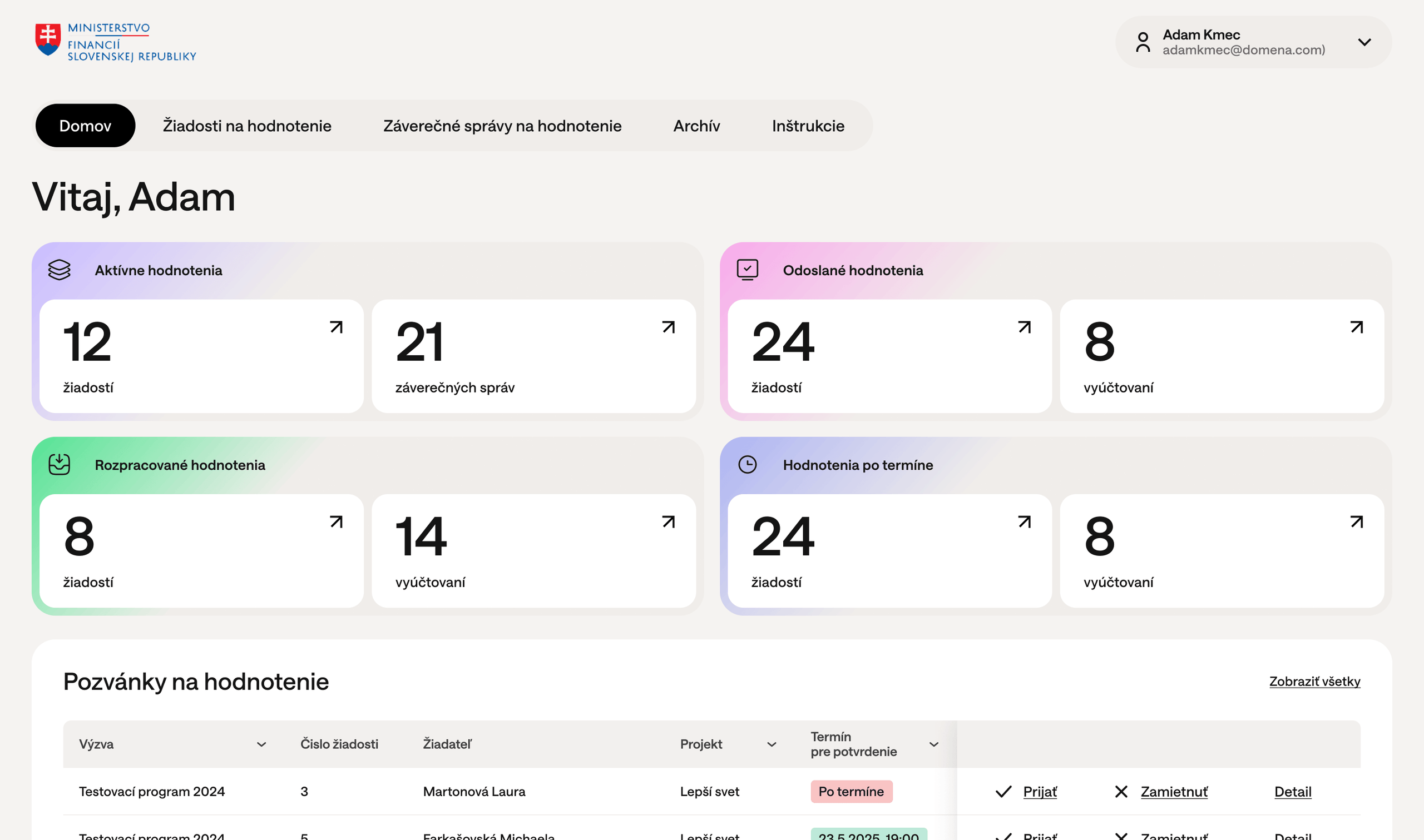
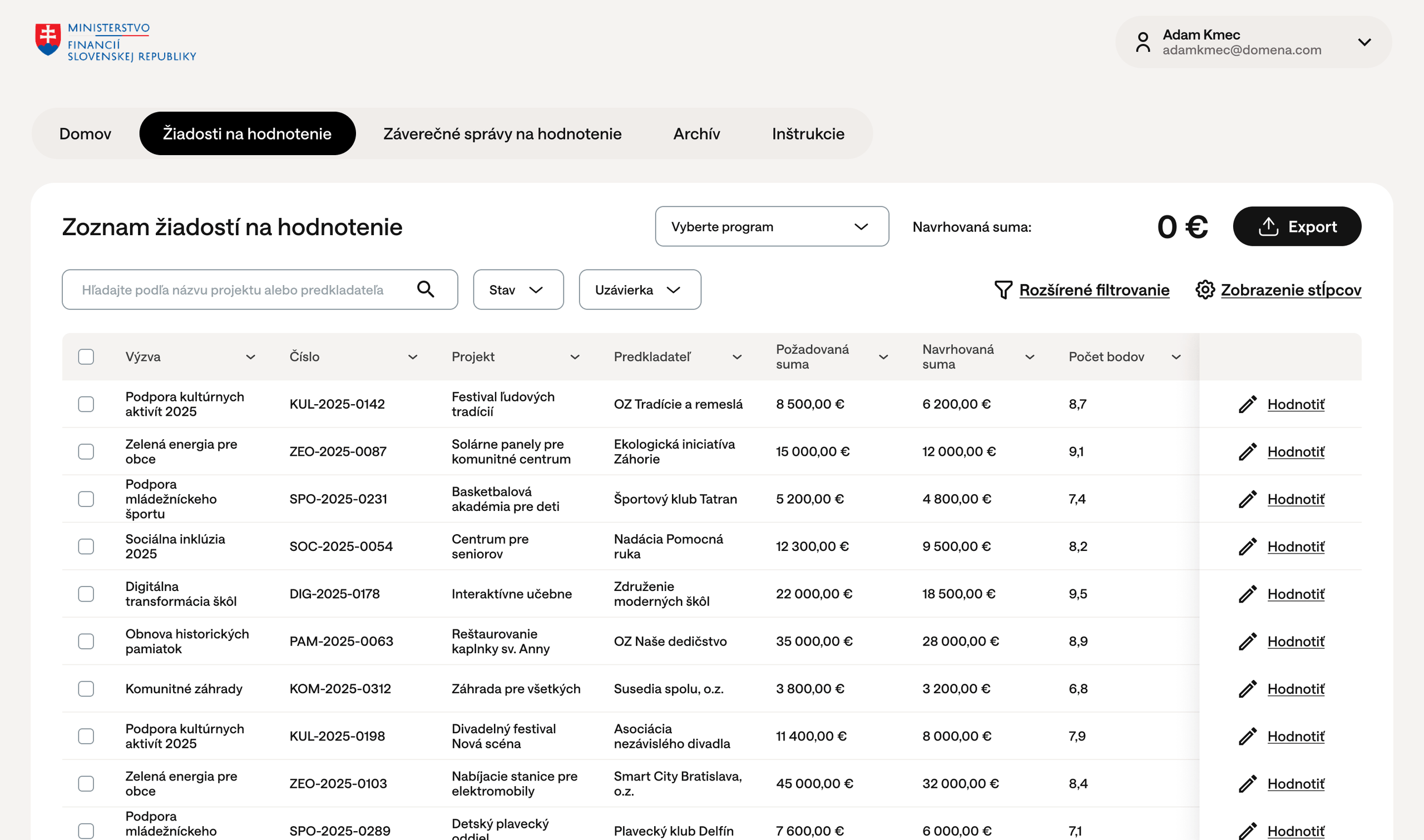
The EGRANT information system enables the full processing of applications for funding, as well as the evaluation and management of applications.
The subject of cooperation includes the following parameters of the eGrant system:
- Application hosting;
- Wildcard SSL certificate;
- Design adjustments within the created structure;
- Continuous 24/7 online access to individual projects, evaluations and supported entities, as well as contracts, financial reports, opinions and notifications;
- 24/7 technical support for applicants and coordinators in connection with website administration;
- Personal data protection (GDPR);
- Implementation of the graphic design into the external part of the system for subsidy programmes;
- Training and individual consultancy for the client’s representatives;
- Electronic signature of applications, contracts, final reports and other documents;
- Import of data and files from accounting software, or extraction of structured data from invoices/ statements/ receipts (e.g. individual items, IČO, IBAN, payment date) and their further processing/storage (use for financial reports);
- Creation of an overview for tracking the drawdown of funds at project and call level;
- “Chat” feature for communicating with applicants directly in the system;
- Creation of forms as needed, e.g. application, monitoring and final report forms according to the requirements of individual calls;
- Integration with CES (Central Economic System);
- Integration with the GrACE system;
- Data import;
- Data migration (migration is carried out on the basis of a separate order pursuant to Art. II(5) of the contract);
- The system is available in 6 language versions: Slovak, Czech, Slovenian, Hungarian, Croatian, Estonian, Italian;
- Provision of an AI service for managers when checking financial reports (the AI provides the manager with a report on the result of the check of the attached accounting documents (invoices and bank statements) and their compliance/ non-compliance with the approved budget);
- Dedicated server for a local AI model (data are not provided to third parties).
System features in detail
The eGrant SYSTEM enables the phases of the process listed below to be processed directly by call managers, or with technical support provided 24/7.
System administration
Instance and access settings
- Creation and configuration of the instance (logo, form visuals, business card and email signature, welcome texts);
- Creation/ deployment of a graphic design of the home page for subsidy programmes;
- Creation of different levels of access for superiors/ managers/ teams and the intermediate body, and their assignment to individual programmes;
- Configuration and definition of user groups with different levels of access (e.g. for collaborators’ access to applications/ supported projects);
- Sending invitations to users with a request for consent under the GDPR.
- Solution for multiple roles for a single user (e.g. an applicant can also have the role of evaluator)
- Deployment of a personalised home page according to the client’s graphic design into the external part of the system for individual programme phases (information about the call (principles/ rules), timeline, etc.)
Management of various subsidy calls/programmes
- Creation of subsidy calls/ programmes;
- Creation of parent programmes containing further sub-programmes (enabling their linking and management in a hierarchical structure);
- Configuration of a parent programme (a so-called “super-programme”);
- Definition of a “super-programme” with a parent form (a super-programme comprises a group of programmes that can later be administered together as a whole, e.g. in the evaluation process);
- Creation of a custom form for defining the requirements and limits set by the programme;
- Opening several programmes in parallel;
- Automatic closing of a programme on the deadline date at a specific time (e.g. at 15:00 or 23:59);
- Linking of individual programmes/ calls (e.g. if accreditation is required before an application can be submitted);
- Creation of a programme/ call for selected applicants based on IČO (or restricting access for selected applicants by IČO)
- Option to set various types of conditions/ restrictions within a programme (e.g. one IČO – max. one application);
- Import of data into specific programmes;
- Search in own data (i.e. in the client’s internal data stored/ uploaded in the system);
- Extension of own data – allows new items/ fields to be added to existing data in the system, either as forms for manual data entry or as formulas for automatically calculating values from other data.
Creation of personalised forms
- Allows an unlimited number of personalised forms to be created within a specific programme (e.g. forms for requests to change the budget or the project end date, a form for drawing down support, monitoring, interim reports, a report on the progress of procurement, etc.);
- Forms can be created for applicants (e.g. adding information on the progress of a series of public procurements, adding data);
- A form can function as a change form (i.e. after the form is completed, the applicant is shown an identical form with the next sequence number);
- Completion of the form can be set in the system as needed – at any stage of the process;
- Notifying the manager that the form has been completed, notifying the applicant of the manager’s opinion;
- A form can be approved, returned for revision/ completion, or rejected;
- Data from any form can be loaded into templates or other forms (e.g. data from a change request form can be loaded into the final report form).
Notifications
- Bulk sending of notifications / requests to applicants;
- Creation of bulk notifications according to the source code (e.g. to supported applicants, to all registered applicants);
- System notifications to applicants: notification of receipt of applications, of a request being sent, of receipt of supplementary documents in response to a request, of an application being opened for completion, sending of applications to evaluators for evaluation;
- Notification of unsuccessful/ excluded applicants, or of inclusion in the “reserve list”, linked to the application status;
- Automatic setting of notification texts with predefined codes;
- Option to edit texts in predefined notifications.
Creation of exports and data export
- Creation of personalised exports;
- Data export in xlsx or csv (data entered in the form, or from the evaluation/ approval process/ requests for additional information, etc.).
- Allows the progress to be tracked and the final voting results to be downloaded through three types of predefined exports: a) number of voters (interim and final),
- b) number of votes allocated to individual projects (interim and final)
- c) export of demographic data on voters (age, occupation, source of information, etc.)
Receipt and management of applications
Receipt of subsidy applications – systematisation of contacts and applications
- Multilingual forms (support for multiple languages);
- Automatic retrieval and integration of data from the central register – after the applicant enters their IČO
- Configuration of parameters/ requirements for searching by IČO: “whitelist and blacklist” (e.g. a list of IČOs that will/ will not be allowed, for example, to apply for a subsidy);
- Creation of personalised custom forms (application, interim/ final report, forms for supplementing data) for individual programmes;
- Forms are built from a range of form items (according to the required answer), which the programme manager can assign or remove, edit their wording and add explanatory texts;
- Linking of several forms (for accreditation and subsequent receipt of applications);
- Creation of forms from the full range of form items (directly by the programme manager). The manager can directly: – assign/ remove/ edit form items, write their wording/ add explanatory texts;
- set conditions and limits in items/ text fields;
- create selection branches in forms (branching);
- option to create pop-up windows and pop-up sections;
- advanced text editor (WYSIWYG editor)
- configuration of the minimum and maximum cell value using a number, formula or expression;
- set budget requirements linked to the preparation of annual reports,
- set up checks on the transfer of funds to subsequent years, etc.;
- create various formats of actual drawdown according to the item type and specific limits for these operations;
- option to use code lists in forms;
- option to create and enter conditions in document templates;
- option to create and use custom templates for form elements;
- creation of code lists, option of bulk data entry and automatic linking of parent code lists in the form;
- manual generation of PDF previews for forms.
- Granting access to an application to an authorised person (who can edit the application);
- Receipt of subsidy applications, interim/ final reports and supplementary forms;
- Option to open a subsidy application for completion (the system records the date of the original submission and of the repeated submission);
- Tracking of the 72-hour time limit for completing an application and its possible automatic closure if it is not completed (linked to the custom “Formal check” form completed by the manager); search for applicants and projects;
- Inserting information texts for applicants (key information about the call for applicants, with links to the full wording);
- Printing of selected sections of the form;
- Printing and compression of forms, or download in PDF;
- Download of submitted applications with attachments in PDF;
- Copying/ sharing of created forms;
- Inserting announcements into forms;
- Inserting attachments into forms;
- Electronic signing of applications via SIGNI, KEP, or via UPVS Slovensko.sk
- Option for the client’s representatives to enter applications into a call directly;
- Hide form templates (at application and evaluation level) so that they are not visible to other users
Obtaining additional data through supplementary forms
- Creation of an unlimited number of personalised forms
- Allows their display to be defined according to the target group: A) accessible only to managers, B) accessible to applicants, c) accessible to evaluators, or d) a combination of A) and C).
- Supplementary forms can serve various functions: obtaining data from applicants, or applicants informing managers of a change (e.g. notification of a change, or submission of a change request, etc.). Forms accessible to managers usually serve to record project data (e.g. recording the results of an administrative and financial check, etc.)
- The system allows supplementary forms accessible to applicants to be approved, returned for revision/ completion, or rejected.
- Completion of the form can be set in the system as needed – at any stage of the process;
- Notifying the manager that the form has been completed, notifying the applicant of the manager’s opinion;
- Export of data from all types of additional forms to contracts/ exports.
Evaluation and approval
Evaluation process – making projects available for consideration by the committee/citizens’ council
- Creating access for evaluators/ committee members;
- Separate access/ independent registration of assessors with a registration form (with subsequent approval and the option to create a contract). Includes:
- creation of a custom registration form specifically for evaluators;
- creation of a profile form for evaluators (data entered directly by evaluators);
- creation of a profile form for members of evaluation committees;
- creation of a custom form for recording additional user data (i.e. information that is not part of the standard user profile fields).
- Evaluation of applications based on defined criteria (each programme/ call can have different criteria);
- Deliberate or random assignment of projects to evaluators (according to agreed parameters, e.g. expertise or conflict of interest);
- Setting the evaluation to calculate the sum or average of points for one evaluation, or to calculate the average/ sum of points of all evaluations;
- Option of a 3rd evaluation where the 2 previous evaluations differ by 30% or more;
- The system generates the final score by summarising data from all evaluations (overall score, the score awarded by individual evaluators, the score achieved in individual criteria);
- Option to enter automatic evaluation criteria with a predefined weight for a specific criterion
- Automatic recalculation of existing evaluations (if necessary);
- Making applications available for viewing only;
- Export of evaluators’ evaluations (their notes);
- Printing of applications for evaluators, or download in PDF;
- Download of evaluations in PDF;
- Providing feedback to applicants (e.g. in which criteria they scored the lowest).
Approval process
- Once the evaluation is finalised, the system automatically creates an overview of applications according to the evaluation results;
- Allows evaluated applications to be sorted by the number of points obtained or by other criteria;
- If the committee reduces the approved amounts, it allows the adjusted/ reduced amount to be entered;
- Allows the final opinion of the evaluation committee to be entered, e.g. in the form of the identity of an additional evaluator (entered by the client’s representative);
- If the requested amounts are approved in full, the system automatically fills in the approved amounts – based on the amount from the total budget;
- Allows gradual approval of applications within a programme/ call.
- Direct approval of applications (i.e. without evaluators)
- Allows applications to be recorded on the “reserve list”.
- Allows bulk switching of applications to the supported/ rejected status at the end of the evaluation process
Public involvement in voting via SMS
- The system allows a voter to vote only once from one phone number.
- One-time voting (a voter can vote only once from one phone number. Voting can be restricted to phone numbers with a Slovak/Czech prefix)
- Option to choose between one-round and two-round voting (e.g. first voting for citizens’ projects, then for assignments for the city).
- Setting the number of projects that can be voted for. A voter can give their vote to several projects – according to your requirements (minimum and maximum number of projects). The minimum and maximum number of votes is optional;
- Switching the instance to phase II of the process – Public voting;
- Choice of several voting widgets according to the client’s needs (widgets can be anonymous or can collect various data – e.g. age, email, phone number, how the voter learnt about the programme, etc.);
- Supports the transparency of the voting process by automatically updating the number of votes and continuously displaying the total number of votes received for a specific project;
- Ongoing overview of public involvement in voting through three types of predefined exports.
- Publication of results
- Automatic end of voting at 23:59:59;
- Switching the instance to phase III of the process – Voting results;
- After voting ends, the system ranks the projects by the number of votes received, from highest to lowest;
- Marking of “successful” projects that will receive a subsidy.
Contract management and communication
Contract generation
- Generation of contracts in pdf/word/odt format according to a template;
- Sending of generated documents – in bulk/ individually to applicants’ email addresses (registered users, contact persons and statutory representatives in the application);
- Option to import data from application forms, or the approved amount, from supplementary forms;
- Electronic signing of applications via SIGNI, KEP, or via UPVS Slovensko.sk.
Generation of opinions/notifications/decisions
- Option to create various types of notifications/ opinions according to templates and to generate them as pdf or Word documents containing the data entered in individual forms (e.g. in the subsidy application, in the interim or final report, or in a personalised form).
- Generation of notifications/ opinions/ decisions (similar to contracts) for applications;
- Option to edit already generated decisions and upload the edited documents.
- Sending of generated opinions – in bulk or individually by email;
Project implementation and monitoring
Drawdown of support
- Setting up an instalment schedule
- Tracking the drawdown of support
Monitoring
- —
Receipt of interim and final financial reports on the subsidy provided
- —
Financial control
- —
User features and more
Features provided to the applicant
- Applicant registration for a programme by confirming a link sent by email;
- Continuous access (24/7) to the account, which contains an overview of submitted applications, via email and password;
- Intuitive completion of the form – the subsidy application;
- Continuous access to the supported project, the budget change request template, the form for preparing the final financial report, etc.;
- Printing of the completed form, or download of the application in PDF;
- Option to supplement the project;
- Option to submit a request to change the budget/ schedule;
- Tracking the status of the application / project;
- Access to the contract;
- Completion of the interim/ final report/ financial report form;
- Overview, storage and records of financial documents.
Additional work
- —
Let us arrange a short meeting where we will show you what EGRANT can do and discuss together how you can use it to manage your programmes more efficiently.

Martina Tvrdoňová