
What do you need help with?
-
Overview and settings
-
Forms
- Manuals will be coming soon.
-
Management of applications
-
Evaluation and approval
-
Contracts and other documents
-
Exports
-
Participatory budget
In the „Applicants“ tab at the programme level, you can also edit the applicant's profile.
You can use this option, for example:
- if the applicant forgot their password and the email with the password reset link ended up in spam or was blocked by the recipient,
- if the applicant lost access to the email address they used during registration,
- if the applicant cannot complete their registration, because the email with the registration confirmation link ended up in spam or was blocked by the recipient.
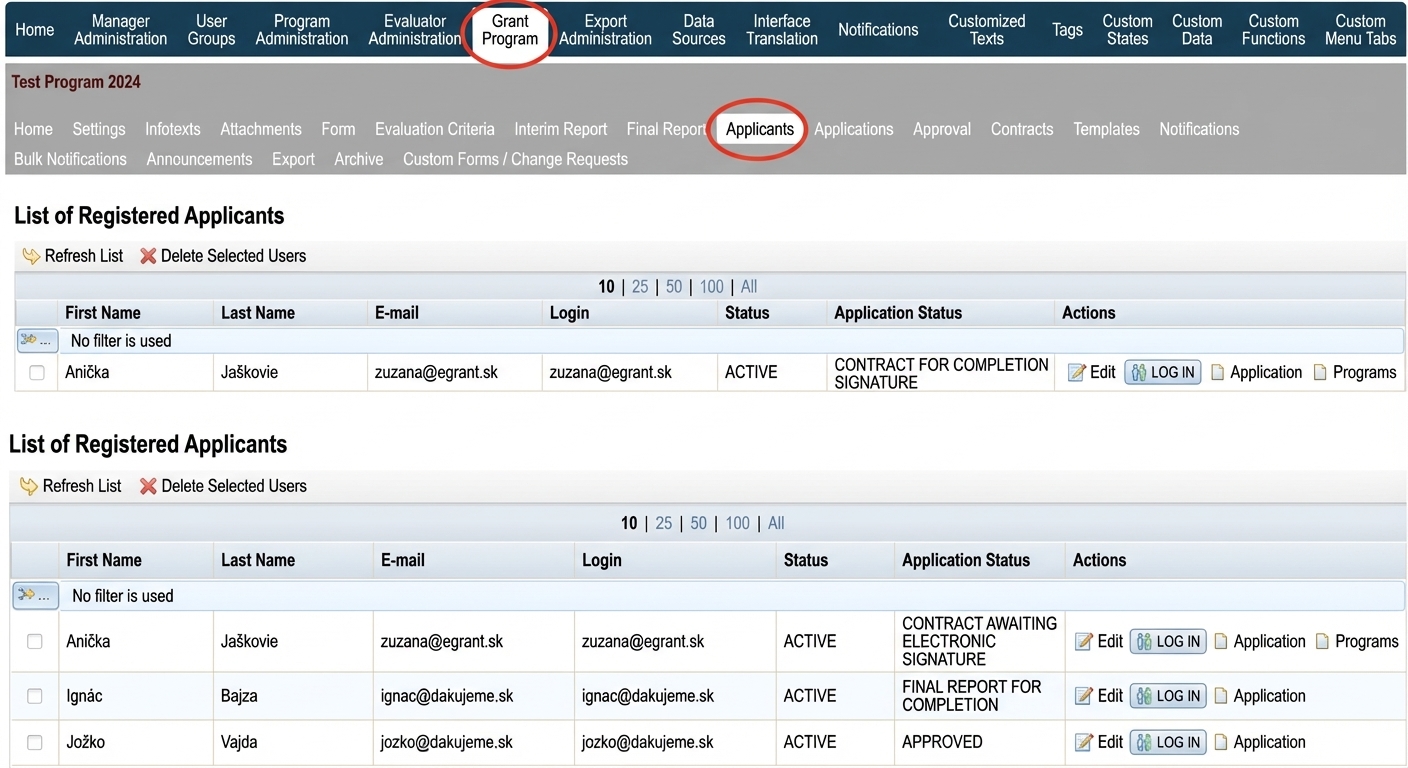
1 Select the applicant
In the list of all registered applicants, find the applicant you need to edit.
In the „Actions“ click the link „Edit“.
2 Edit the details
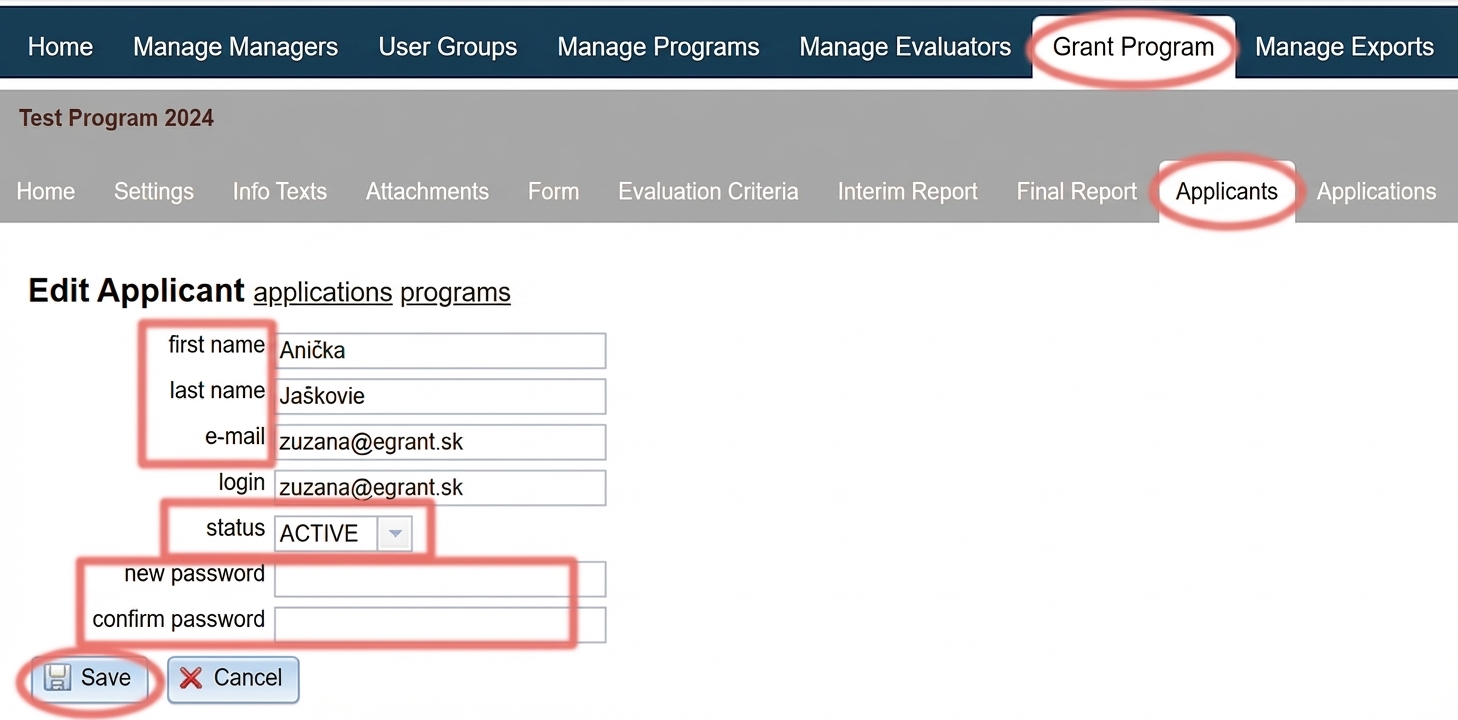
The applicant profile editor will appear, where you can edit:
- First and last name of the applicant
- E-mail of the applicant
- Applicant status – if you need to activate the applicant's account, change the status from „AWAITING VERIFICATION„ to „ACTIVE“.
- Password of the applicant – the original password is never displayed, but you can enter a new password.
Click the „Save“.
Table of Contents