If you want to give applicants the option to additionally modify their grant application after the form has been submitted, you have two options for allowing them to request such a change:
Via a change notification
Via a change request form
Change Notification
This is a simple text notification that the applicant can send from their account. Using this method, the applicant can request a budget change and a schedule change.
1
Programme Settings
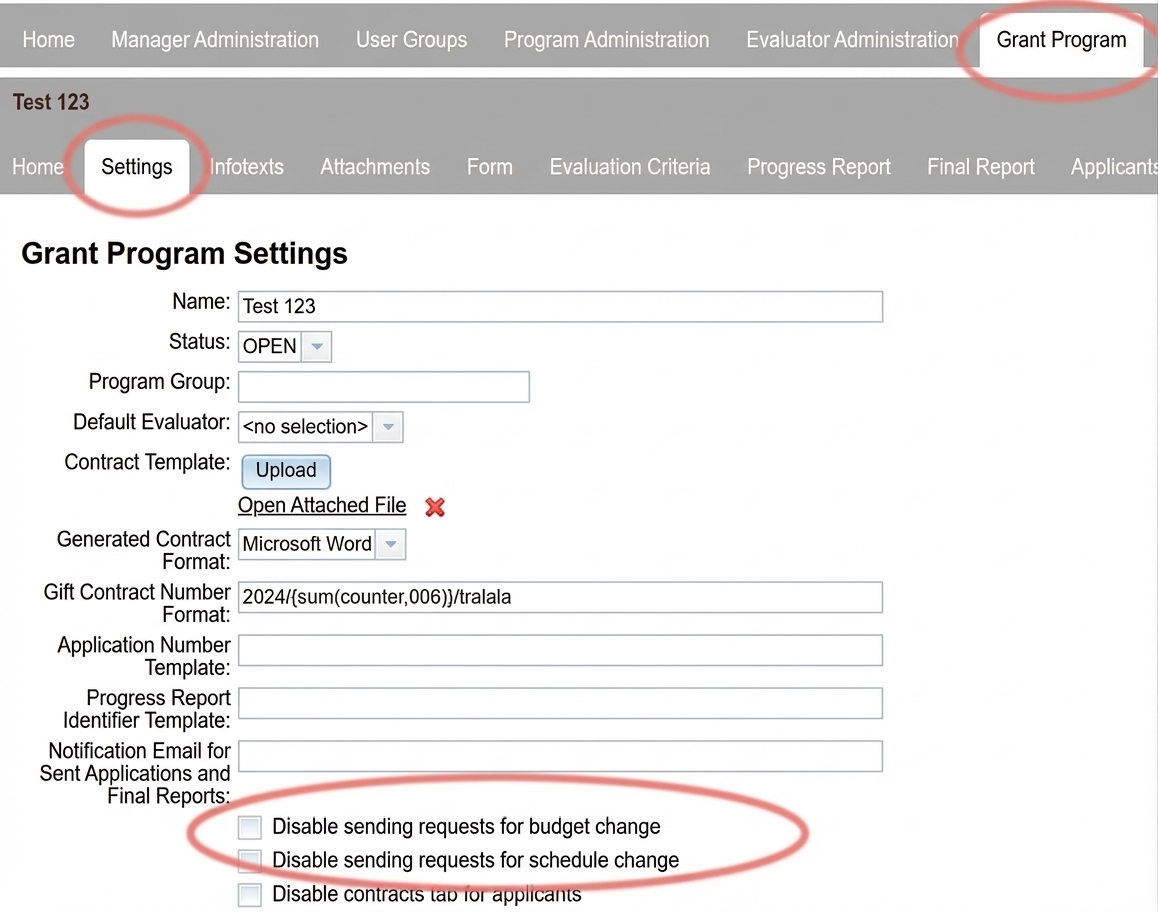
Make sure that in the settings you do not have checked „disable sending budget change requests„ or “disable sending schedule change requests“.
the „Settings“ tab in the menu at programme level
2
Applicant's View
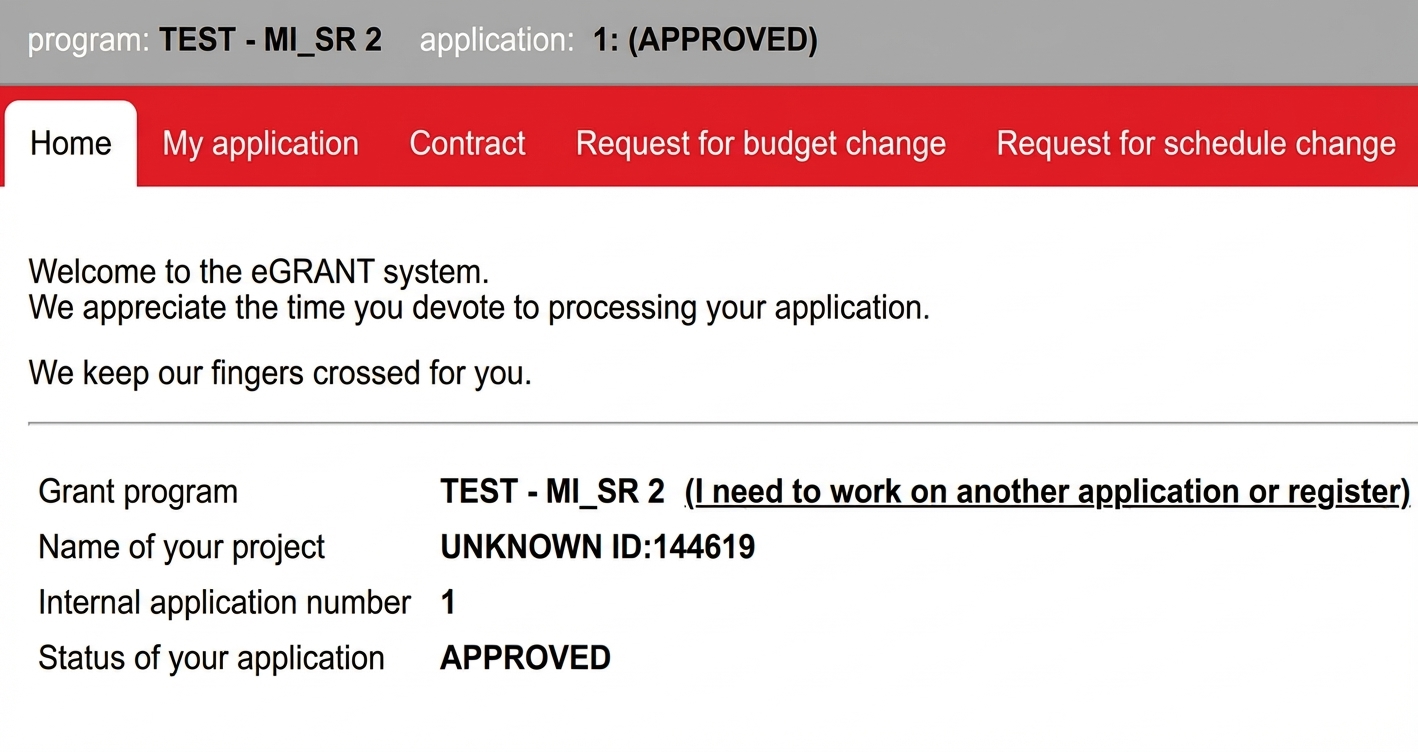
If you have enabled sending of these change notifications in the settings, the applicant after logging into their account will see next to the „My Application„ tab the “Budget Change Request“ tab and the „Schedule Change Request“.
3
Sending the Notification
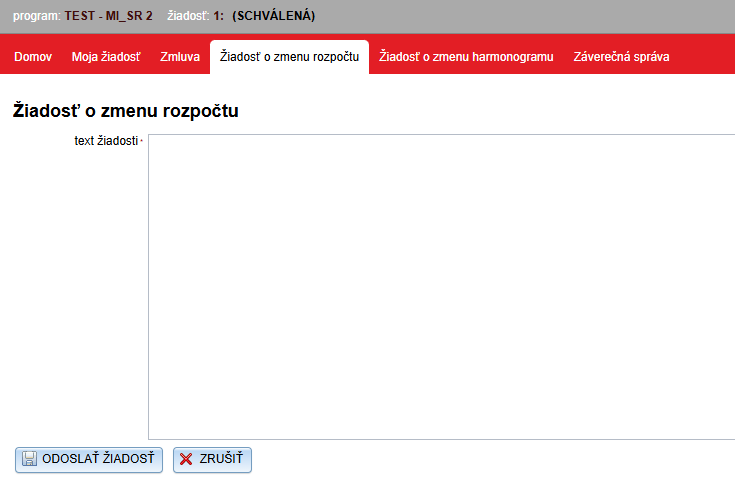
After the applicant clicks on one of these tabs a text window will open where they specify what change they are requesting and click the „SUBMIT REQUEST“ button.
The applicant can send such notifications repeatedly.
4
Manager's View
The manager can view these notifications for a specific application via the „Manage“ button in the list of applications. The menu at application level will open and in the \u201eChange Request\u201c tabChange Request they will find all sent notifications and the date and time they were sent.