
What do you need help with?
-
Overview and settings
-
Forms
- Manuals will be coming soon.
-
Management of applications
-
Evaluation and approval
-
Contracts and other documents
-
Exports
-
Participatory budget
Submitted projects can be moved to voting after review. You can move projects to voting before voting starts, but also while voting is already in progress.
1 Find the project
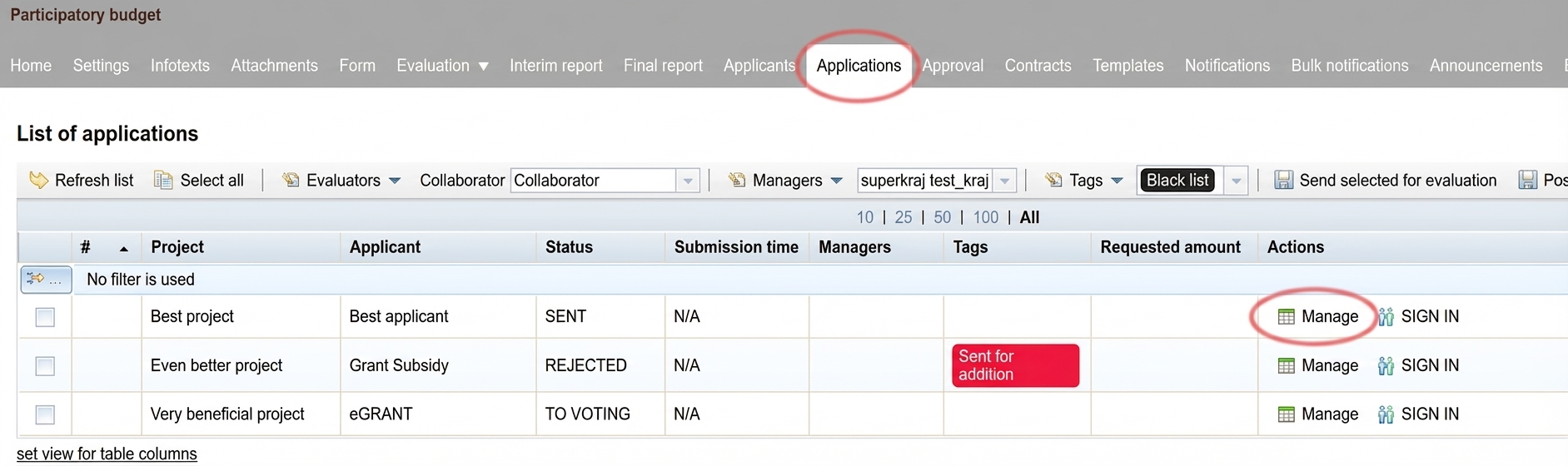
In the „Applications“ tab at the programme level, find the project you want to move to voting.
In the „Actions“ column, click the button „Manage“.
2 Move to voting
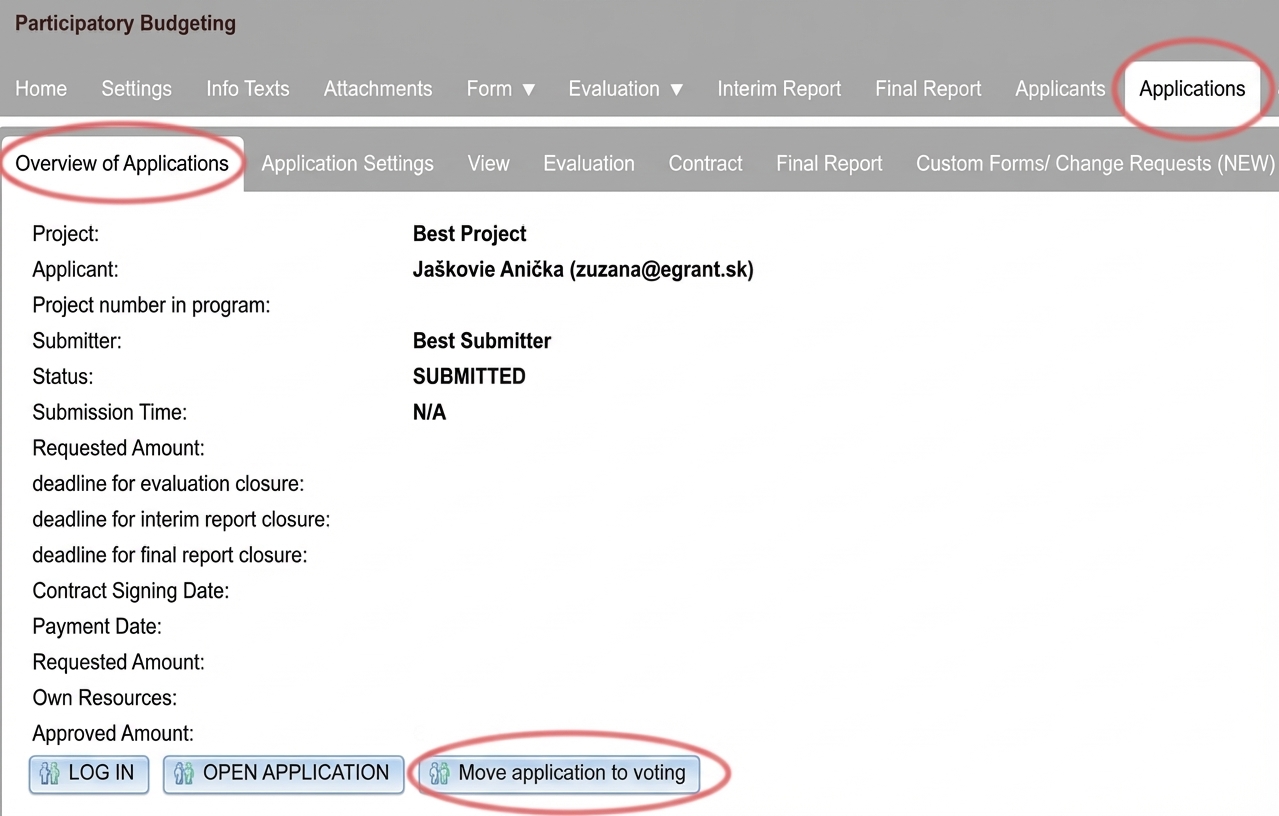
A new menu level will open – the application level – and its first tab „Application overview“.
Click the button „Move application to voting“ and confirm "OK" in the pop-up window.
3 Application status
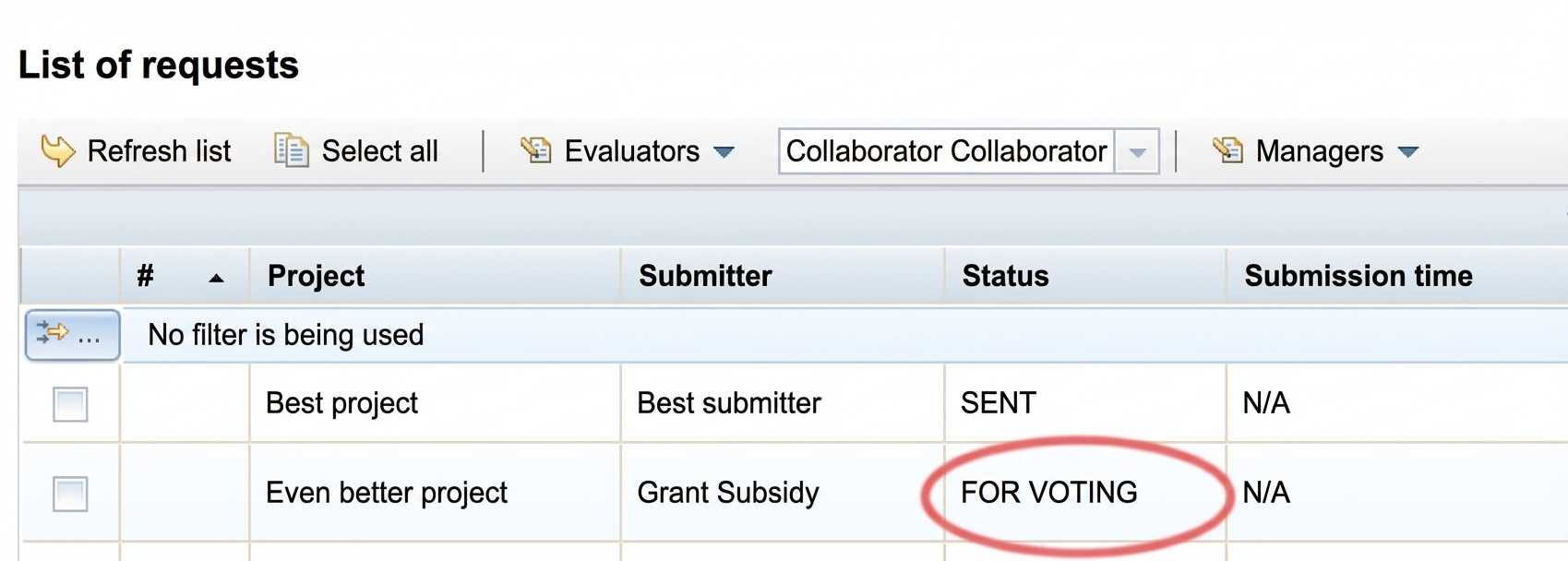
The application status will change to "FOR VOTING".
When voting starts automatically according to the set date, this project will appear on the voting page where the public will be able to vote for it.
After moving a project to voting, the applicant will receive a notification email. You can edit it in the "Notifications" tab (notification name: "Application moved to voting").
On the voting page it will only appear after voting starts automatically according to the date you specified in the "Voting settings".