
What do you need help with?
Approval of applications
If you do not evaluate applications, you can skip the entire evaluation process and move applications to approval directly.
In the "Applications" tab, select the projects you want to move to approval and click the "Send selected for approval".
-
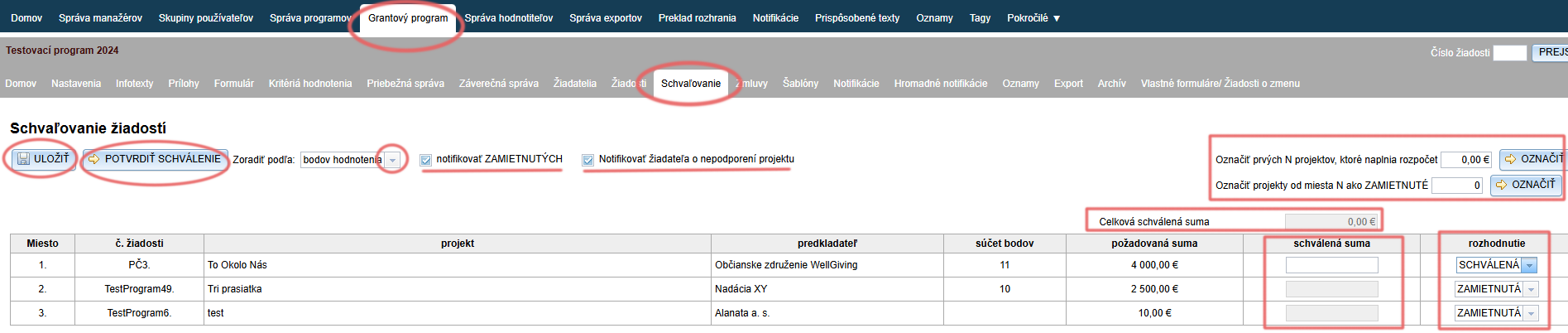
The list of applications can be sorted by evaluation score, project name, applicant, or requested amount (or proposed amount if you require it from evaluators in the evaluation process).
-
In the „decision“ column, you can choose whether the application will be approved or rejected, or unsupported.
The decision „unsupported“ means that this application will remain in this list even after confirming the approval and its decision can be changed in the future. The decision „approved“ or „rejected“ is, on the contrary, final. -
If you require evaluators to also provide a proposed amount in the evaluation process, next to the column „requested amount“ you will find another column „proposed amount“. This column displays the average of proposed amounts from all evaluators who evaluated the given application.
-
In the „approved amount“ column, you can enter the amount for approval (for those applications to which you assigned the decision „APPROVED“).
-
All amounts for approval are summed up in the „Total approved amount“.
-
Applications can be approved / rejected also in bulk.
-
All changes can be saved continuously by clicking the „SAVE“.
-
If the decisions and proposed amounts for approval are final, you can click the „CONFIRM APPROVAL“.
The approval process is hereby closed and all applications that received the decision „approved“ or „rejected“ will disappear from the list.
At the same time, a notification email will be sent to all approved applications. -
If the option „notify REJECTED“ is checked, all applications with the decision „REJECTED“ will receive a notification email about rejection upon confirmation of approval.
-
If the option „notify applicant about project not being supported“ is checked, all applications with the decision „UNSUPPORTED“ will receive a notification email about the project not being supported upon confirmation of approval.
Proposed amount
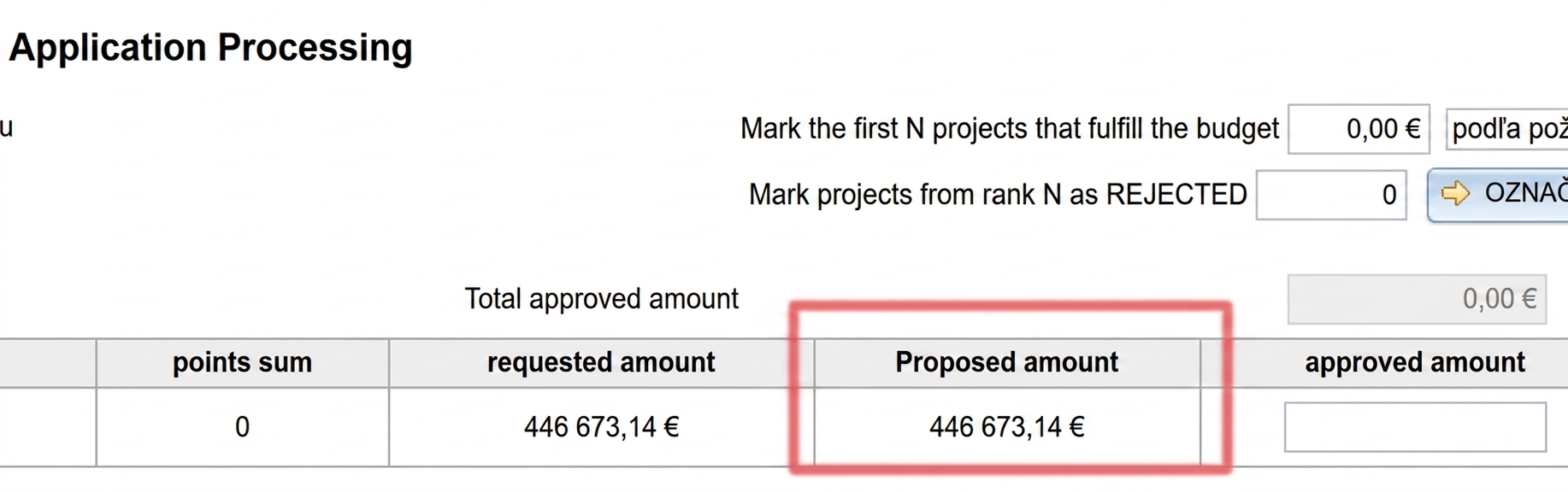
If you want to work with a proposed amount in the approval process, you have two options:
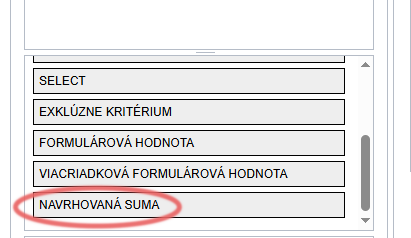
- The proposed amount can be added to the evaluation criteria for evaluators. (More info about evaluation criteria here.)
In that case, the column „Proposed amount“ will display the average of proposed amounts from all evaluators who evaluated the given application.
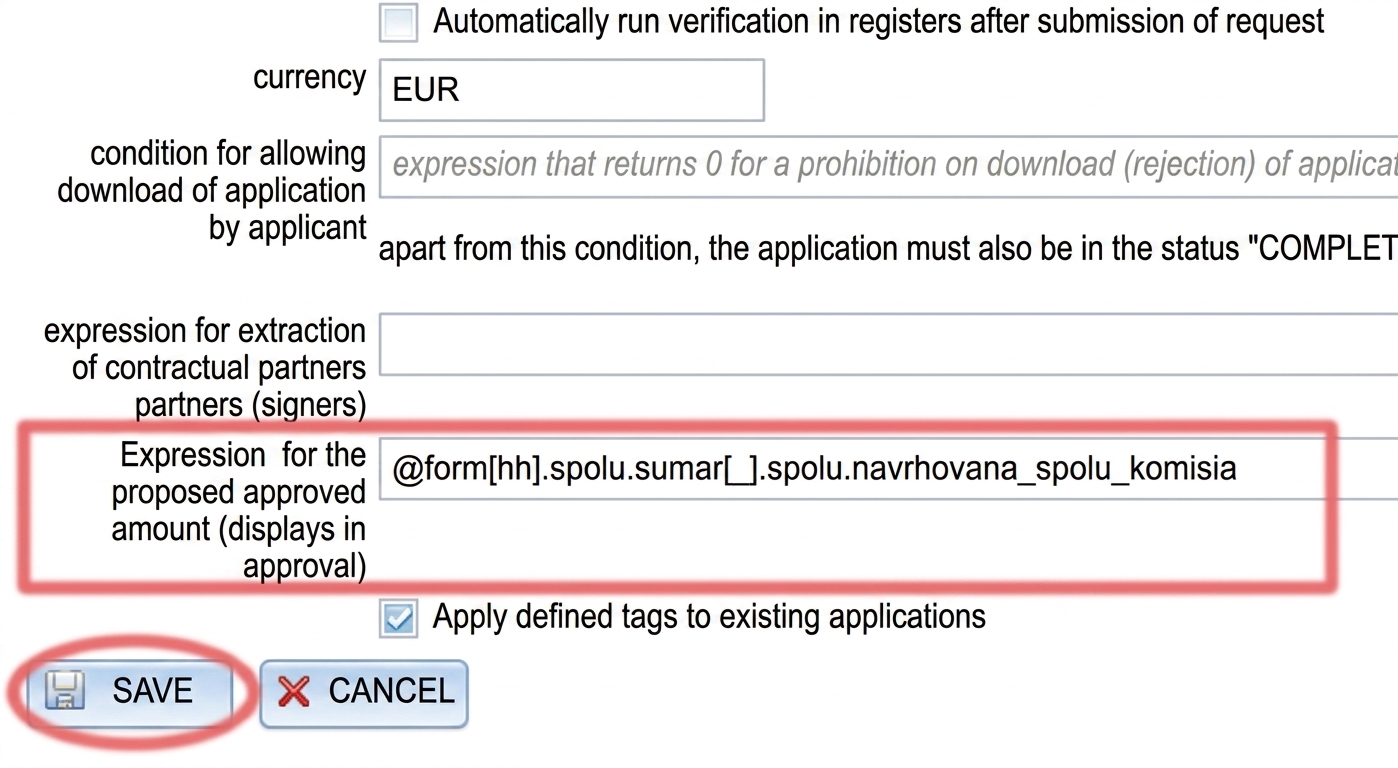
- The proposed amount can be entered elsewhere in eGRANT, e.g. in a custom form.
In this case, enter in the tab „Settings: Basic settings“ the field tag (full tag) containing the proposed amount data, into the row „Expression for the proposed approved amount“ (at the very bottom of the tab „Settings: Basic settings“).
Bulk approval / rejection of applications
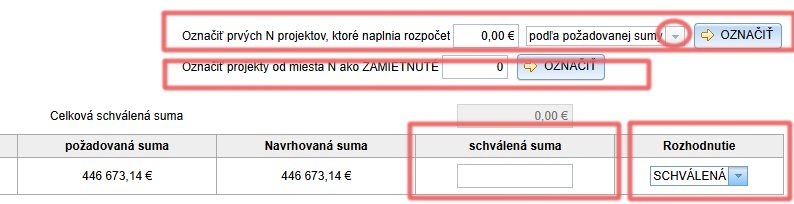
- In the field „Mark first N projects that fill the budget“ enter the total amount available for the programme/call (or a fictitious amount that is large enough).
- Choose whether the system should use requested amounts or proposed amounts. (If you do not use proposed amounts, you will only have the requested amount to choose from.)
- Click the „MARK“.
- The system will mark as „APPROVED“ the number of applications that (after summing their requested/proposed amounts) fits within the amount you entered in the budget amount field.
- At the same time, the „approved amount“ column will automatically be filled with the same amount as the requested/proposed amount (depending on what you chose in step 2.)
This field remains editable, so you can adjust the amounts. - You can also mark rejected applications in bulk:
- In the field „Mark projects from position N as REJECTED“ enter the rank number of the application (column „Position“) from which all applications will be marked as „REJECTED“.
- Click the „MARK“.
- Save changes by clicking the „SAVE“.
- If the decisions and amounts for approval are final, confirm the approval by clicking the „CONFIRM APPROVAL“.