What do you need help with?
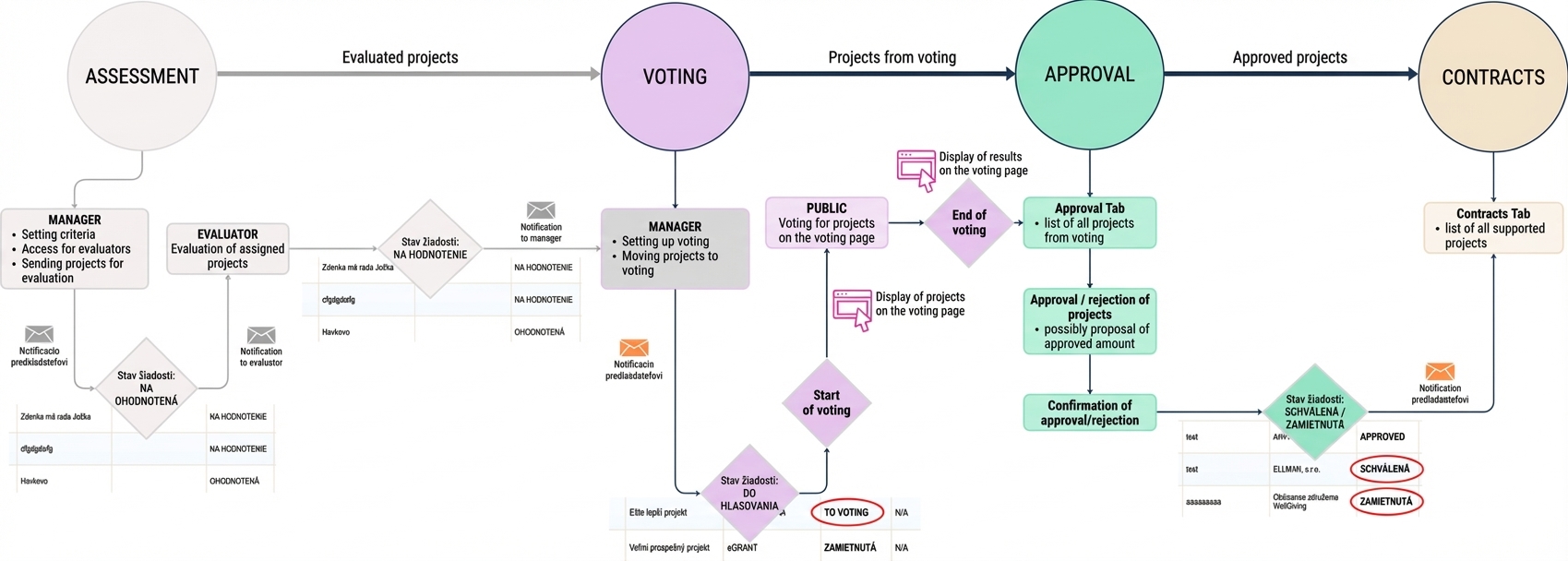
Evaluation, voting and approval process
1. Evaluation criteria and evaluation settings
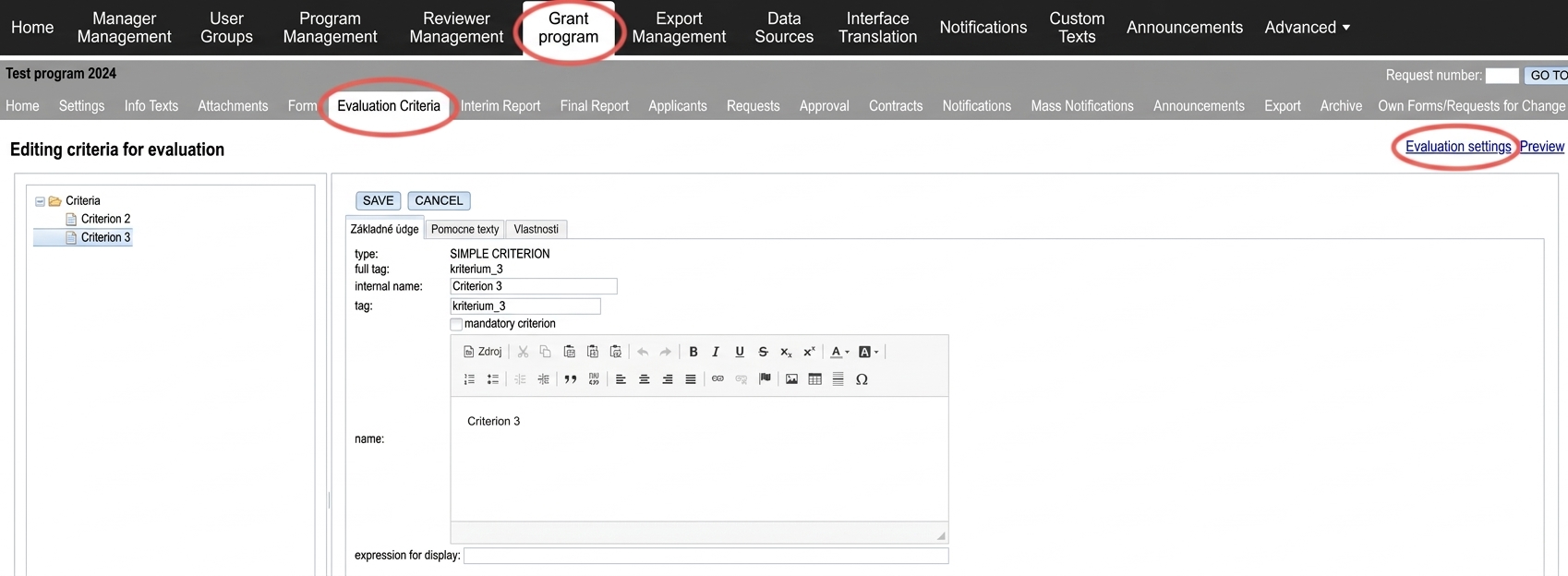
First, in the „Evaluation criteria“ tab in the menu at the programme level, create the criteria by which submitted applications will be evaluated, and set the method of calculating points (sum or average) via the link „Evaluation settings„.
2. Access for evaluators
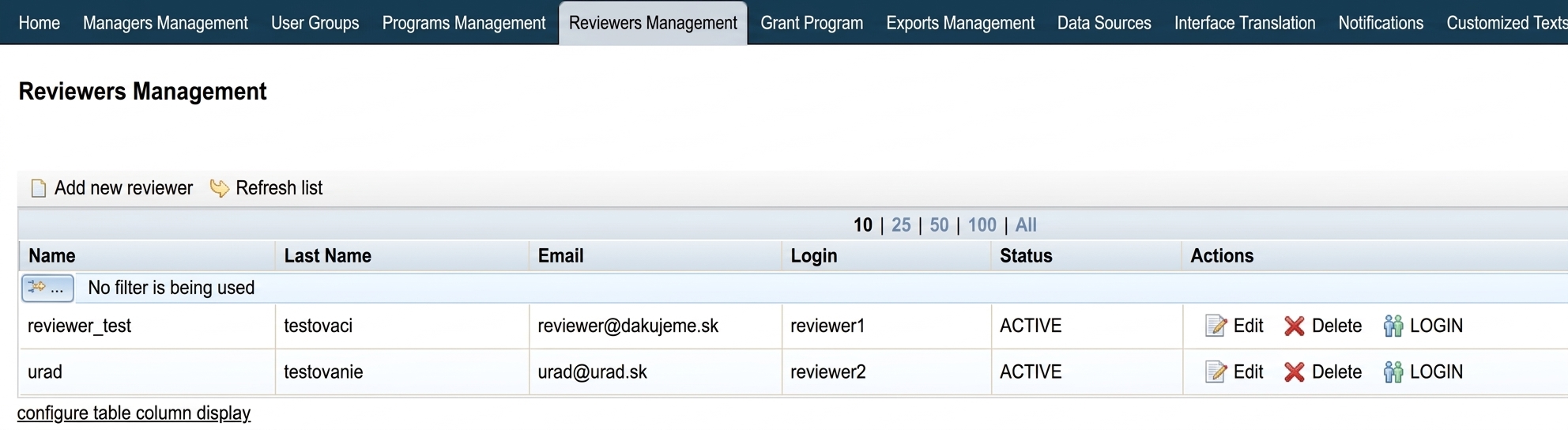
Applications can only be evaluated by evaluators, so you must first create access for at least one evaluator in the „Evaluator management“ tab in the menu at the organisation level.
3. Assigning projects to evaluators
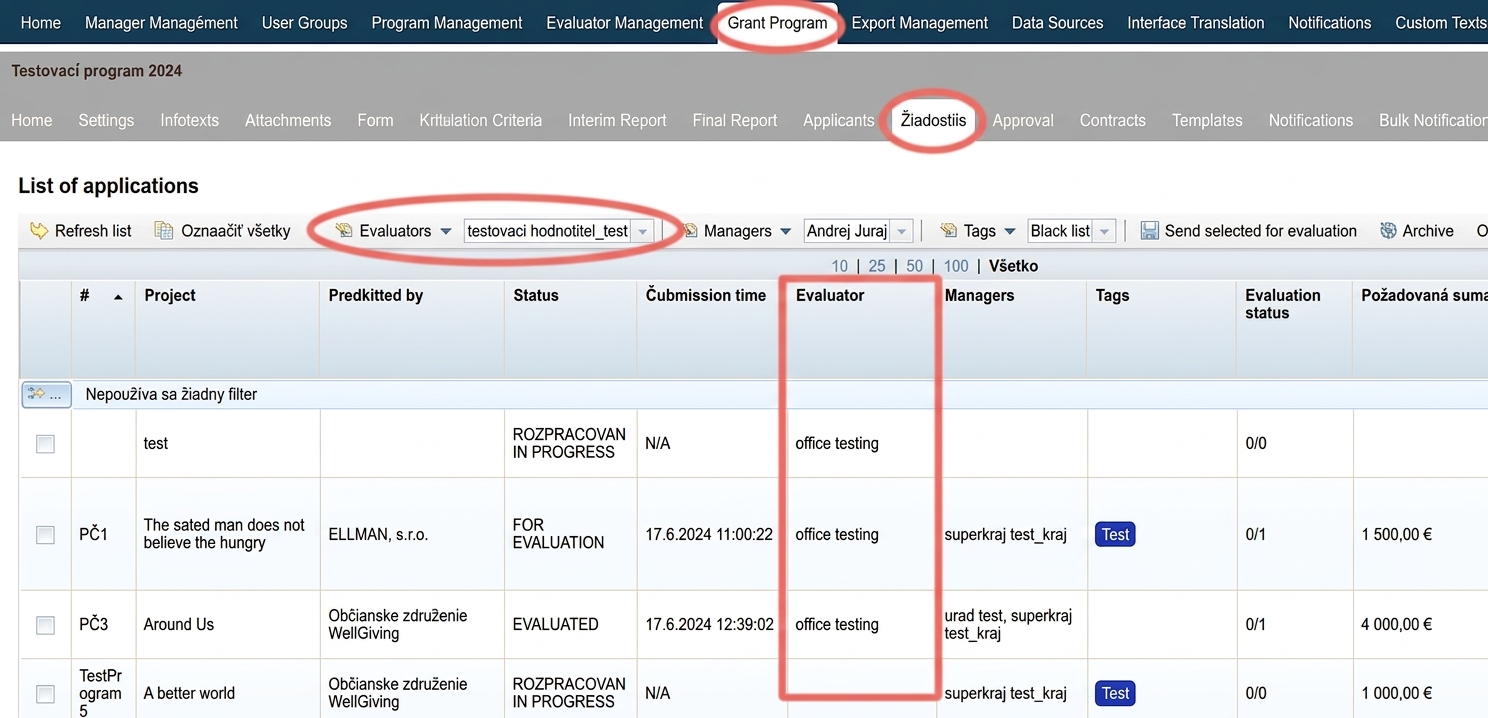
You can then distribute applications among evaluators (or assign all applications to one evaluator / all evaluators) in the „Applications“ in the menu at the programme level.
4. Sending projects for evaluation
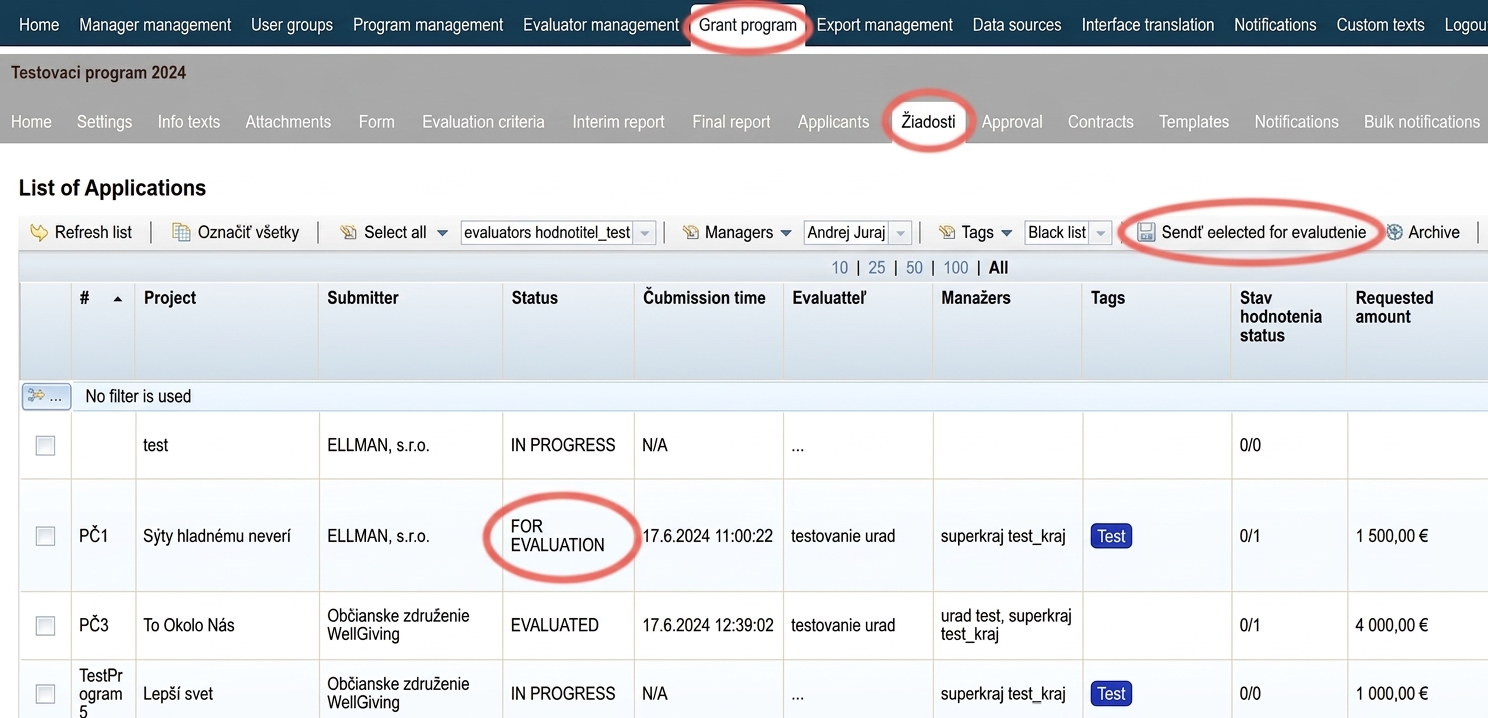
If all applications you want to evaluate have an assigned evaluator, you can send them for evaluation.
Applicants will receive a notification email that their application has progressed to evaluation, and evaluators will receive a notification to evaluate the application.
Status of these applications will automatically change to „FOR EVALUATION“.
5. Evaluation of projects by evaluators
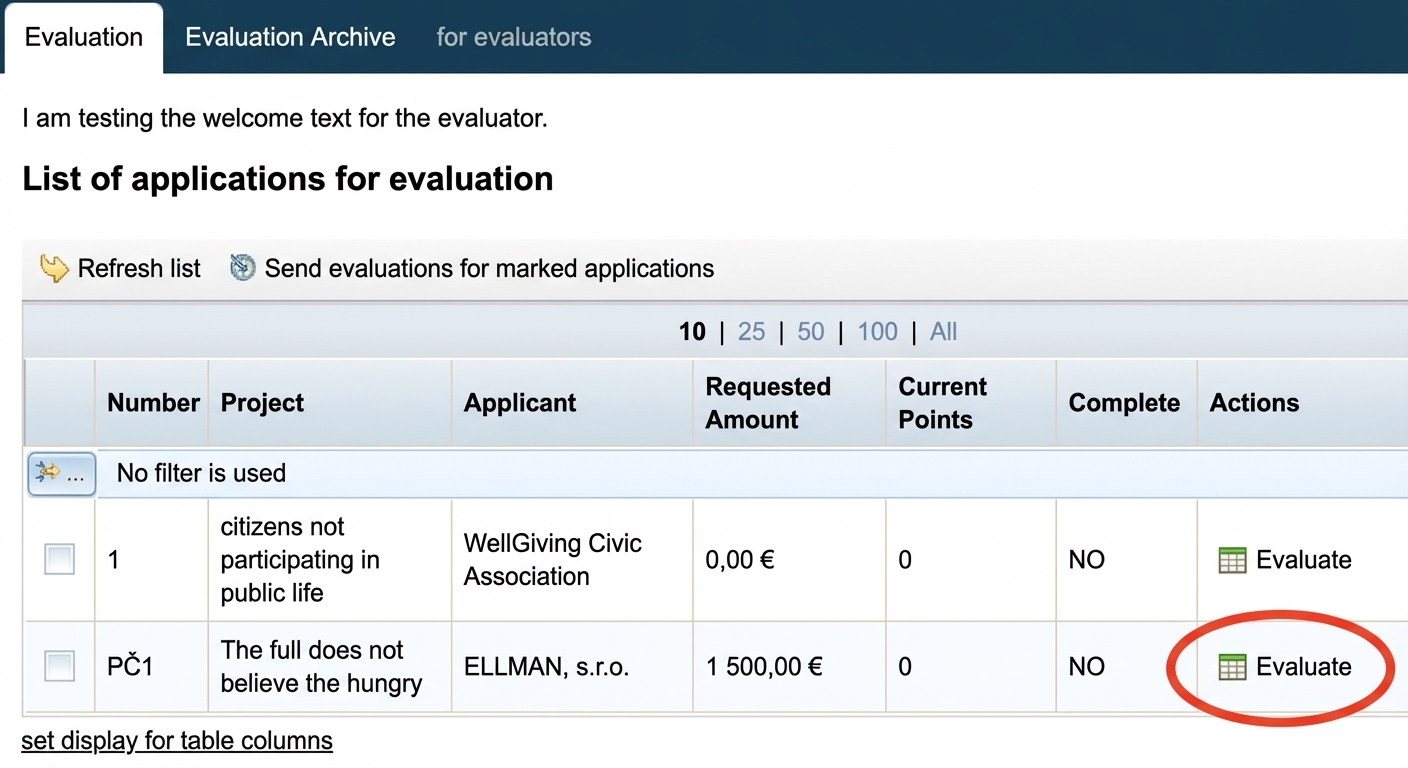
After logging into their account, evaluators will see a list of applications assigned to them and can start evaluating.
1. Voting settings
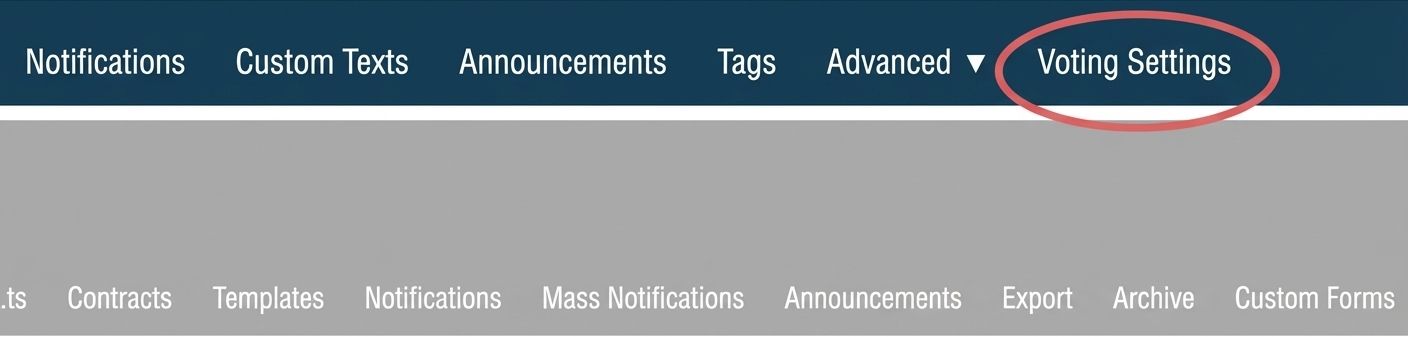
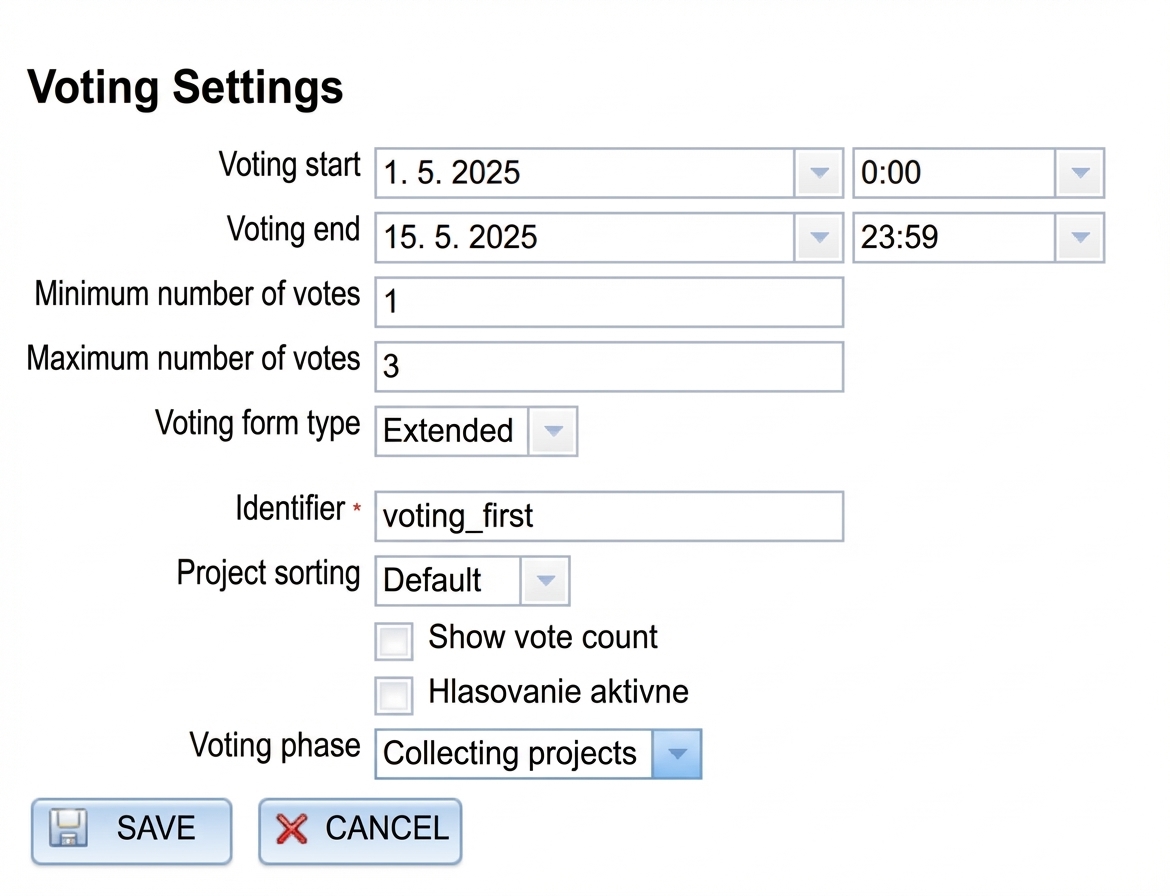
First, set the voting parameters in the „Voting settings“ in the main menu.
2. Moving projects to voting
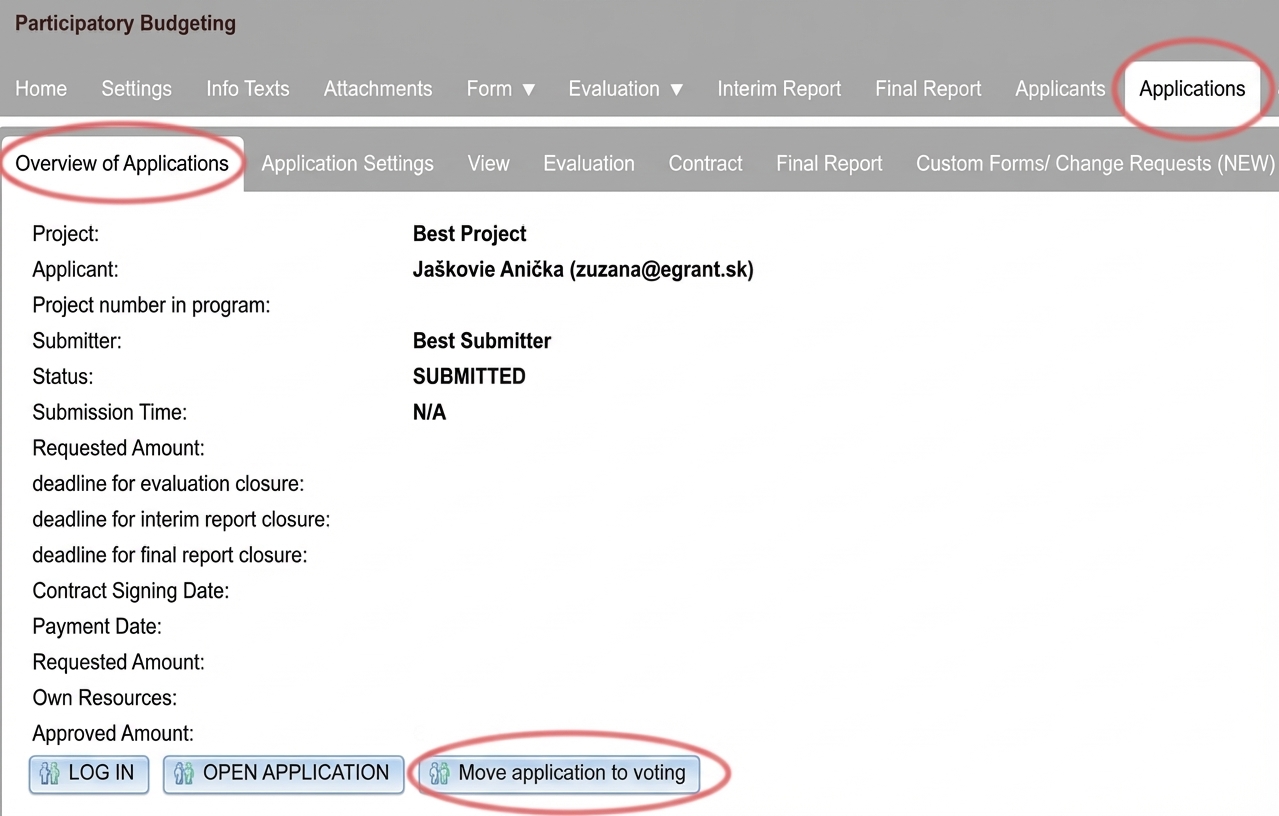
You can then move individual projects to voting by clicking the button „Move application to voting“ (via the link „Manage“ for individual projects in the tab „Applications“ in the menu at the programme level).
3. Public voting
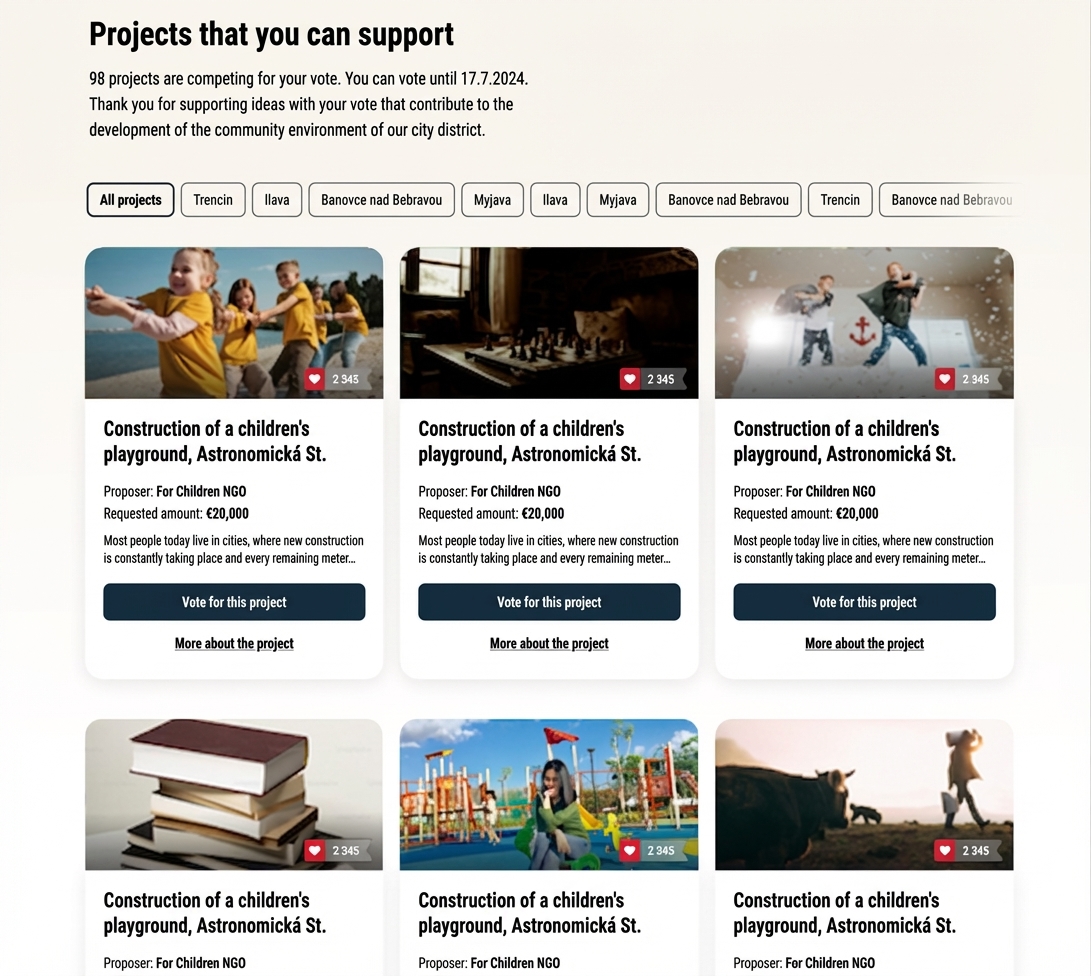
The public can vote for projects on the voting page from the moment voting starts until it ends (according to the dates you specified in the tab „Voting settings„).
On the voting page, the public will find the projects that you moved to voting.
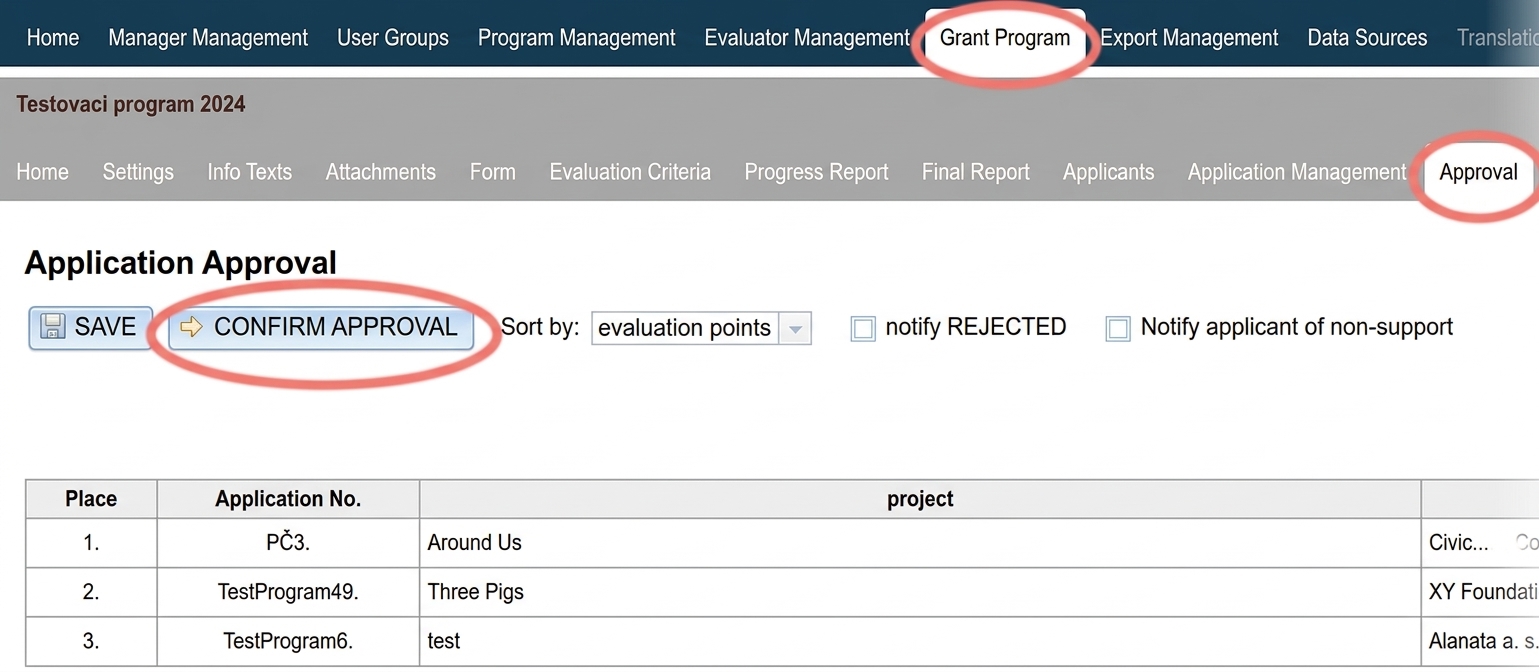
1. Approval / rejection of individual projects
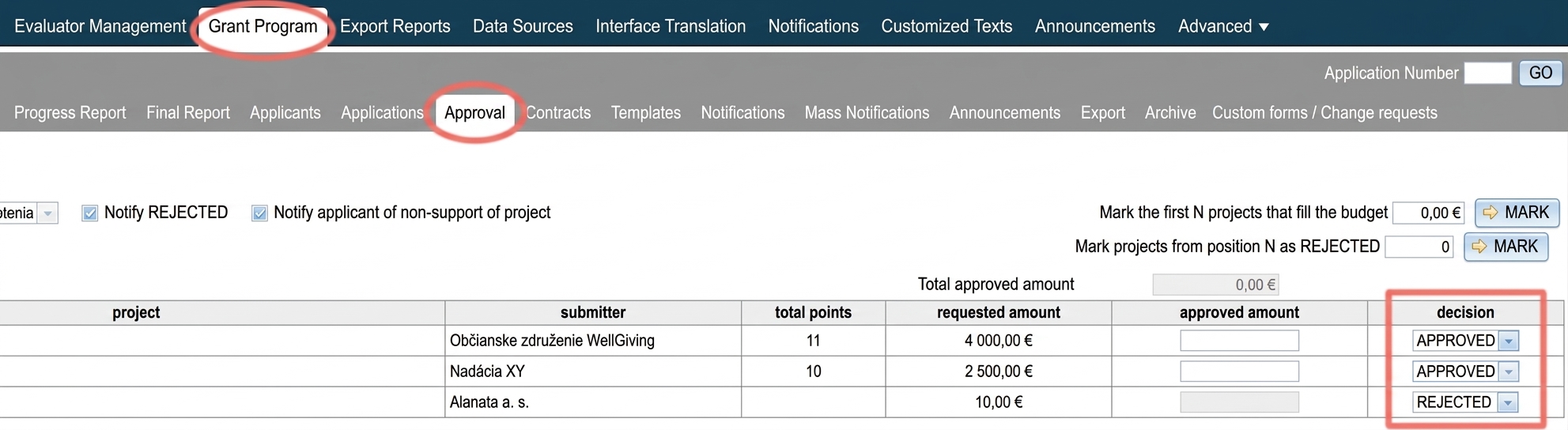
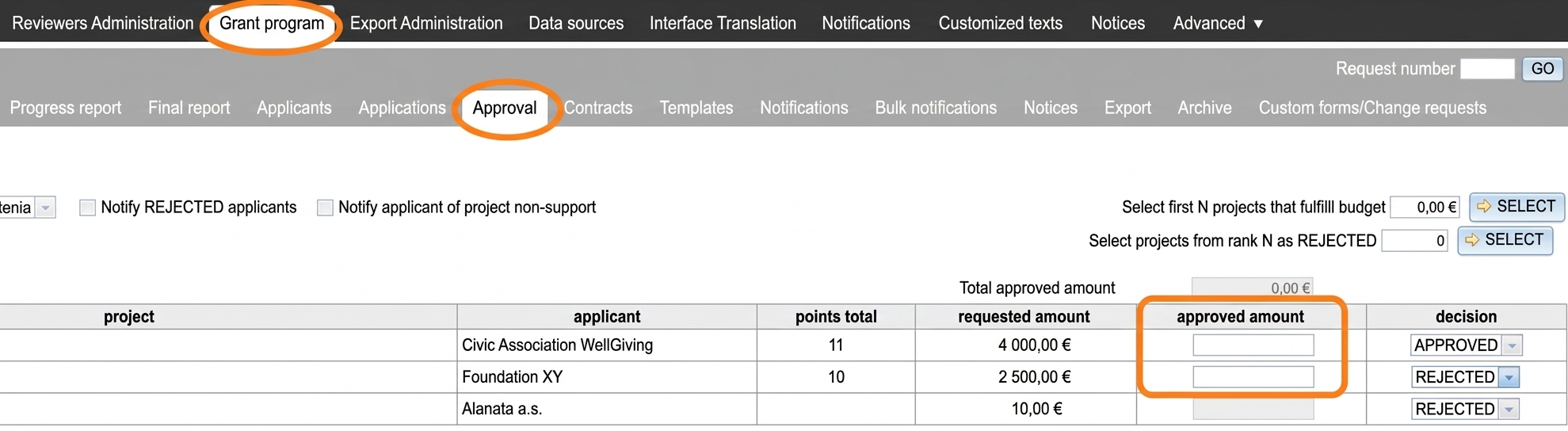
In the „Approval“ tab, you will find all projects that were in voting. In the „decision“ column, select for each project whether it will be approved or rejected (or unsupported).
2. Proposed amount for approval
For those applications (projects) for which you selected „APPROVED“, the „approved amount“ column will open a field for entering the proposed amount for approval.
3. Confirmation of approval
If the decision on approved / rejected projects and proposed amounts is final, you can click the „CONFIRM APPROVAL“ button – applicants will receive a notification about the approval / rejection and you will no longer be able to make changes in this tab.