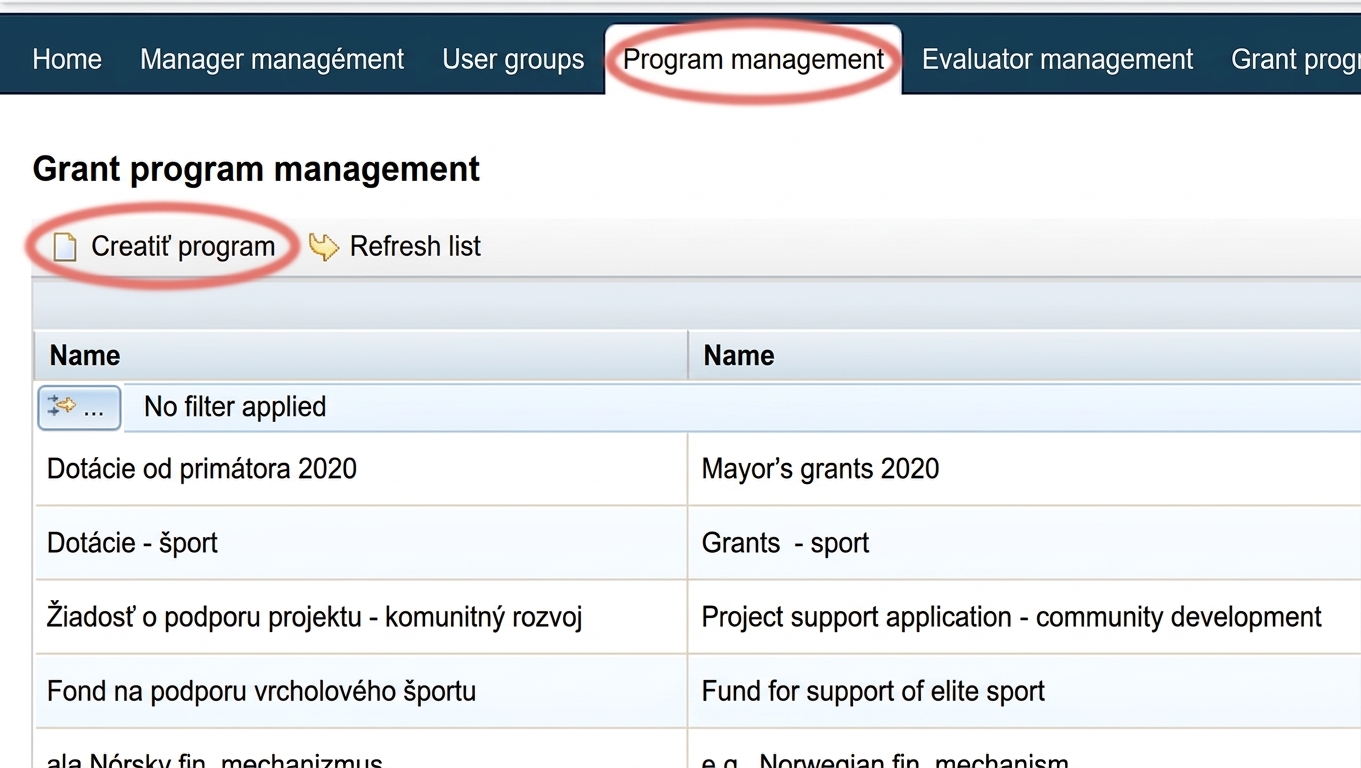
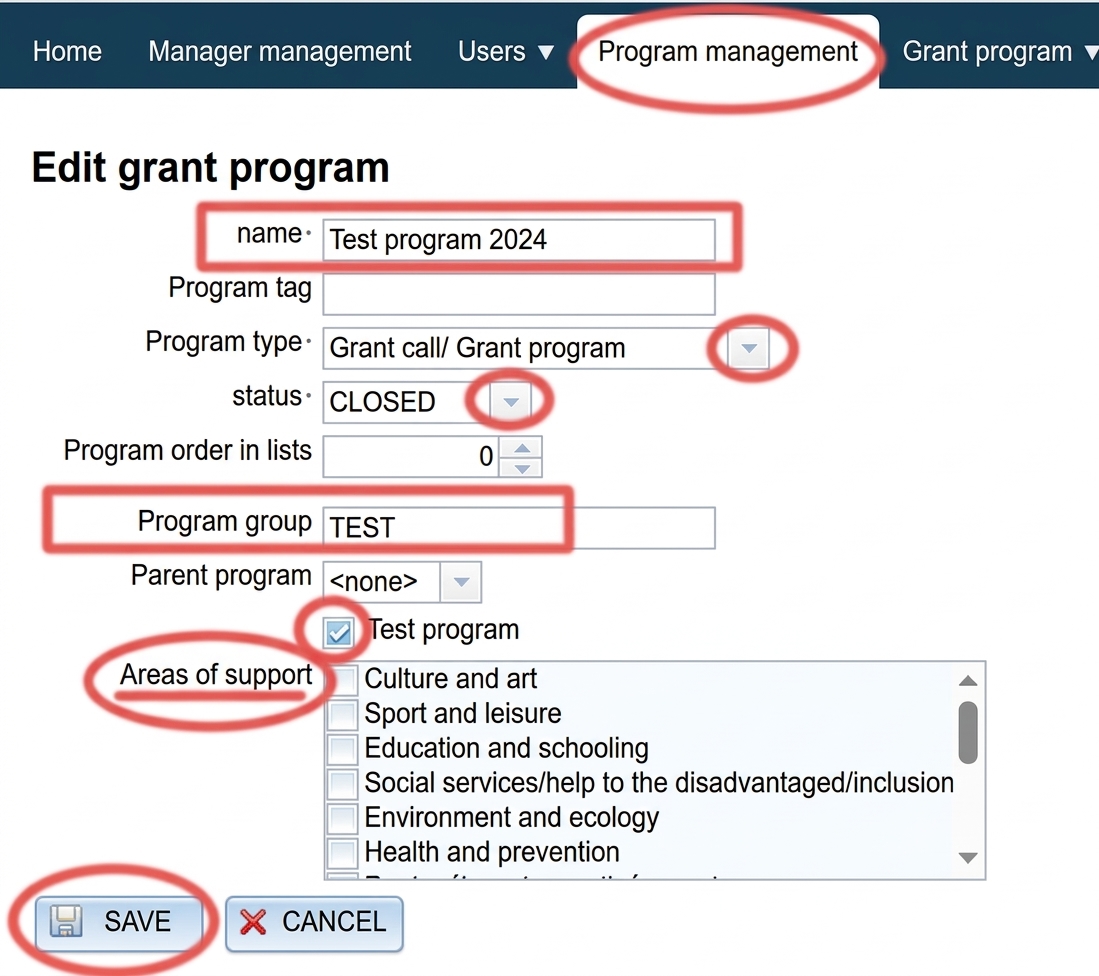
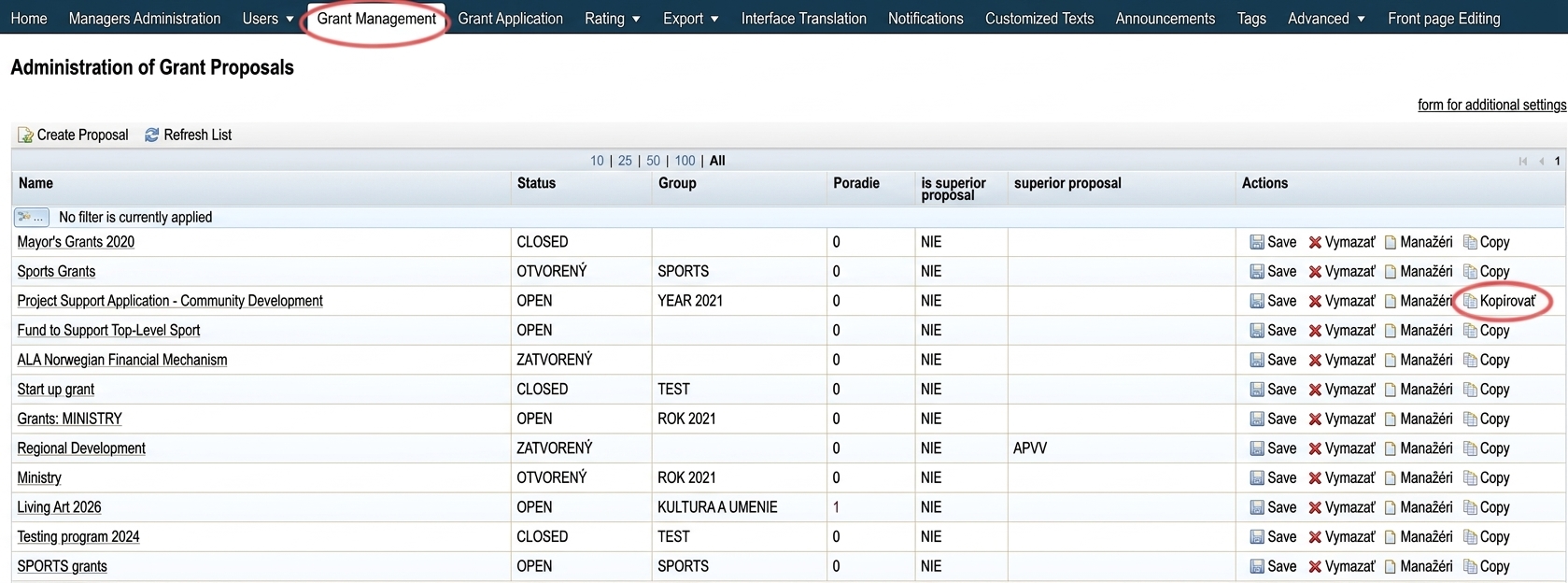
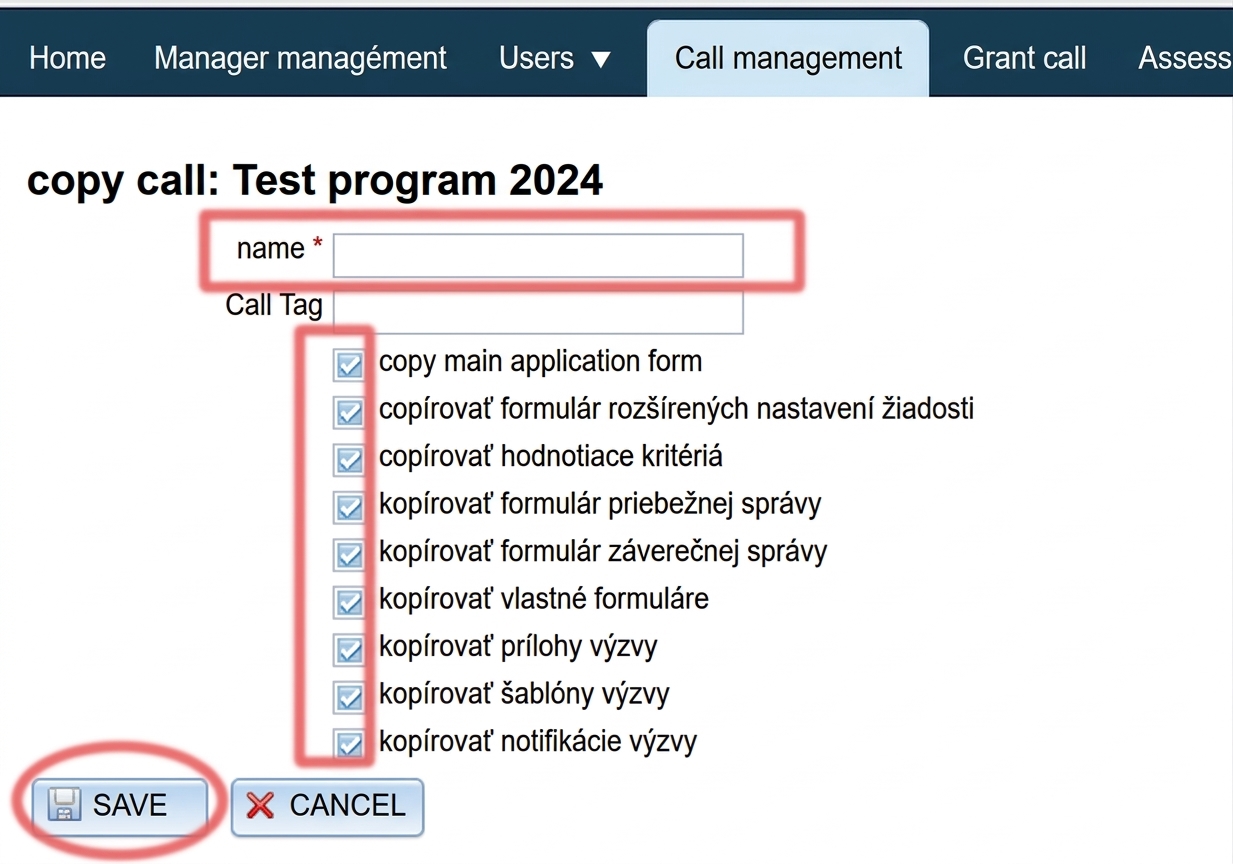
Fill in the name the programme name.
If you want to internally group programmes by certain categories, also fill in the programme group.
Select the programme type:
- "Grant Call / Grant Programme" = for grant management purposes
- "Participatory Budget" = for participatory budget management purposes
Select status:
- CLOSED = registration for the programme is closed, the programme will not appear in the list of open calls
- OPEN = registration for the programme is open, applicants can register and start filling in their application
Checking the option "Test Programme" means that this programme will not appear on the egrant.sk website in the list of open calls.
By checking one or more options in the "Support Areas" list, this programme will be displayed under the selected categories on the egrant.sk website in the list of open calls.
Click the “SAVE“.