What do you need help with?
-
Overview and settings
-
Forms
- Manuals will be coming soon.
-
Management of applications
-
Evaluation and approval
-
Contracts and other documents
-
Exports
-
Participatory budget
You can return a submitted application to the applicant if changes need to be made.
If you use electronic signing of applications, after reopening the application the applicant will need to sign it electronically again.
If you want to ensure that the applicant can only edit the form items you have marked, check “disable amending unmarked items in returned forms” in the “Settings” at the programme level.
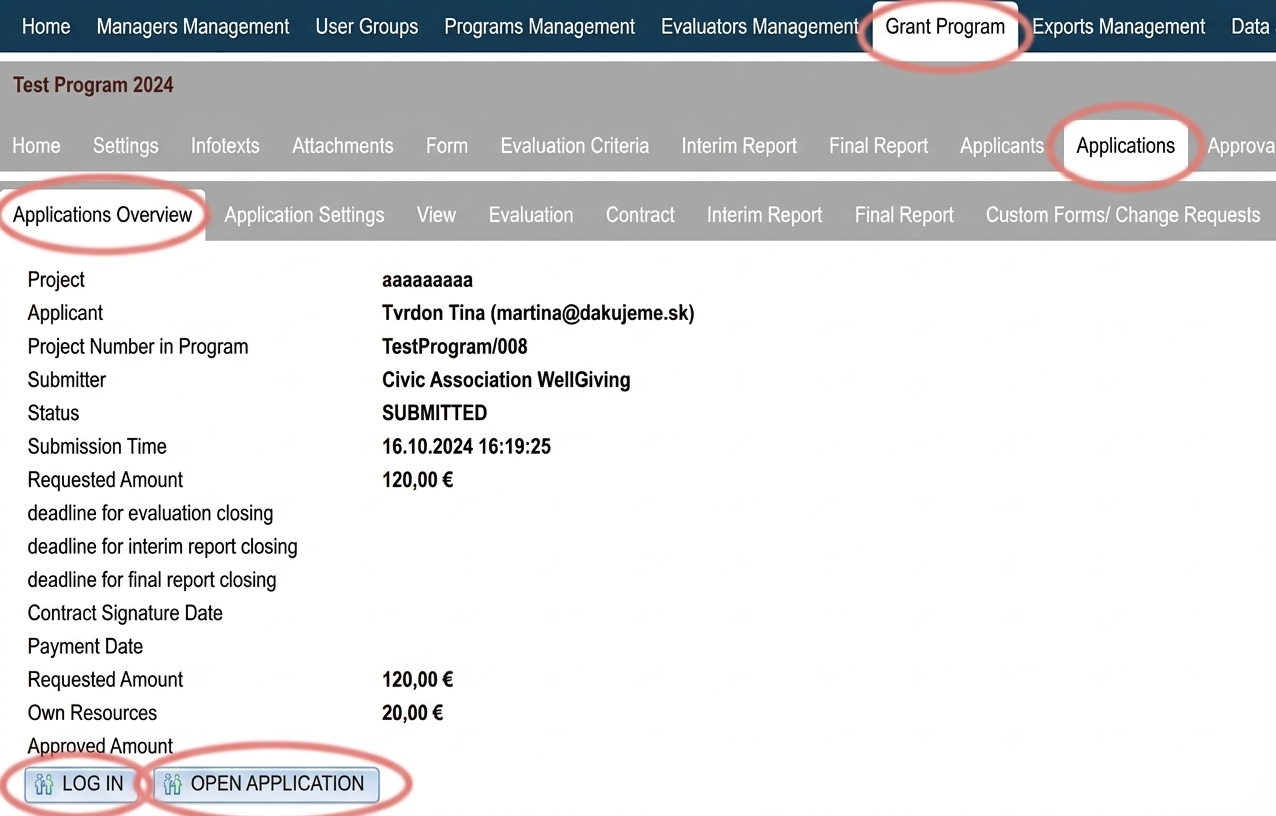
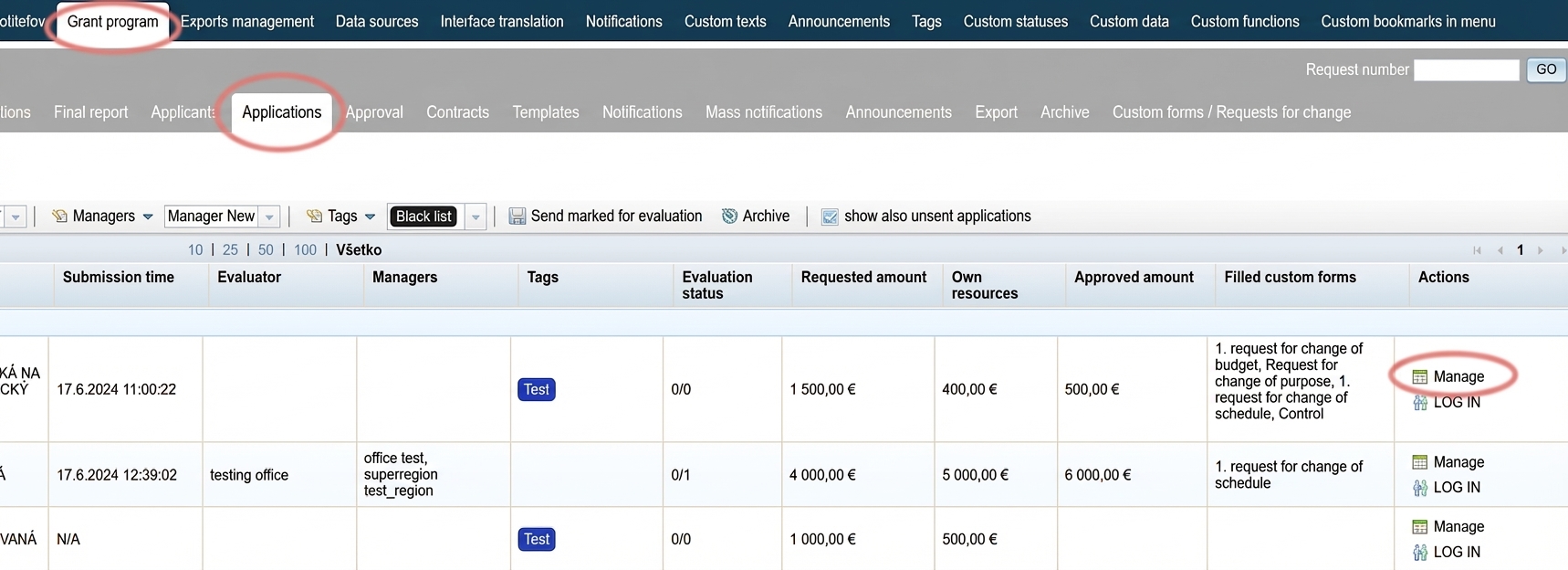
1 Find the application
2 Open the application
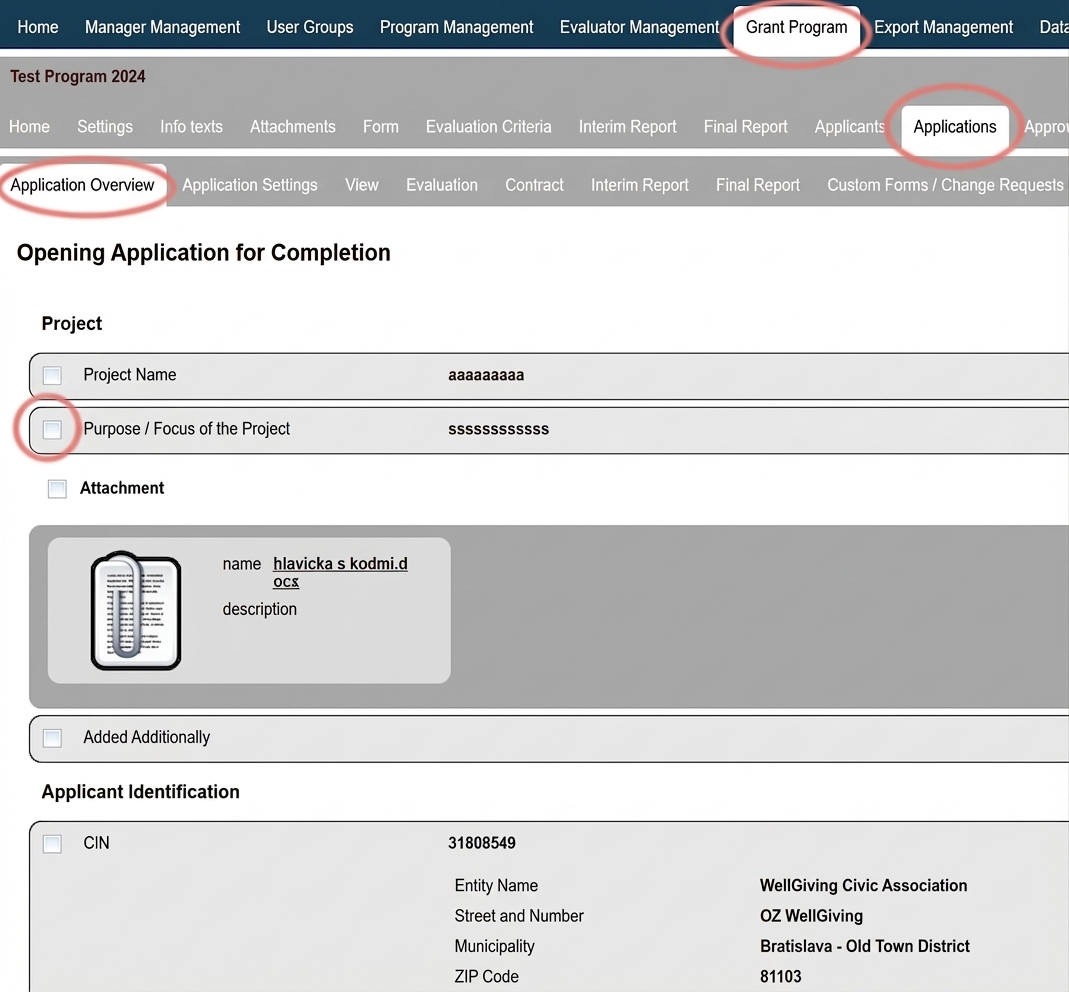
3 Mark the items
An application summary with a checkbox next to each form item will be displayed.
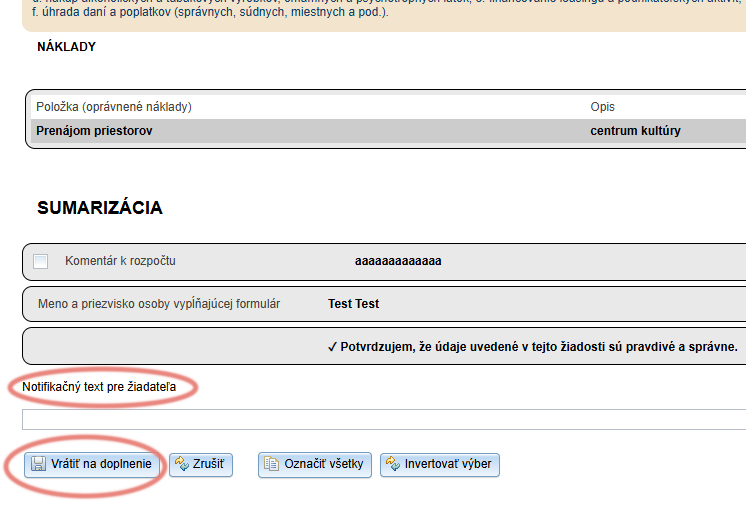
Mark the items you want the applicant to amend. To mark all form items, click the “Mark all ” button at the end of the application.
Clicking the “Invert selection” button at the end of the application will uncheck marked items and check unmarked items.
4 Return for amendment
At the end of the application, you can write a comment for the applicant in the “Notification text for the applicant“.
Click the “Return for amendment“.
After opening their application, the applicant will see a list of items to amend and your notification text.
The application status will change to “IN PROGRESS” and the applicant will receive a notification email about the reopening of the application.
The notification email is named “Application reopened ” and you can edit it in the “Notifications” tab.
After resubmission of the application, the system will record both the original and the resubmission date.
In the list of applications in the “Applications ” tab, the displayed date is always the original submission date.
The resubmission date can be found in the “Application overview” tab at the application level (opens after clicking the “Manage” button in the list of applications).