
What do you need help with?
Voting settings
Voting parameters
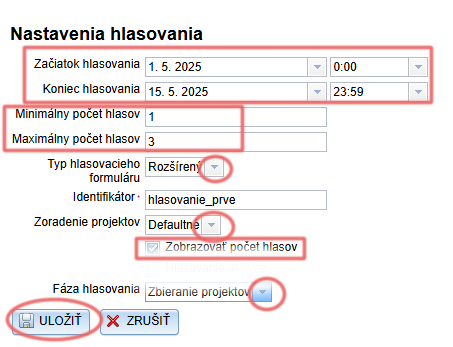
In the „Voting settings“ tab in the main menu you can set the following voting parameters: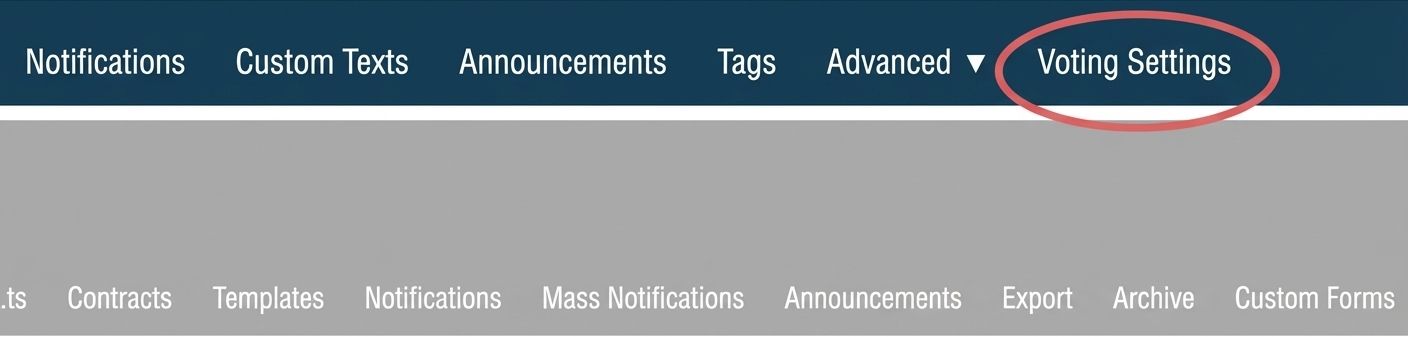
-
Voting deadlines – set the start and end of voting. Enter the exact date and time.
(For example, if you want to start voting on 1 May, enter the date 1 May and time 0:00; if you want to end voting on 15 May at midnight, enter the date 15 May and time 23:59). -
Minimum and maximum number of votes – the number of projects a single voter can vote for.
-
Voting form type – you can choose the basic or extended (or custom) form type, which differ in what data they require from the voter.
-
Identifier – if there are multiple voting rounds during the year, fill in this field to distinguish individual voting rounds (voters in one round will then be able to vote in the next one as well).
-
Project sorting – select how the projects should be sorted on the voting page.
-
Display vote count – if checked, the number of votes received will be displayed next to each project on the voting page.
-
Voting phase – switches automatically (in case of an error it can also be switched manually).
The „Collecting projects“ phase lasts until the start of voting, „Voting“ starts automatically based on the voting start date, and the „Results“ phase is activated based on the voting end date. -
Do not forget to save.
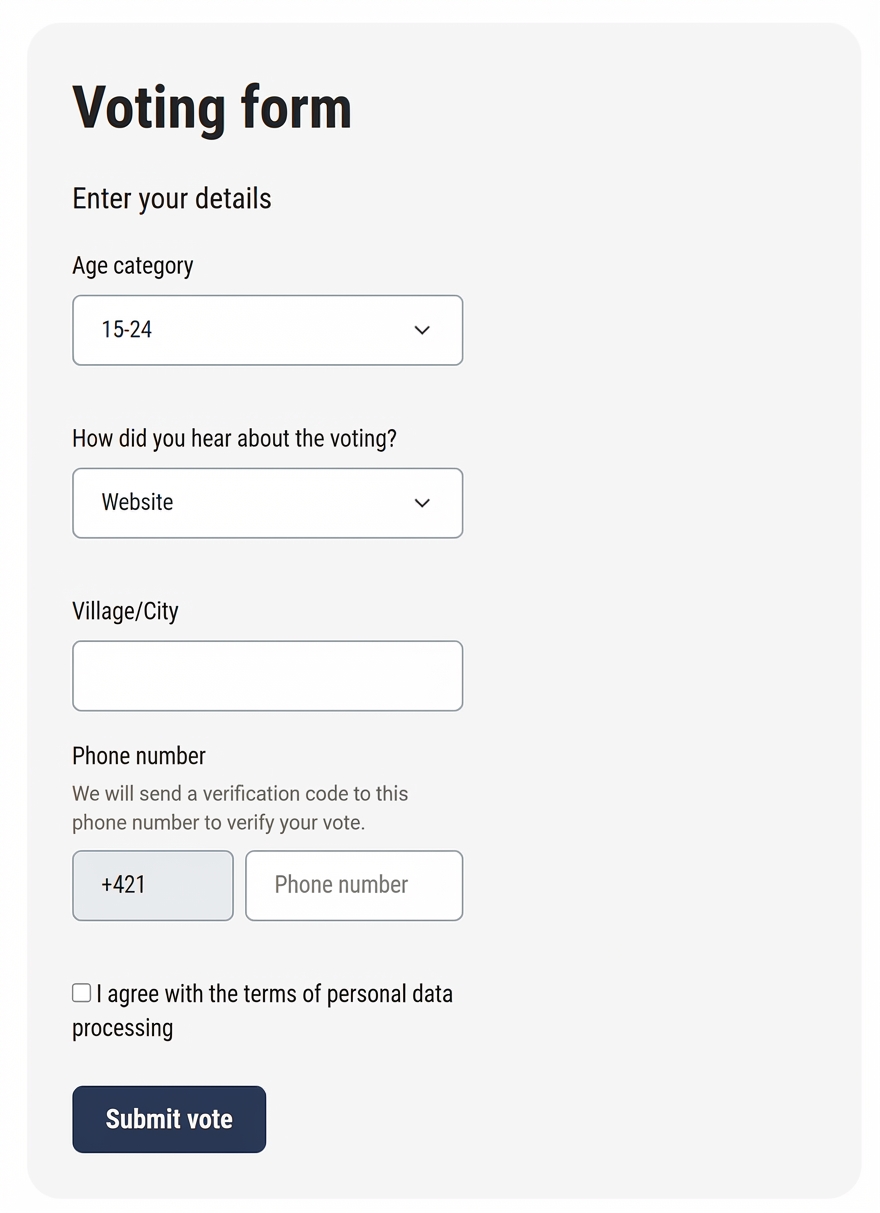
Basic voting form
Collects the following data from voters: age category, how they learned about the voting, municipality/city, phone number.
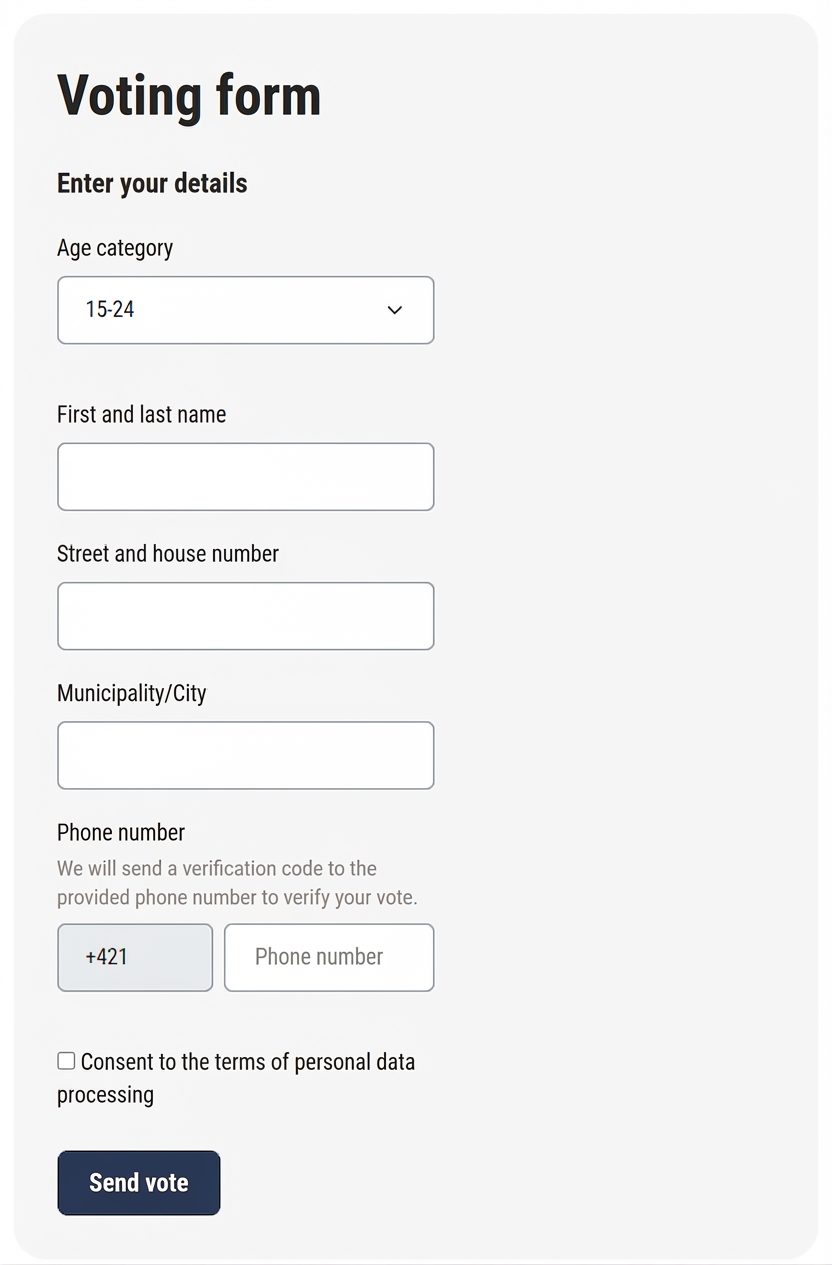
Extended voting form
Collects the following data from voters: age category, first and last name, street and house number, municipality/city, phone number.
Voting rules
In the „Custom texts“ tab in the main menu you can insert text that will be displayed after clicking the „Rules“ button on the voting page.


-
Open the „Custom texts“ tab in the main menu.
A list of all informational texts that you can edit will open. -
Find „Voting rules„.
-
Click the „Edit“ button in the „Actions„ column, then insert/edit the text and save your changes.