
What do you need help with?
-
Overview and settings
-
Forms
- Manuals will be coming soon.
-
Management of applications
-
Evaluation and approval
-
Contracts and other documents
-
Exports
-
Participatory budget
If you want to change the contract number in the system for a specific application, follow these steps:
1 Select the application
Open the list of all applications in the „Applications“ na úrovni programu.
Click the button „Manage“ in the column „Actions“ next to the application whose contract number you want to change.
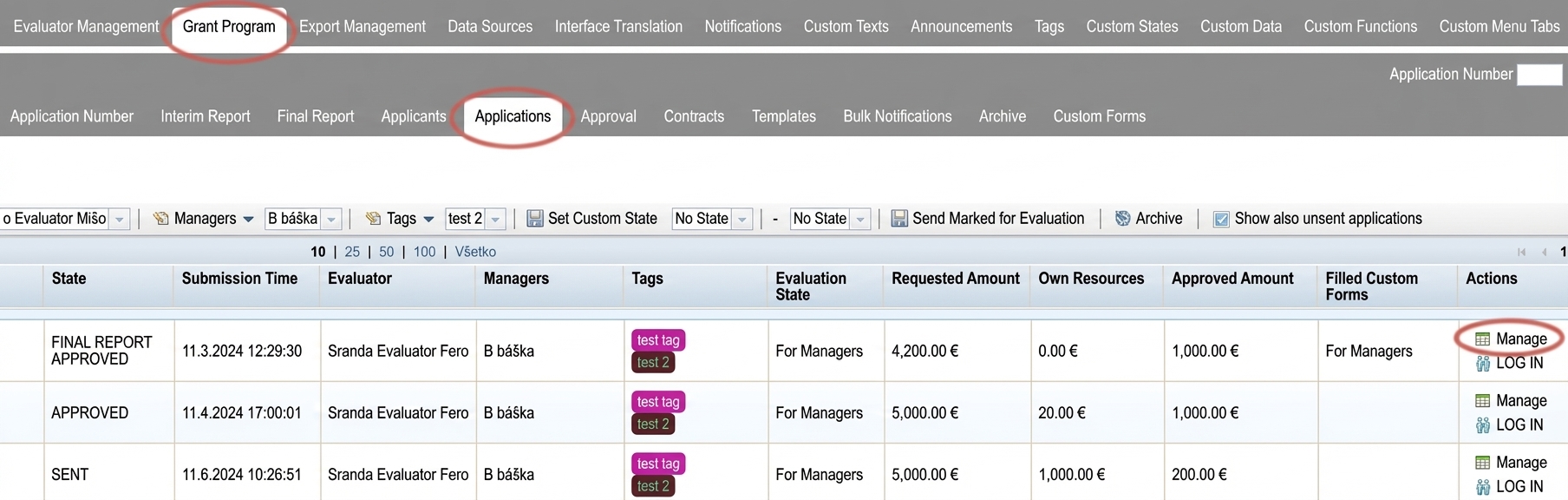
2 Edit the contract number
The menu at the application level will open.
2.1 Click on the „Application Settings“.
2.2 Overwrite the contract number.
2.3 Click the button „SAVE“.
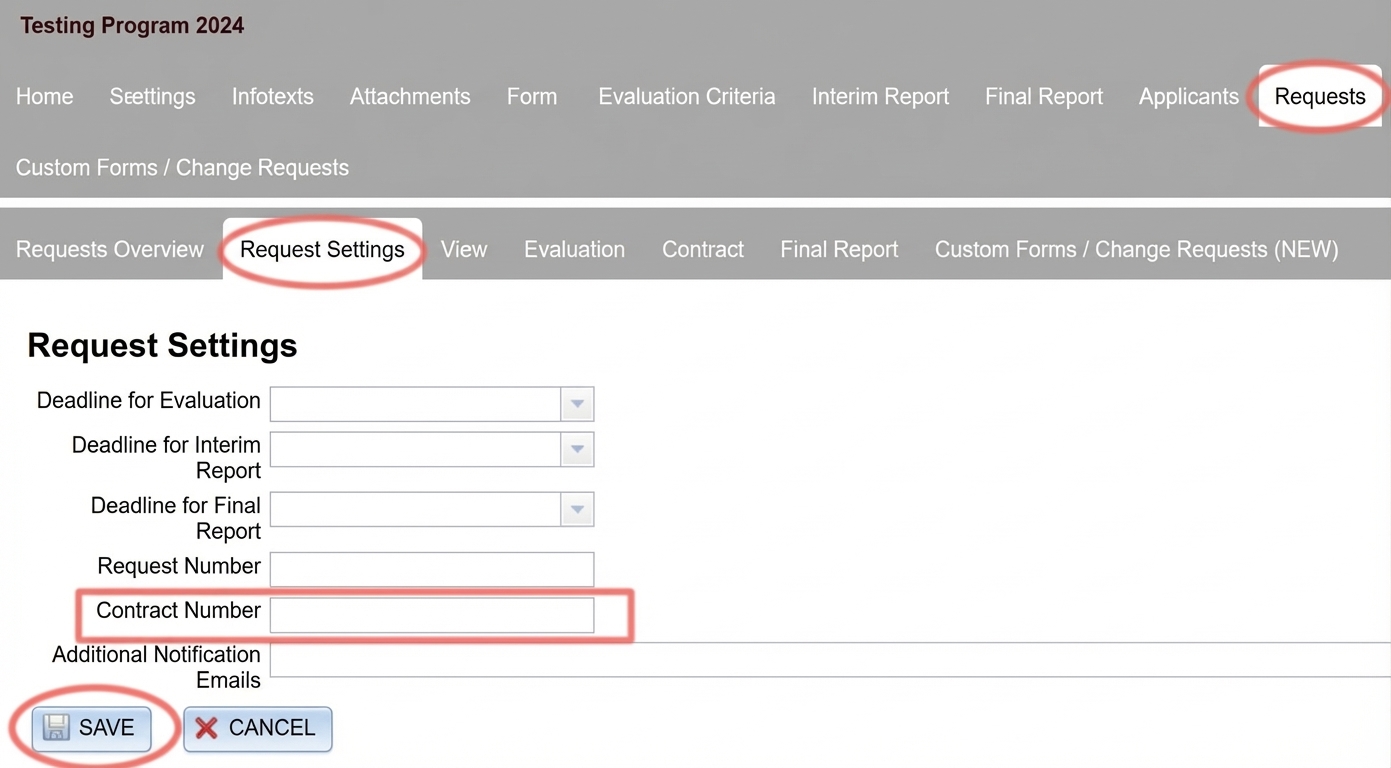
3 Generate a contract with the new number
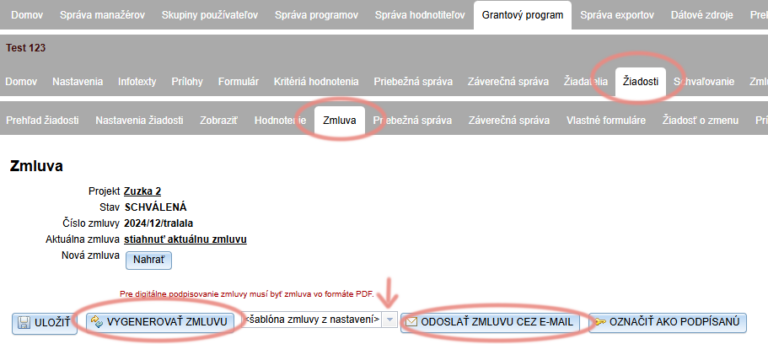
If you pull the contract number into the contract document from the system , after the change you must regenerate the contract for this application:
3.1 Stay in the menu at the application level for which you changed the number, and open the tab "Contract".
3.2 Check that the contract is generated from the correct template document.
The default is always "contract template from settings".
If you use a template document from the "Templates" tab for this application, select it from the dropdown menu.
3.3 Click "GENERATE CONTRACT".
3.4 If you want to send the contract with the new number to the applicant, click "SEND CONTRACT VIA E-MAIL".