To give applicants the opportunity to subsequently amend your grant application already after submitting the form, you have two options, how you will allow them to request this change:
In the form of a change notice
In the form of a variation request form
Notification of change
It is about simple text notification, which the applicant can send from his/her account. In this form, the applicant has the opportunity to apply for amending the budget and about rescheduling.
1
Program settings
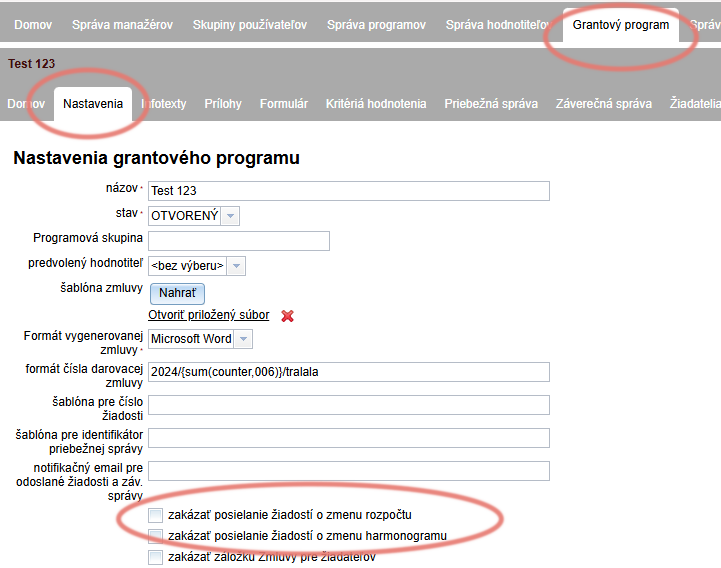
Make sure that in the settings you don't have it checked „prohibit sending budget change requests“ or „prohibit sending schedule change requests“.
bookmark „Settings“ in the program level menu
2
Applicant's view
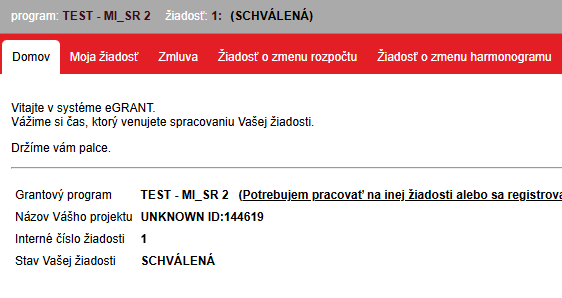
If you have these change notifications enabled in your settings, the applicant, after logging into his account will see next to the „My request“ tab the „Request for amending budget“ and the „Request for rescheduling“.
3
Sending the notification
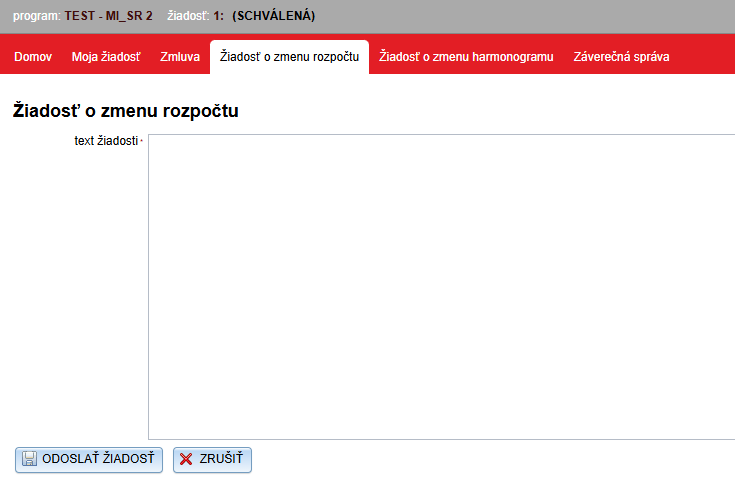
To the applicant when you click on one of these tabs opens a text window, where they indicate what change they are requesting, and click the „SUBMIT REQUEST“ button.
Applicant may make such notifications send repeatedly.
4
Manager's view
Manager can make these announcements look at the specific application via the „Manage“ in the list of applications. A menu opens at the request level and under the „Request for change“ will find all sent notifications and the date and time they were sent.