What do you need help with?
-
Overview and settings
-
Forms
- Manuals will be coming soon.
-
Management of applications
-
Evaluation and approval
-
Contracts and other documents
-
Exports
-
Participatory budget
Announcements are messages displayed as static text at the top of the screen after logging in to eGRANT.
When creating such an announcement, you can choose who it is displayed to: managers, evaluators, applicants, or users who are not yet logged in.
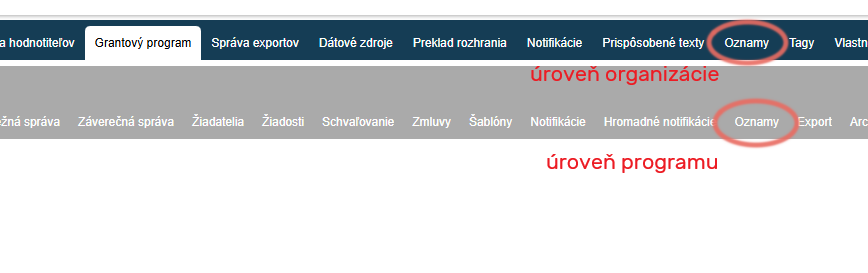
Announcements can be created in the „Announcements“ tab either in the menu at the organisation level (these announcements will be displayed in all programmes), or in the menu at the programme level (these announcements will be displayed only in the given programme).
Create/edit an announcement
-
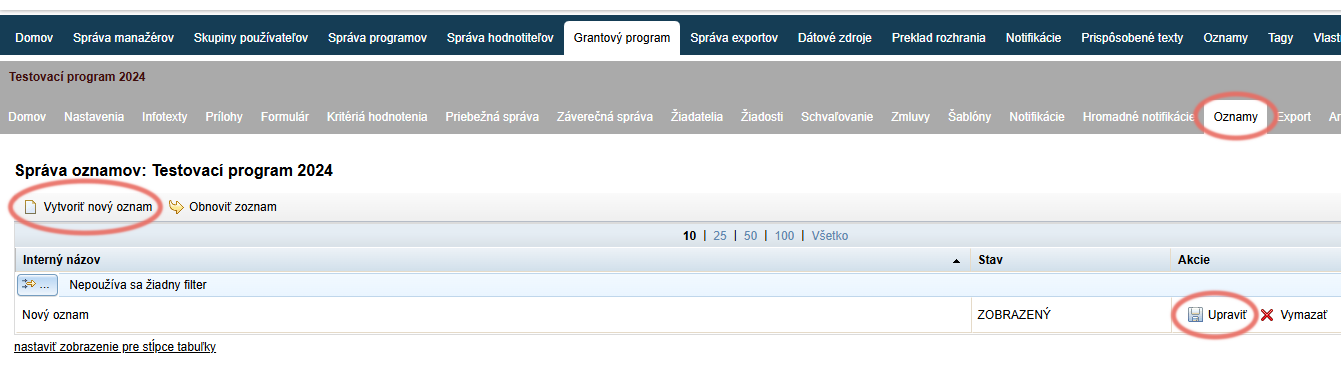
If you want to edit an existing announcement, click the „Edit“ in the „Actions“ in the overview table.
-
If you want to create a new announcement, click the „Create new announcement“ link above the overview table on the left.
By clicking on the „Announcements“ tab, a list of all created announcements will open.
If none have been created yet, the list will be empty.
Announcement editor
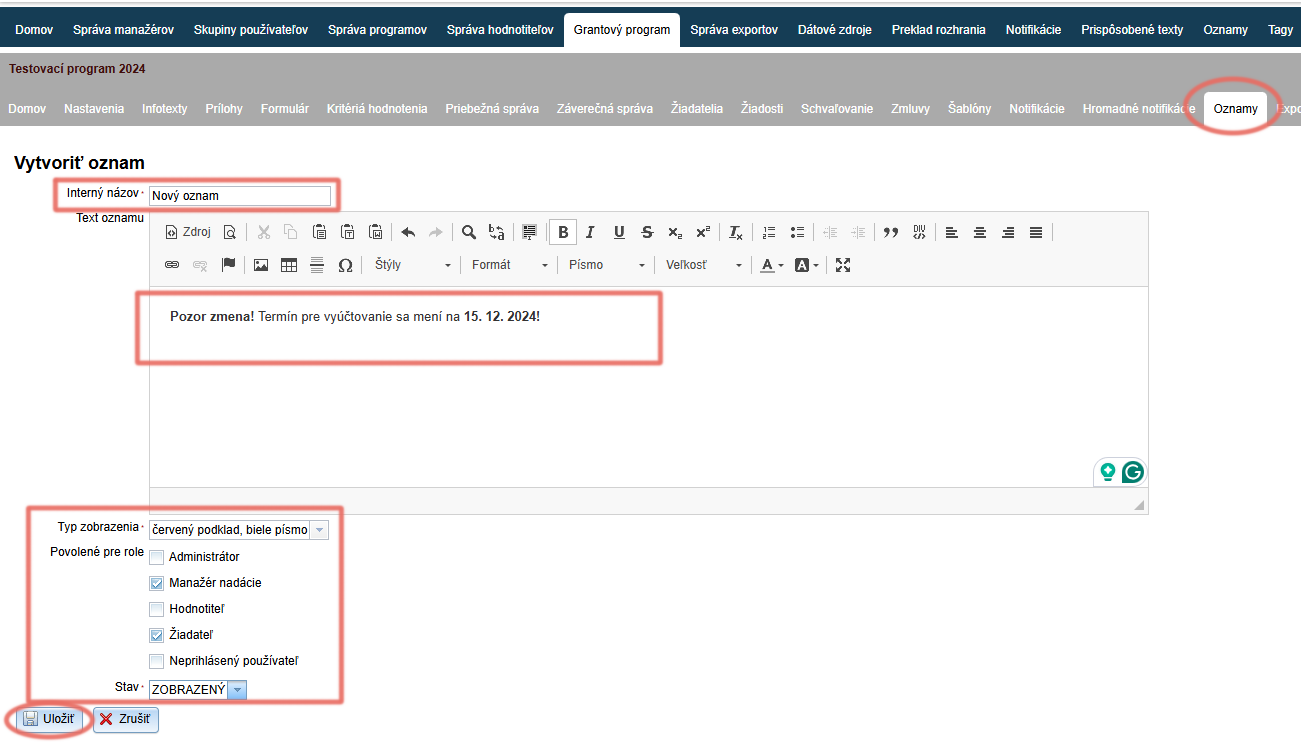
After clicking „Create new announcement“ the editor will appear, where you can edit/create the announcement.
-
Enter an internal name by which you can find this announcement in the overview table with the list of all created announcements.
-
In the text editor, type (and edit as needed) the announcement text that is to be displayed at the top of the screen.
-
In the Display type field, select the colour combination for the text background and font colour.
-
In the Allowed for roles field, select who the announcement should be displayed to.
-
In the Status – select the announcement status:
„HIDDEN“ = the announcement is not displayed
„DISPLAYED“ = the announcement is displayed -
Click the „Save“.
If you have created an announcement that should be displayed only to applicants and you want to see how it is displayed, log in as one of the applicants by clicking the „LOG IN“ button in the list of applicants.