
What do you need help with?
Assigning a manager to a specific application
-
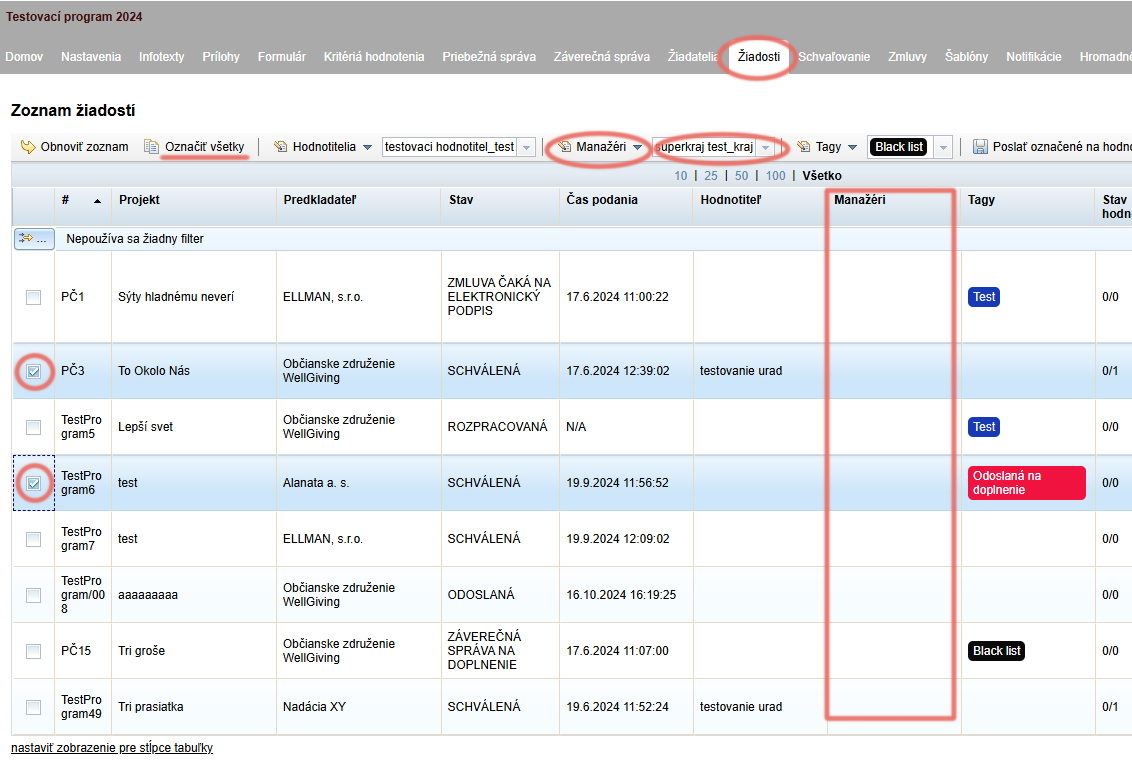
In the „Applications ” tab, select the applications you want to assign to a specific manager.
-
From the dropdown menu above the table select the manager from the list to whom you want to assign the selected applications.
-
Click the „Managers ” (above the table, to the left of the managers list) and from the dropdown menu select „Add manager“.
-
The assigned manager’s name will appear in the „Managers“.
-
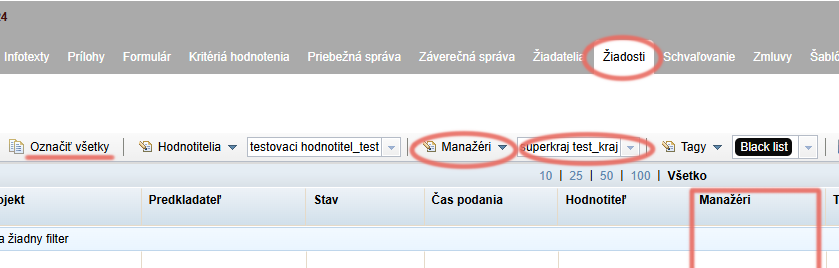
Select the applications to which you want to randomly assign a manager, or select all applications by clicking the „Select all ” above the table.
-
Click the „Managers ” above the table and from the menu select „Random manager assignment“.
-
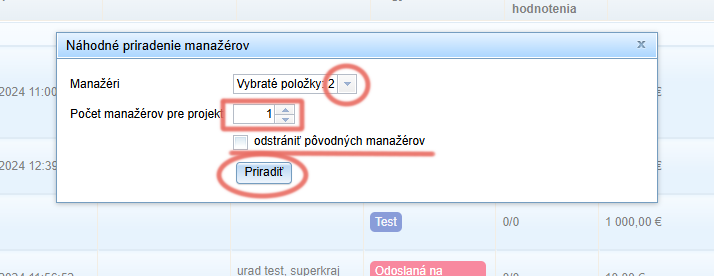
In the pop-up window select the managers to whom you want to randomly distribute the applications and choose the number of managers per application.
-
If some managers are already assigned to applications and you want them removed after this random distribution, check the option „remove original managers“.
-
Click the „Assign“.