
If you want to change the contract number in the system for a specific application, proceed as follows:
Select the application
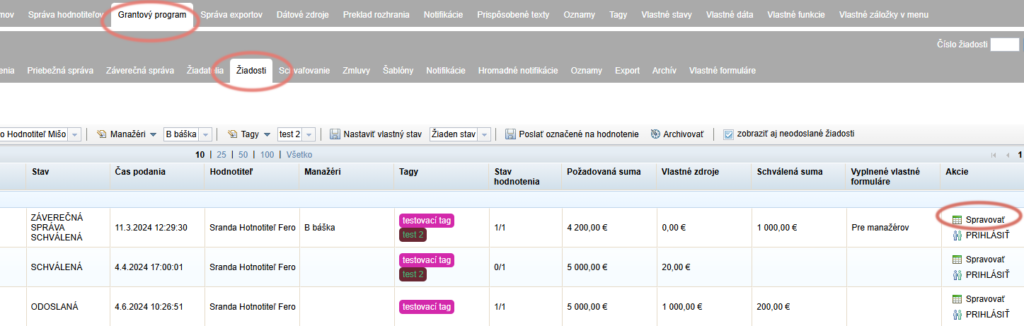
Open the list of all applications in the “Žiadosti” tab at programme level.
Click the “Spravovať” button in the “Akcie” column next to the application whose contract number you want to change.
Edit the contract number
The application-level menu opens.
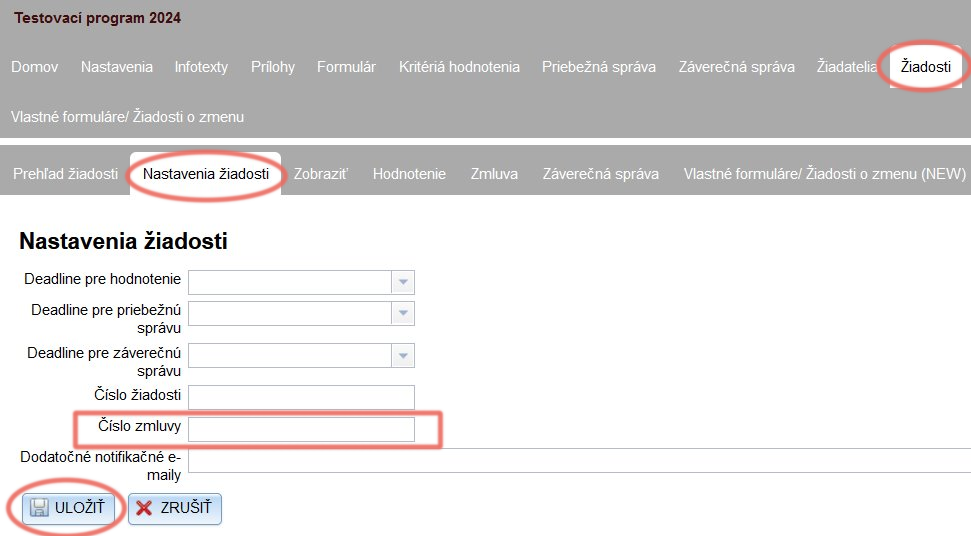
2.1 Click the “Nastavenia žiadosti” tab.
2.2 Overwrite the contract number.
2.3 Click the “ULOŽIŤ” button.
Generate the contract with the new number
If you pull the contract number into the contract document from the system, you must generate the contract for this application again after the change:
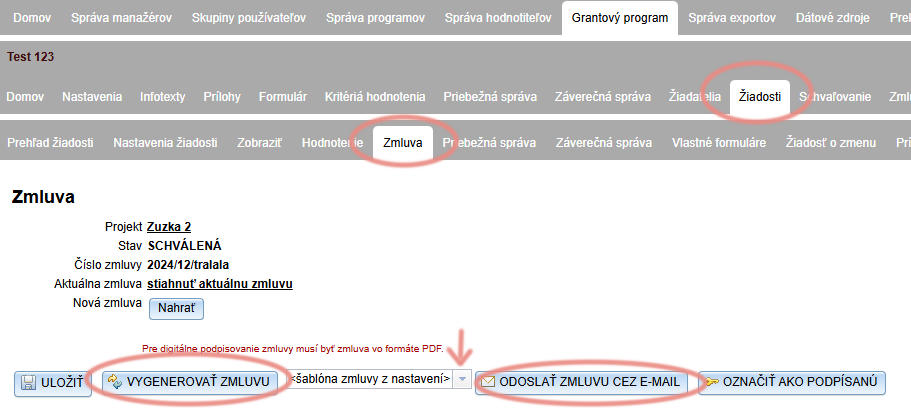
3.1 Stay in the application-level menu of the application whose number you changed and open the “Zmluva” tab.
3.2 Check that the contract is being generated from the correct sample document.
The default is always “šablóna zmluvy z nastavení”.
If you use a sample document from the “Šablóny” tab for this application, select it from the drop-down menu.
3.3 Click “VYGENEROVAŤ ZMLUVU”.
3.4 If you want to send the contract with the new number to the applicant, click “ODOSLAŤ ZMLUVU CEZ E-MAIL”.