Searching
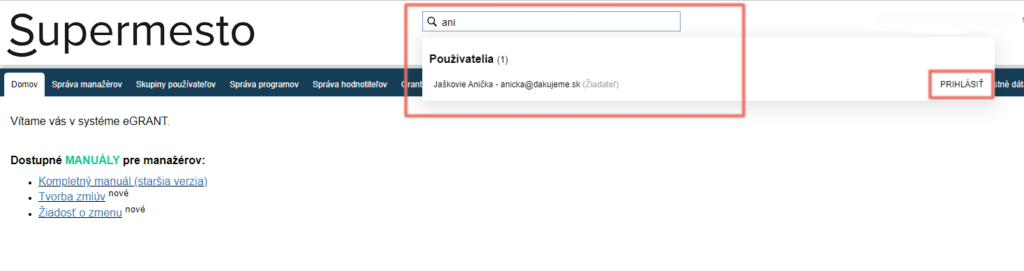
For quick navigation in the system, you can use the search box, which you will always find at the top of the screen to the right of the organisation’s logo.
Wherever you are in eGRANT, you can search by name or email for a user, application, programme, notification, custom form or custom texts across all programmes.
Attention!
Search is sensitive to inflection, so enter only the root of the word.
Tip
You can also search by keyword – you do not need to know the exact name; simply start typing a keyword that you know the name contains (e.g. “zmen”) – the system will display the results containing the search term.
Filtering
You can use a filter with every overview table (e.g. the list of applications, the list of notifications, etc.). You will always find it in the top left-hand corner of the table (a yellow arrow icon on a light blue background).
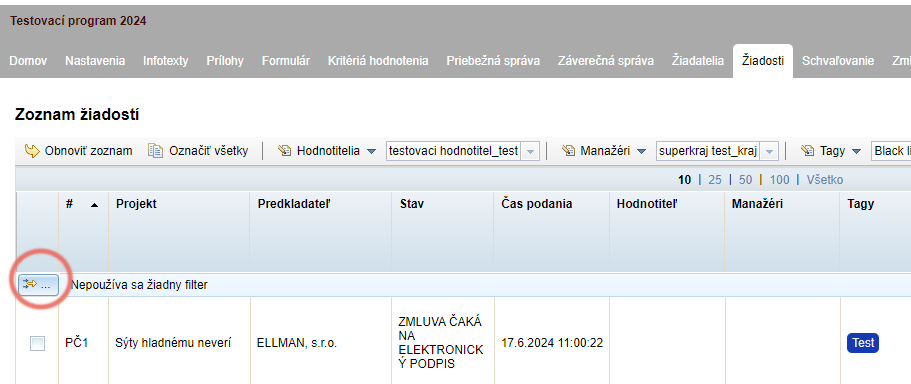
After clicking the filter icon, a pop-up window is displayed where you can define the filter you currently need:
For a simple search in the table, just start typing the search term in the “Hodnota” row and press “Enter” on the keyboard or the “Filter” button in the pop-up window.
You can also specify the filter further:
- You can specify that the search term should only be searched for in a particular table column (you choose the column in the “Stĺpec” row in the pop-up window).
- You can also further specify the condition on the basis of which the filter is to search for the search term (the “Podmienka” row in the pop-up window).
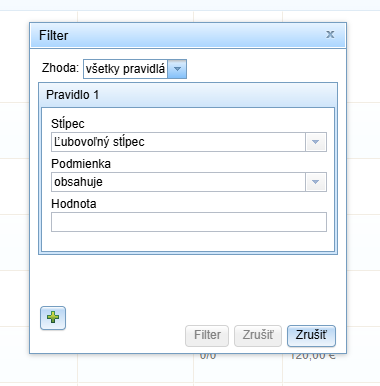
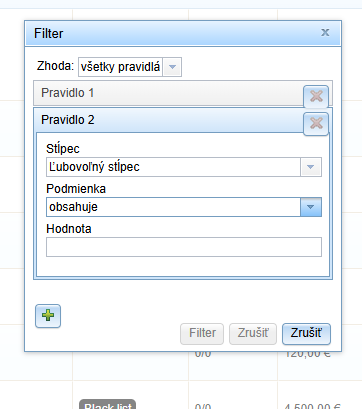
You can also set several search rules at the same time if you need to display results in the table based on several specifications at once.
You add each further rule via the “+” icon in the pop-up window.
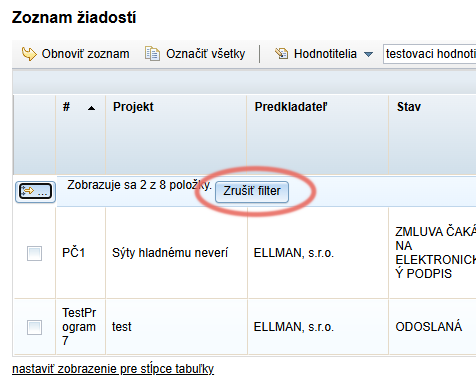
If you want to return to displaying all items in the table, cancel the filter by clicking the “Zrušiť filter” button in the top left-hand corner of the table.