In eGRANT, the evaluation/voting, approval and contracting processes are interconnected.
This means that if you want to generate and send contracts, the projects must first be approved. For projects to be approved, the voting process must first take place.
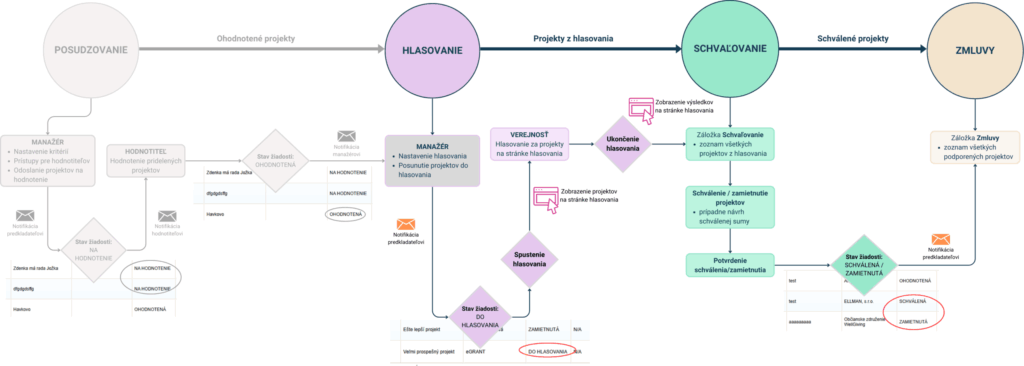
Assessment (deliberation)
When managing a participatory budget, projects are not always assessed.
In that case, you skip this step and start directly with the voting process.
If you do assess projects, this process is the same as the evaluation process for subsidy management in eGRANT.
Evaluation process
The evaluation process in the eGRANT system works as follows:
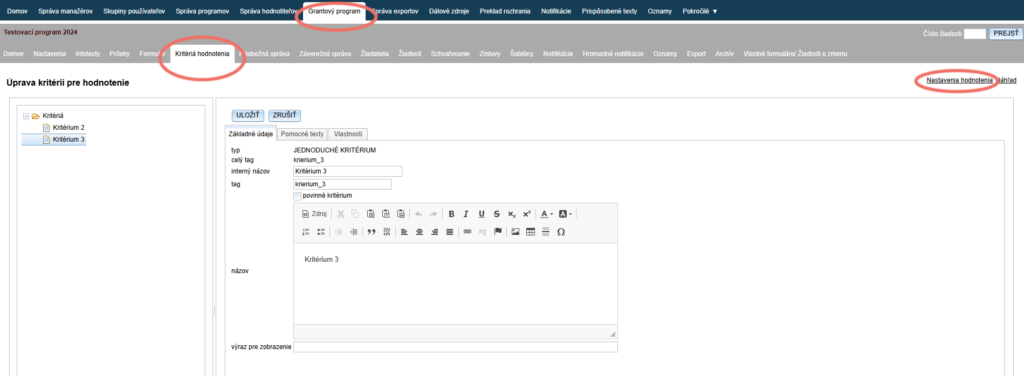
First, in the “Kritériá hodnotenia” tab in the programme-level menu, create the criteria by which submitted applications will be evaluated, and set the method of calculating points (sum or average) via the “Nastavenia hodnotenia” link.
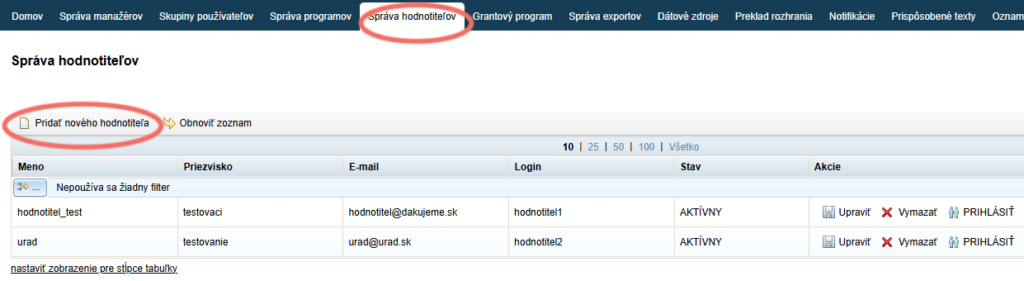
Applications can only be evaluated by evaluators, so you must first create access for at least one evaluator in the “Správa hodnotiteľov” tab in the organisation-level menu.
You can then distribute the applications among evaluators (or assign all applications to one evaluator/ all evaluators) in the “Žiadosti” tab in the programme-level menu.
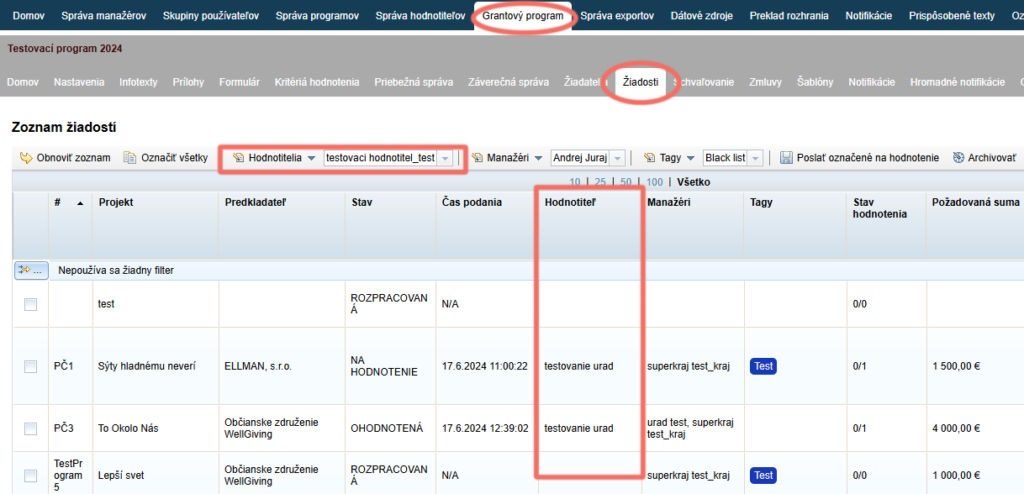
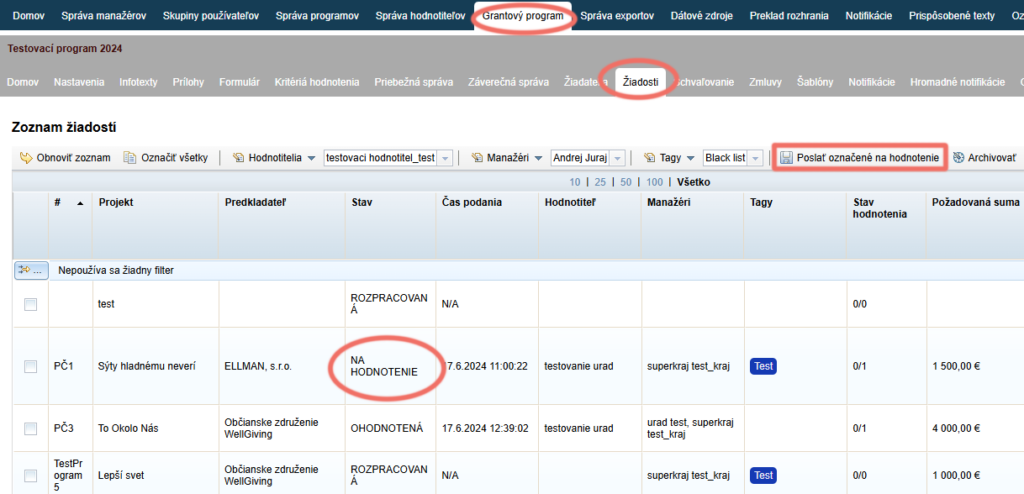
Once all the applications you want to evaluate have an assigned evaluator, you can send them for evaluation.
Applicants receive a notification email informing them that their application has moved on to evaluation, and evaluators receive a notification that they are to evaluate the application.
The status of these applications automatically changes to “NA HODNOTENIE”.
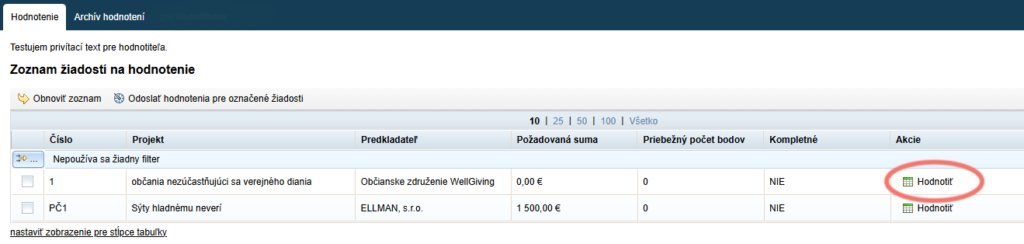
After logging in to their account, evaluators see a list of the applications assigned to them and can start evaluating them.
Voting process
The voting process in the eGRANT system works as follows:
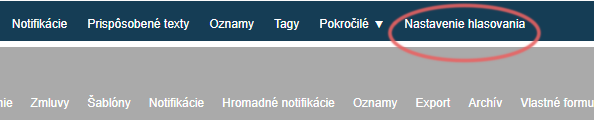
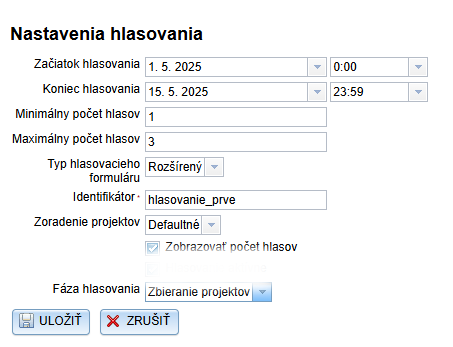
First, set the voting parameters in the “Nastavenia hlasovania” tab in the main menu.
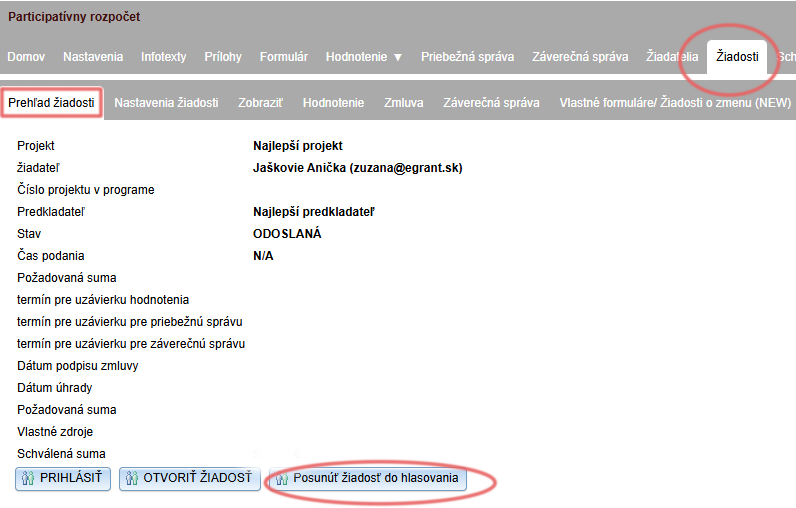
You can then move individual projects to voting by clicking the “Posunúť žiadosť do hlasovania” button (via the “Spravovať” link for individual projects in the “Žiadosti” tab in the programme-level menu).
The public can vote for projects on the voting page from the moment voting starts until it ends (according to the dates you entered in the “Nastavenia hlasovania” tab).
On the voting page, the public will find the projects you have moved to voting.

Approval process
In eGRANT, this process is the same as the approval process for subsidy management.
The approval process in the eGRANT system works as follows:
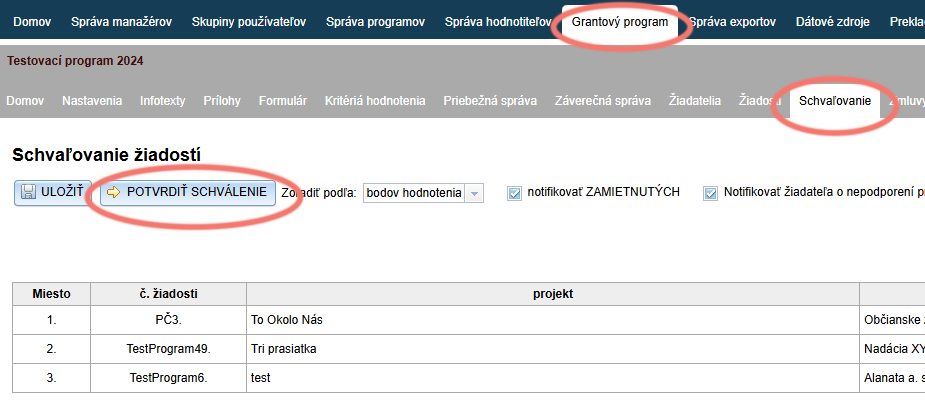
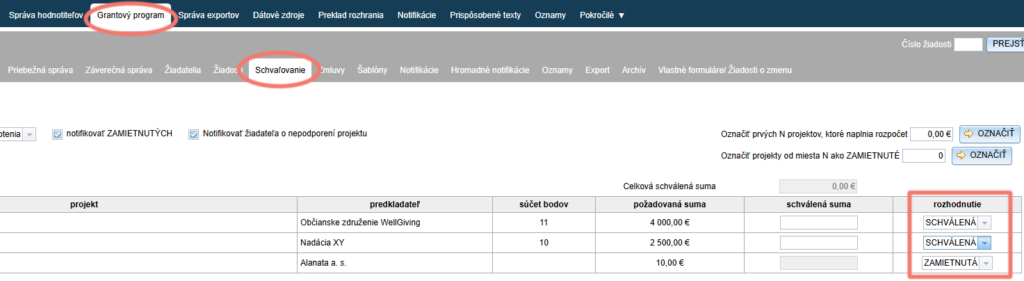
In the “Schvaľovanie” tab, you will find all projects that were in the voting. In the “rozhodnutie” column, select for each project whether it will be approved or rejected (or not supported).
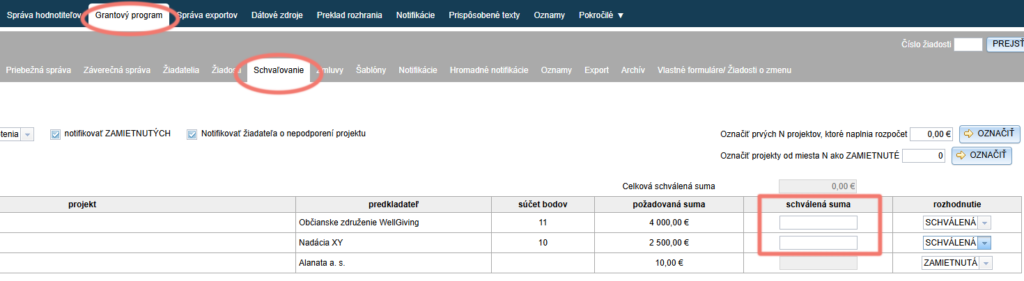
For those applications (projects) for which you selected “SCHVÁLENÁ” in the “rozhodnutie” column, a field opens in the “schválená suma” column for entering the amount proposed for approval.
If the decision on approved/ rejected projects and proposed amounts is final, you can click the “POTVRDIŤ SCHVÁLENIE” button – submitters will be sent a notification of approval/ rejection and you will no longer be able to make changes in this tab.