
If necessary, you can return an application that has already been submitted to the applicant so that they can make changes to it.
Attention
If you use electronic signing of applications, the applicant will have to sign the application electronically again after it has been reopened.
Tip
If you want to ensure that the applicant can only edit the form items you mark, tick “zakázať dopĺňanie neoznačených položiek pri vrátených formulároch” in the “Nastavenia” tab at programme level.
Find the application
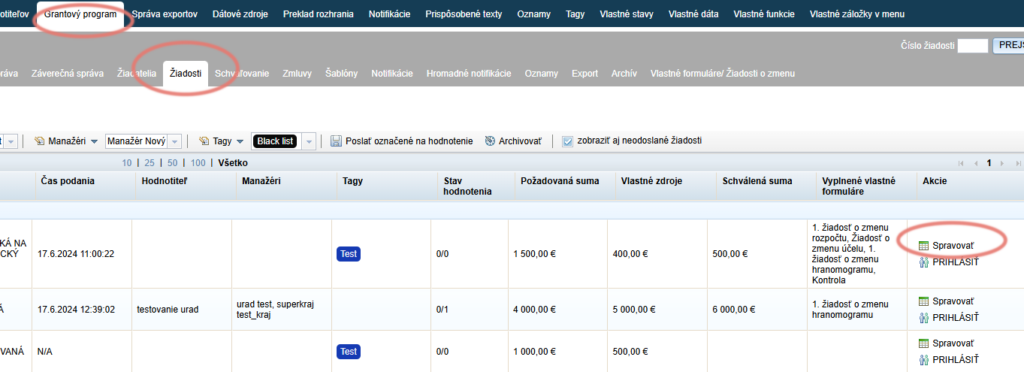
In the “Žiadosti” tab, find the application you want to return for completion.
In the “Akcie” column, click the “Spravovať” button.
Open the application
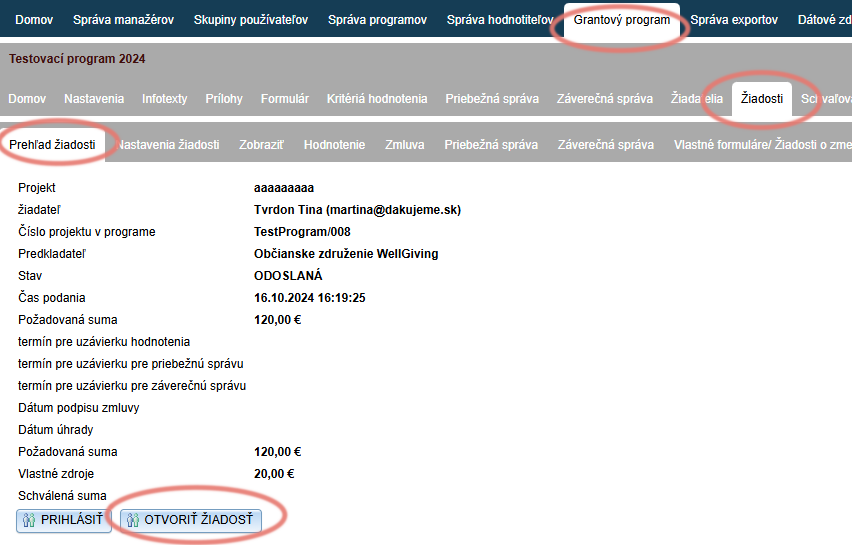
The next menu level – the application level – opens, together with its first tab, “Prehľad žiadosti”.
Click the “OTVORIŤ ŽIADOSŤ” button.
Mark the items
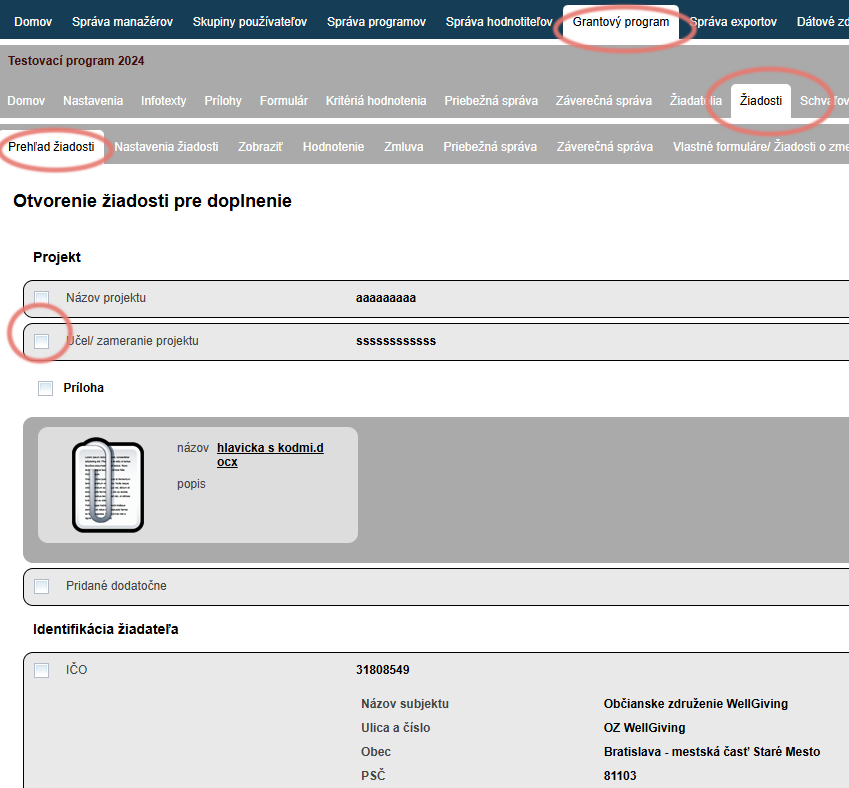
A summary of the application is displayed with a checkbox next to each form item.
Mark the items you want the applicant to edit. If you want to mark all form items, click the “Označiť všetky” button at the end of the application.
Clicking the “Invertovať výber” button at the end of the application unticks the marked items and, conversely, ticks the unmarked items.
Return for completion
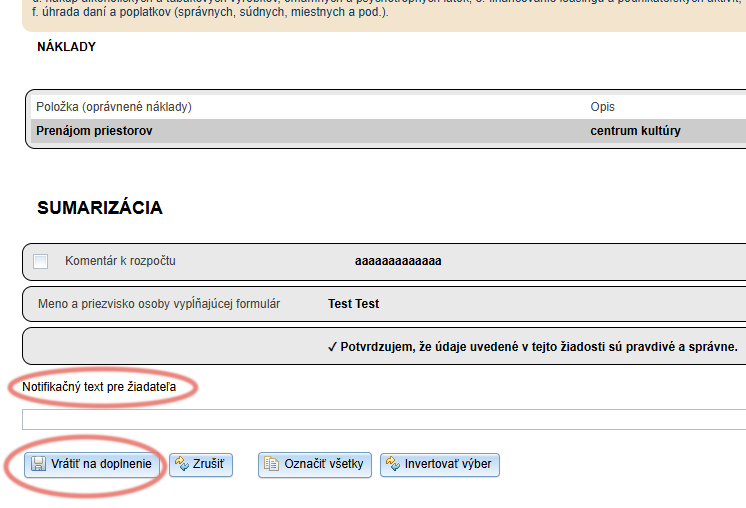
At the end of the application, you can write a comment to the applicant in the “Notifikačný text pre žiadateľa” field.
Click the “Vrátiť na doplnenie” button.
After opening their application, the applicant will see a list of the items they are to edit and your notification text.
After returning the application for completion
The application status changes to “ROZPRACOVANÁ” and the applicant receives a notification email about the reopening of the application.
The name of the notification email is “Žiadosť znova otvorená” and you can edit it in the “Notifikácie” tab.
Attention!
When the application is resubmitted, the system records both the date of the original submission and the date of resubmission.
The list of applications in the “Žiadosti” tab always shows the date of the original submission.
You will find the date of resubmission in the “Prehľad žiadosti” tab at application level (it opens after clicking the “Spravovať” button in the list of applications).