
A manager can reopen evaluations that have already been submitted, thus allowing the evaluator to make changes to the evaluation.
Only a submitted evaluation can be reopened
This is not possible for an evaluation in progress that the evaluator has not yet submitted (and can therefore still change).
The “Žiadosti” tab
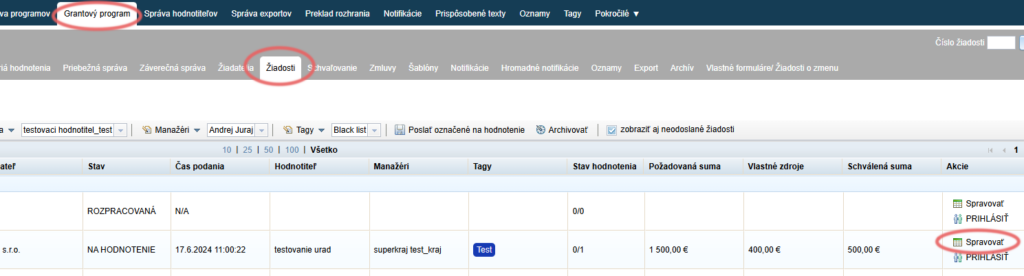
In the “Žiadosti” tab, click the “Spravovať” link next to the application whose evaluation you want to reopen.
Evaluation details
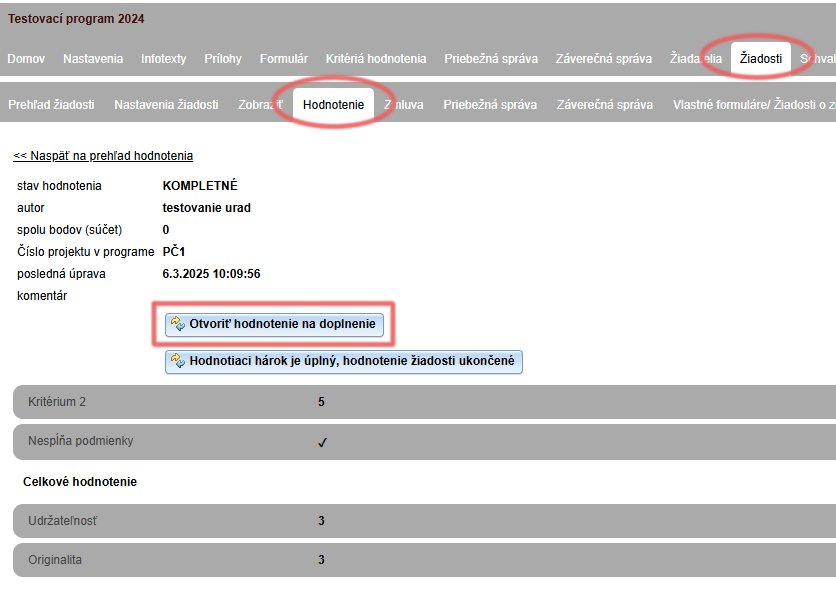
Open the “Hodnotenie” tab and click the “podrobnosti” link next to the evaluator whose evaluation you want to open.

Open the evaluation
The details of this evaluation open. Click the “Otvoriť hodnotenie na doplnenie” button.
(Clicking the “Hodnotiaci hárok je úplný, hodnotenie žiadosti ukončené” button closes the evaluation, and it will no longer be possible to reopen it.)
Confirm the reopening of the evaluation
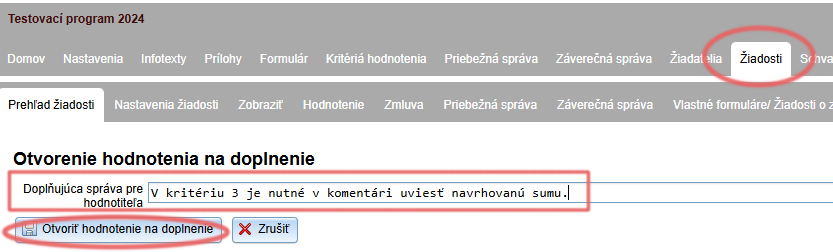
You can write a note to the evaluator about what they should change in the evaluation.
Confirm the reopening of the evaluation by clicking the “Otvoriť hodnotenie na doplnenie” button.
The evaluation status changes
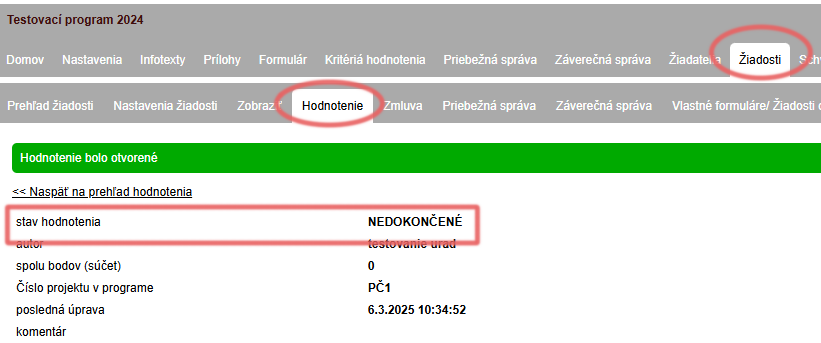
The status of this evaluation changes to “NEDOKONČENÉ”.
Evaluator’s view
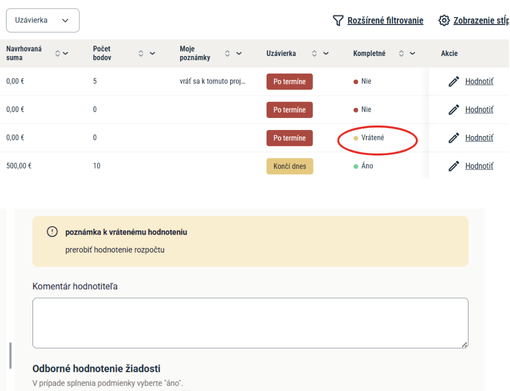
The returned evaluation is moved from the archive back to the evaluator’s list of applications for evaluation with the status “Vrátené”. After editing/completing it, the evaluator must submit it again.
After clicking Evaluate, they will find the note that the manager entered when reopening the evaluation at the top of the evaluation.
Notification
After the evaluation is opened for completion, an email notification about the reopening of the evaluation is automatically sent to this evaluator.