
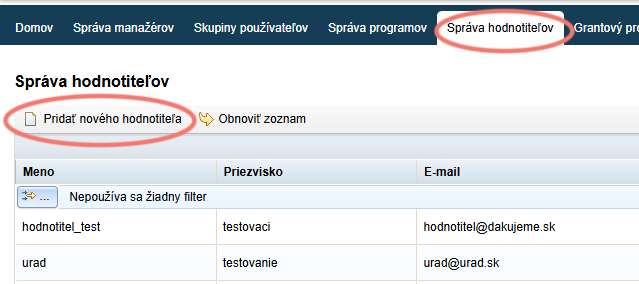
You can create access for a new evaluator or edit access for existing evaluators in the “Správa hodnotiteľov” tab in the main menu at organisation level.
Create an evaluator
In the “Správa hodnotiteľov” tab, click the “Pridať nového hodnotiteľa” link.
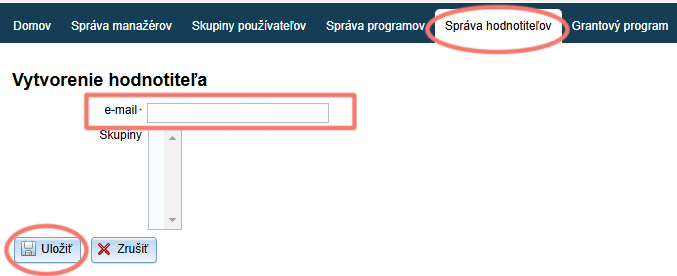
Evaluator’s email
Fill in the evaluator’s email.
Click the “Uložiť” button.
Completing the registration
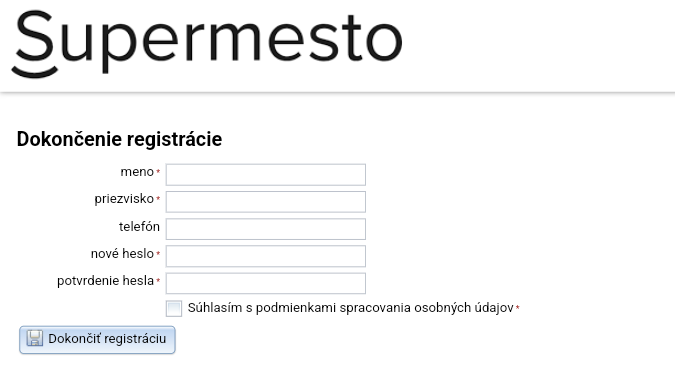
At this moment, a notification with a link to complete the registration has been sent to the email you entered when creating the access.
After clicking this link, the evaluator fills in their name, creates a password and clicks the “Dokončiť registráciu” button. They will then log in to the system with this email and password.
Edit an evaluator
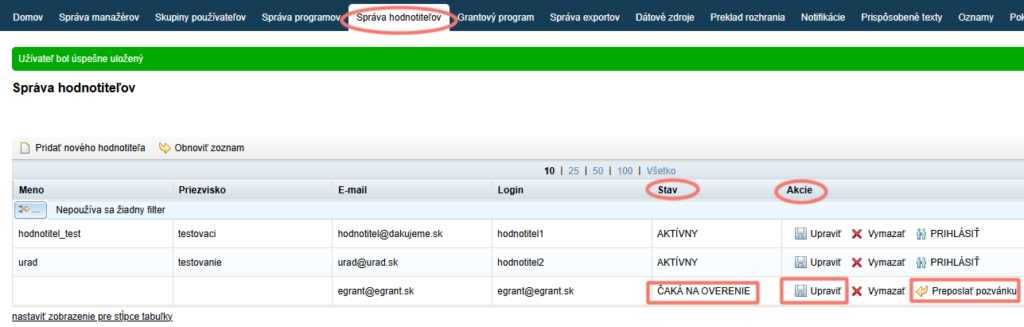
In the “Správa hodnotiteľov” tab in the main menu, you can see a list of all created accesses.
In the “Stav” column, you can also see whether the account is already active. “ČAKÁ NA OVERENIE” means that the evaluator has not yet completed the registration.
In the “Akcie” column, you can resend the invitation to complete the registration by clicking the “Preposlať pozvánku” link.
By clicking the “Upraviť” link, you can change their email (e.g. if you made a mistake in the email address).
You can then assign applications for evaluation to the evaluators you have created.