
In the table with the list of all applications, you can assign individual applications to specific managers in the given programme.
You can then filter the displayed applications accordingly or have copies of notification emails relating to their assigned applications sent to these managers.
How to assign a manager
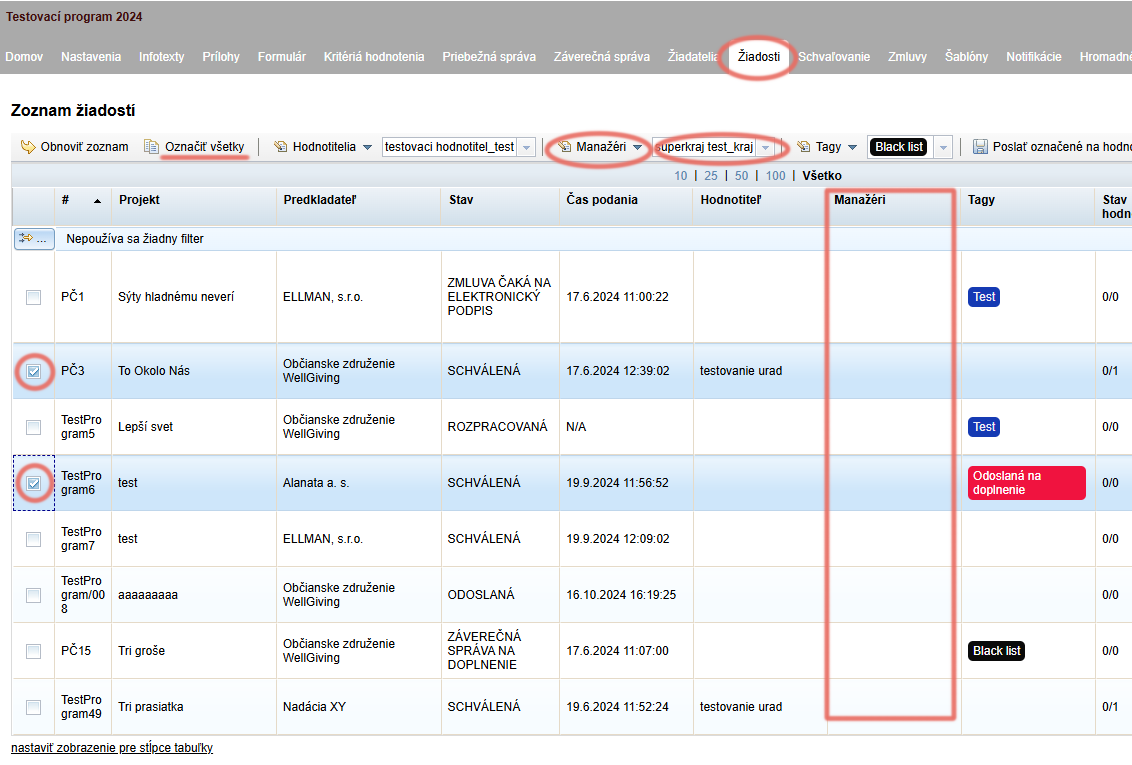
In the “Žiadosti” tab, select the applications you want to assign to a particular manager.
From the drop-down menu above the table, select the manager from the list to whom you want to assign the selected applications.
Click the “Manažéri” link (above the table, to the left of the list of managers) and select “Pridať manažéra” from the drop-down menu.
The name of the assigned manager is displayed in the “Manažéri” column.
If you want to remove the assigned manager, repeat steps 1 and 2, but in step 3 select “Odobrať manažéra” from the menu.
Random assignment of managers
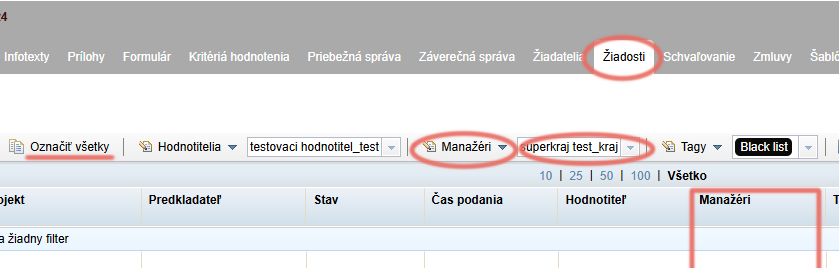
Select the applications to which you want to randomly assign a manager, or select all applications by clicking the “Označiť všetky” link above the table.
Click the “Manažéri” link above the table and select “Náhodné priradenie manažérov” from the menu.
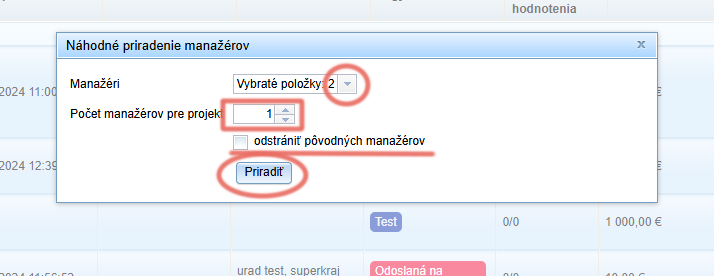
In the pop-up window, select the managers among whom you want to randomly distribute the applications and choose the number of managers per application.
If some managers are already assigned to the applications and you want them to be removed after this random distribution, tick the “odstrániť pôvodných manažérov” option.
Click the “Priradiť” button.