
Announcements are messages displayed as static text at the top of the screen after logging in to eGRANT.
When creating such an announcement, you can choose to whom it is to be displayed: managers, evaluators, applicants or users who have not yet logged in.
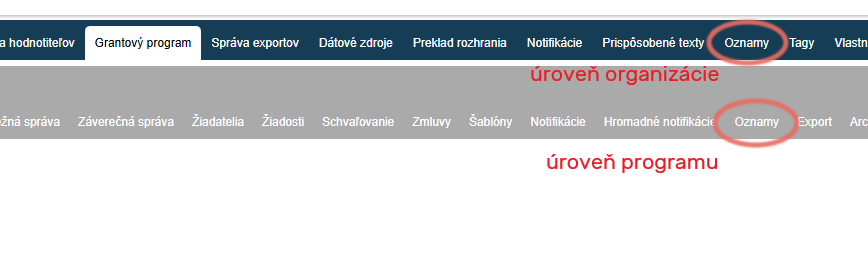
Pay attention to which menu level you are in
Announcements can be created in the “Oznamy” tab either in the menu at organisation level (these announcements will be displayed in all programmes) or in the menu at programme level (these announcements will be displayed only in the given programme).
Create/edit an announcement
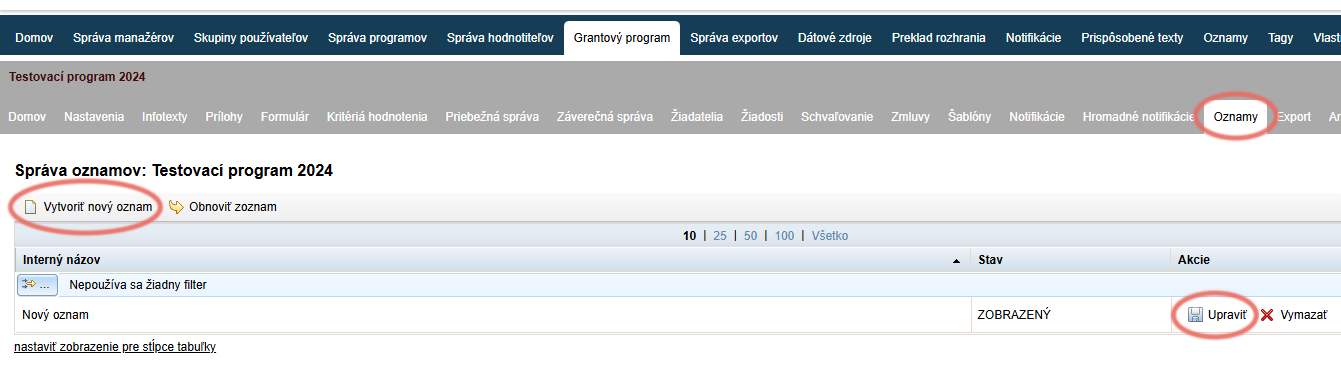
If you want to edit an already created announcement, click the “Upraviť” link in the “Akcie” column of the overview table.
If you want to create a new announcement, click the “Vytvoriť nový oznam” link in the top left above the overview table.
Clicking the “Oznamy” tab opens a list of all created announcements.
If none has been created yet, the list will be empty.
Announcement editor
After you click “Vytvoriť nový oznam”, an editor is displayed where you can edit/create the announcement.
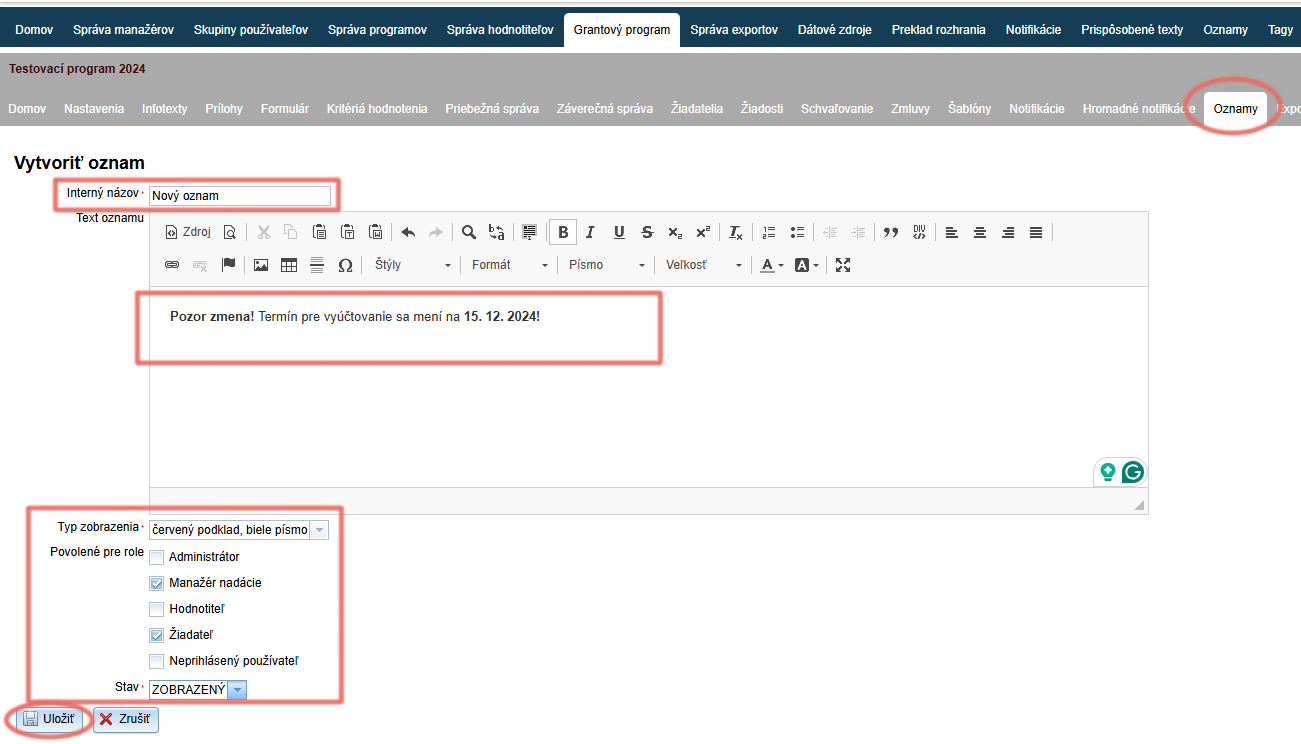
Enter an internal name by which you will find this announcement in the overview table with the list of all created announcements.
In the text editor, write (and edit as needed) the text of the announcement to be displayed at the top of the screen.
In the Typ zobrazenia field, choose the colour combination for the text background and font colour.
In the Povolené pre role field, tick to whom the announcement is to be displayed.
In the Stav field – choose the status of the announcement:
“SKRYTÝ” = the announcement is not displayed
“ZOBRAZENÝ” = the announcement is displayedClick the “Uložiť” button.
Tip
If you have created an announcement that is to be displayed only to applicants and you want to see how it is displayed, log in as one of the applicants by clicking the “PRIHLÁSIŤ” button in the list of applicants.