
Voting parameters
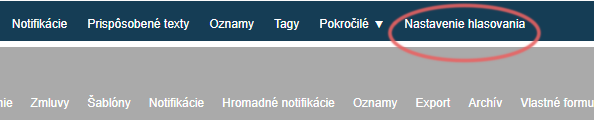
In the “Nastavenie hlasovania” tab in the main menu, you can set the following voting parameters:
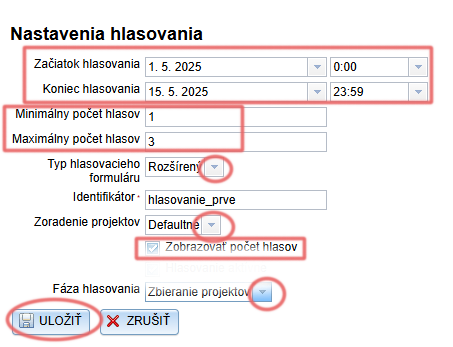
Termíny hlasovania – set the start and end of voting. Enter the exact date and time.
(E.g. if you want to launch voting from 1 May, enter the date 1. 5. and the time 0:00; if you want to end voting on 15 May at midnight, enter the date 15. 5. and the time 23:59).Minimálny a maximálny počet hlasov – the number of projects one voter can vote for.
Typ hlasovacieho formuláru – you can choose between a basic and an extended (or custom) form type, which differ in the data they require about the voter.
Identifikátor – if voting takes place several times during the year, fill in this field to distinguish the individual votes (voters in one vote will thus also be able to vote in the next one).
Zoradenie projektov – select from the menu how the projects are to be sorted on the voting page.
Zobrazovať počet hlasov – if ticked, the number of votes received will also be displayed for individual projects on the voting page.
Fáza hlasovania – switches automatically (in the event of an error, it can also be switched manually).
The “Zbieranie projektov” phase lasts until the start of voting, “Hlasovanie” is launched automatically according to the voting start date, and the “Výsledky” phase is switched on according to the voting end date.Remember to save all changes.
Voting form
In the “Nastavenie hlasovania” tab in the main menu, you can choose the following types of voting form:
Basic voting form
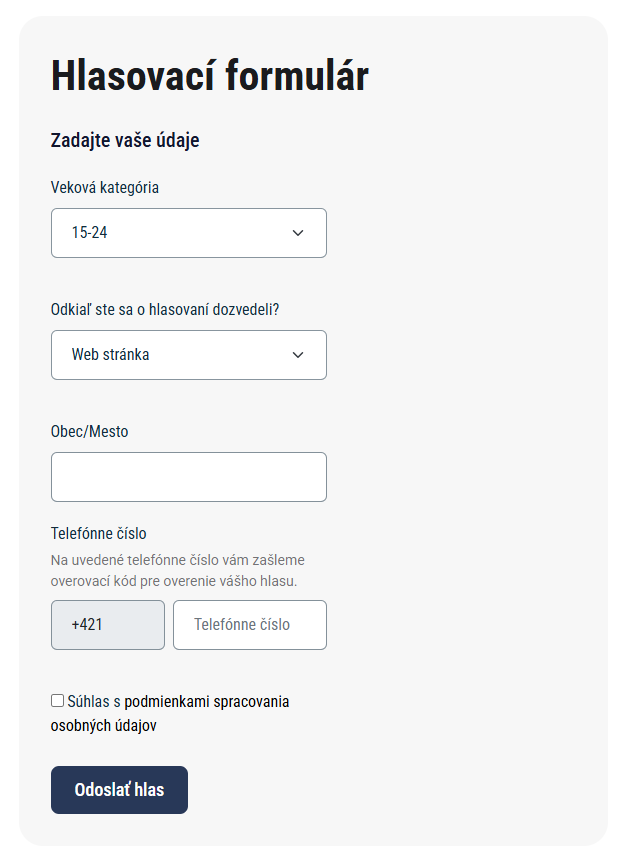
It collects the following data from voters: age category, where they heard about the vote, municipality/city, phone number.
Extended voting form
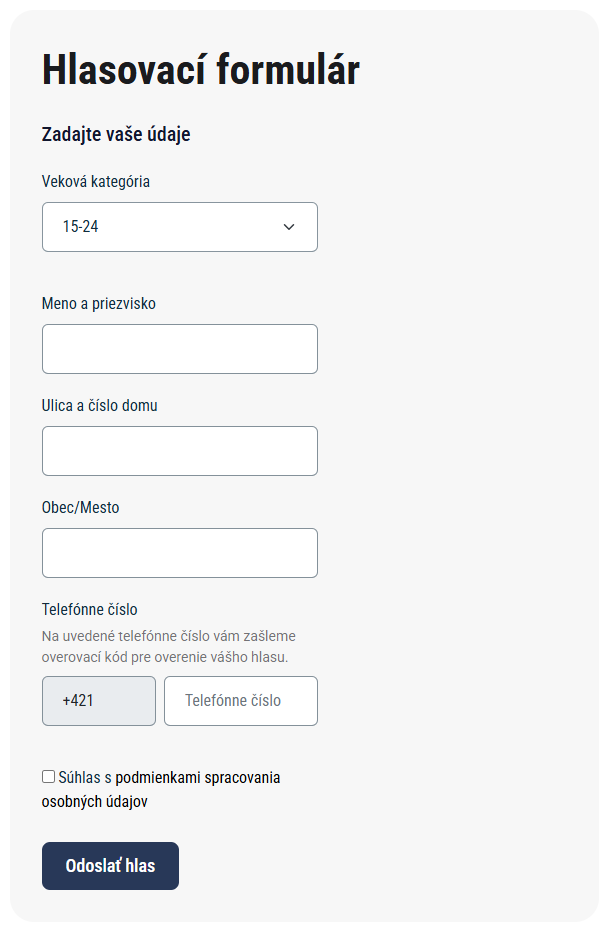
It collects the following data from voters: age category, first name and surname, street and house number, municipality/city, phone number.
Voting rules
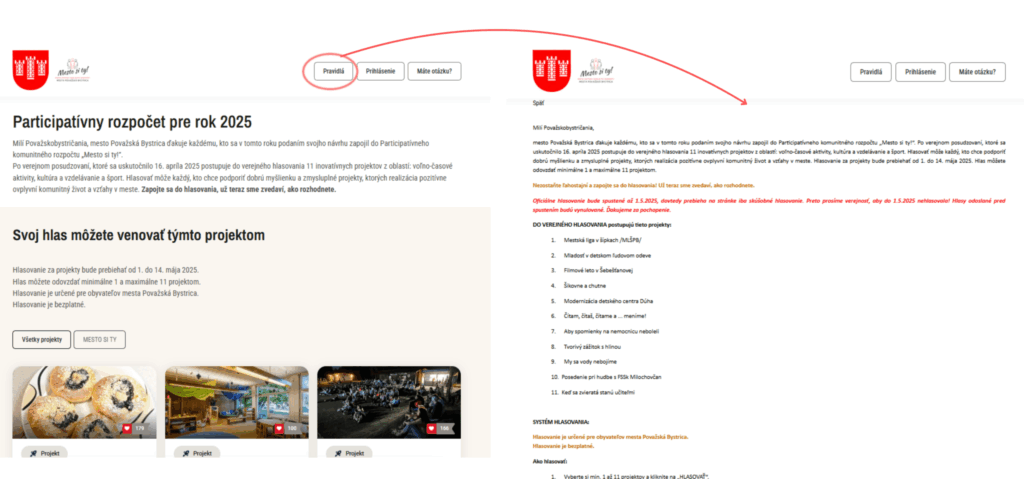
In the “Prispôsobené texty” tab in the main menu, you can insert text that will be displayed after clicking the “Pravidlá” button on the voting page.
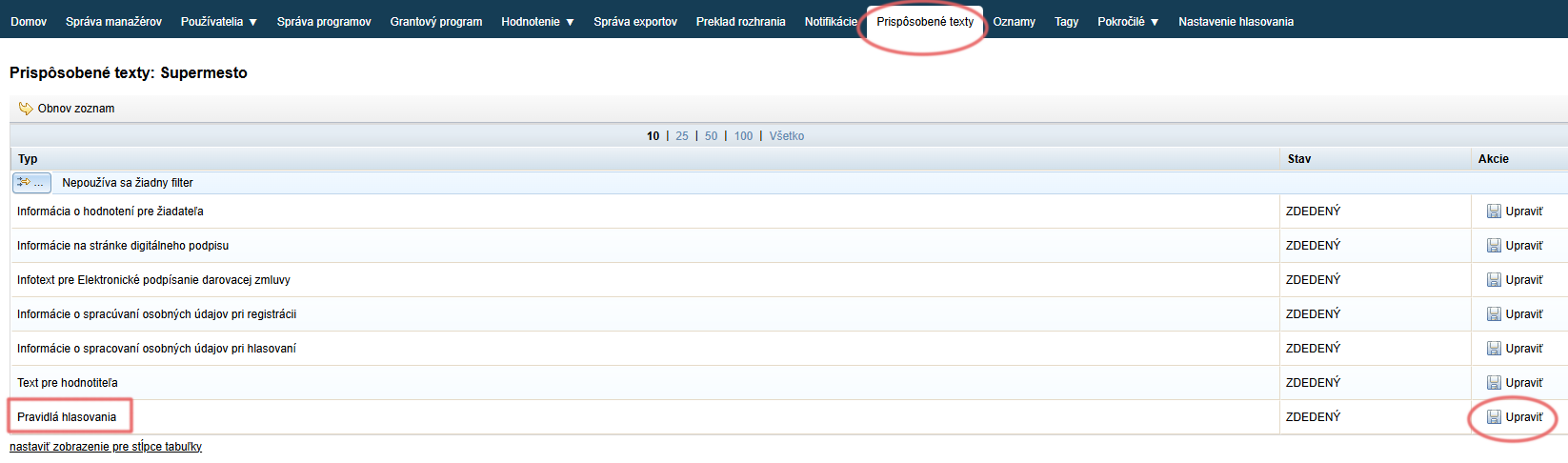
Open the “Prispôsobené texty” tab in the main menu.
A list of all information texts that you can edit opens.Find “Pravidlá hlasovania” in the list.
Click the “Upraviť” button in the “Akcie” column, then insert/edit the text and save the changes.